The Slurptop: A home-built luggable that runs on power tool batteries
Table of Contents The Design Process | Power Delivery | Bill of Materials | Closing Thoughts
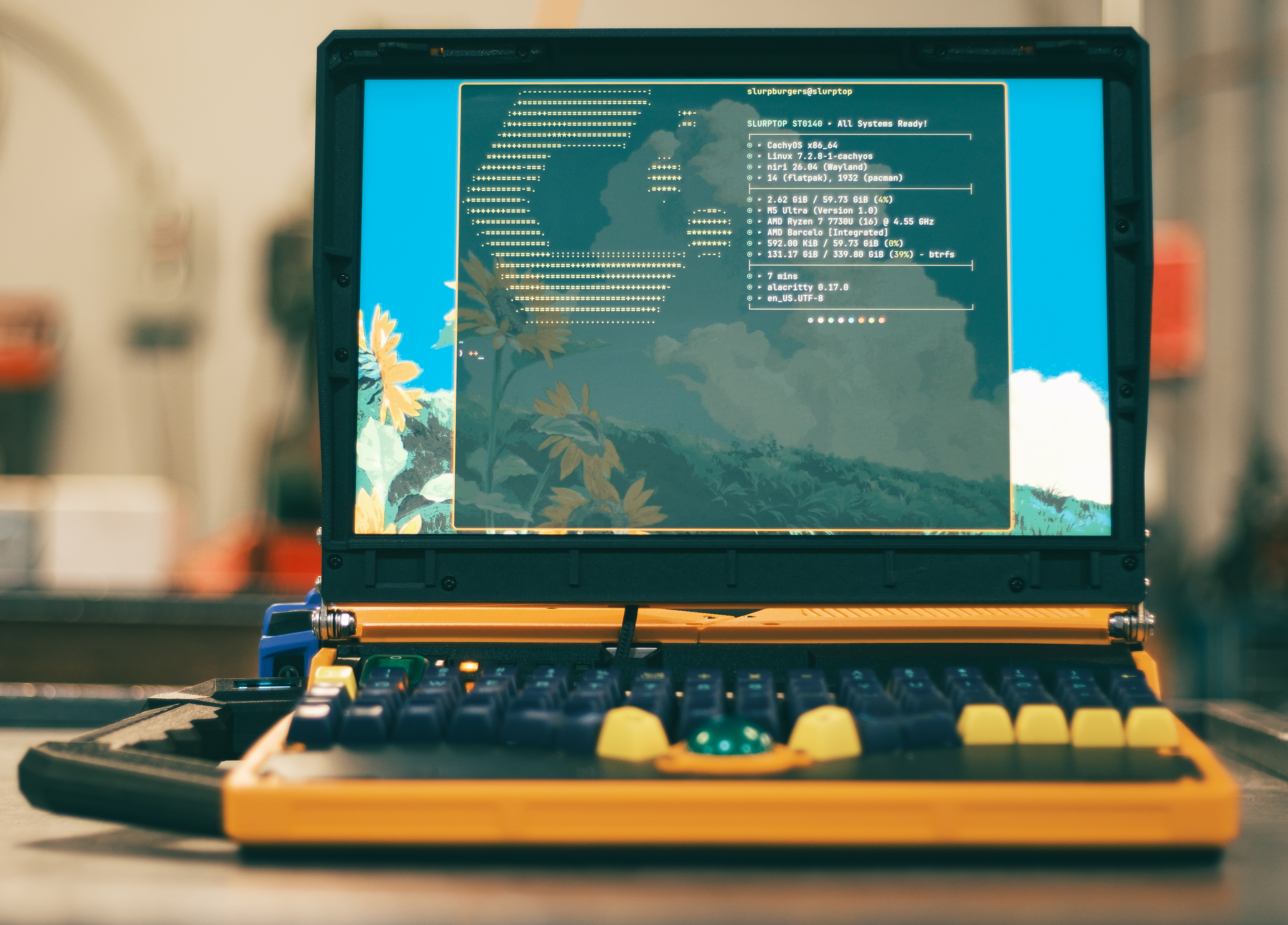
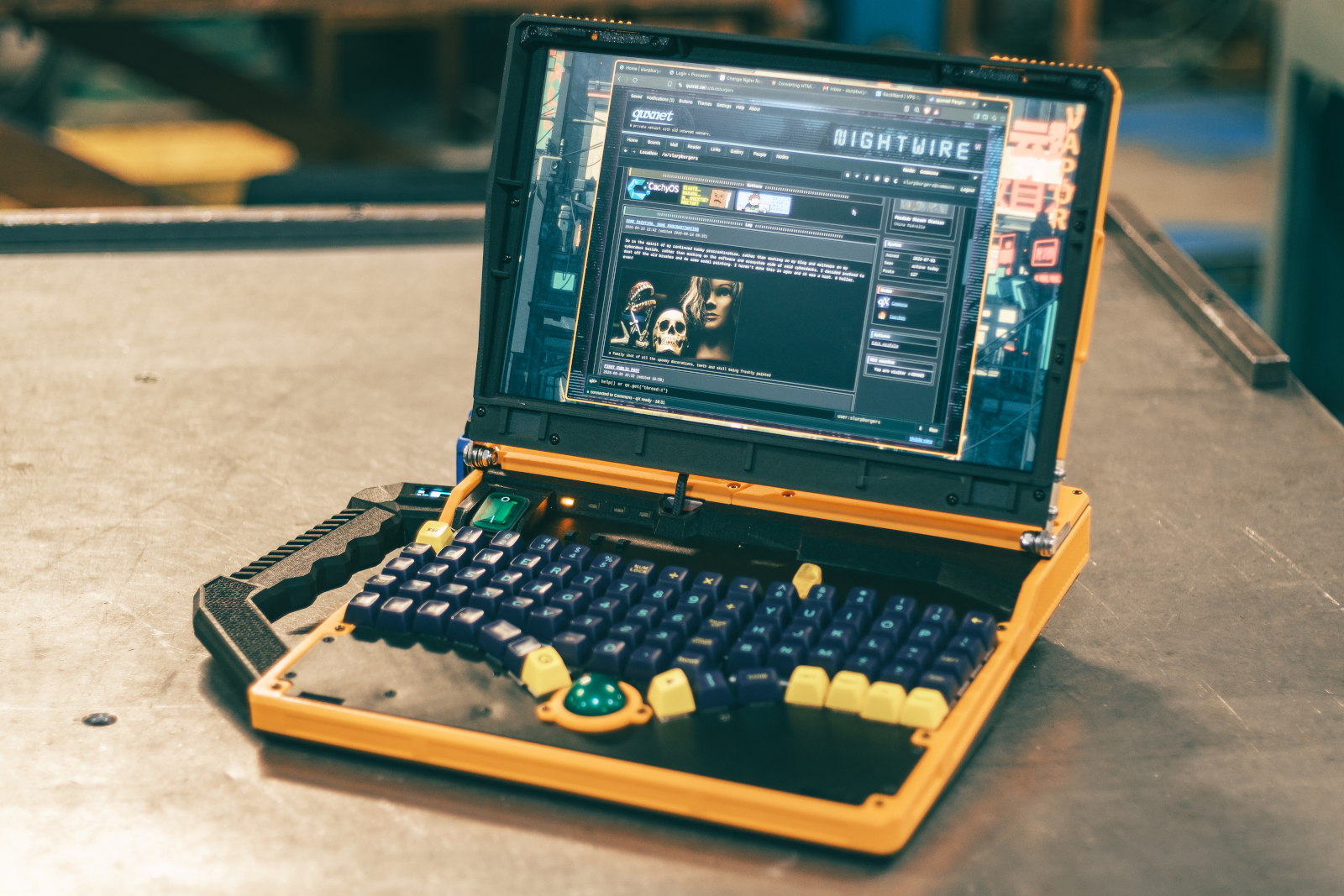
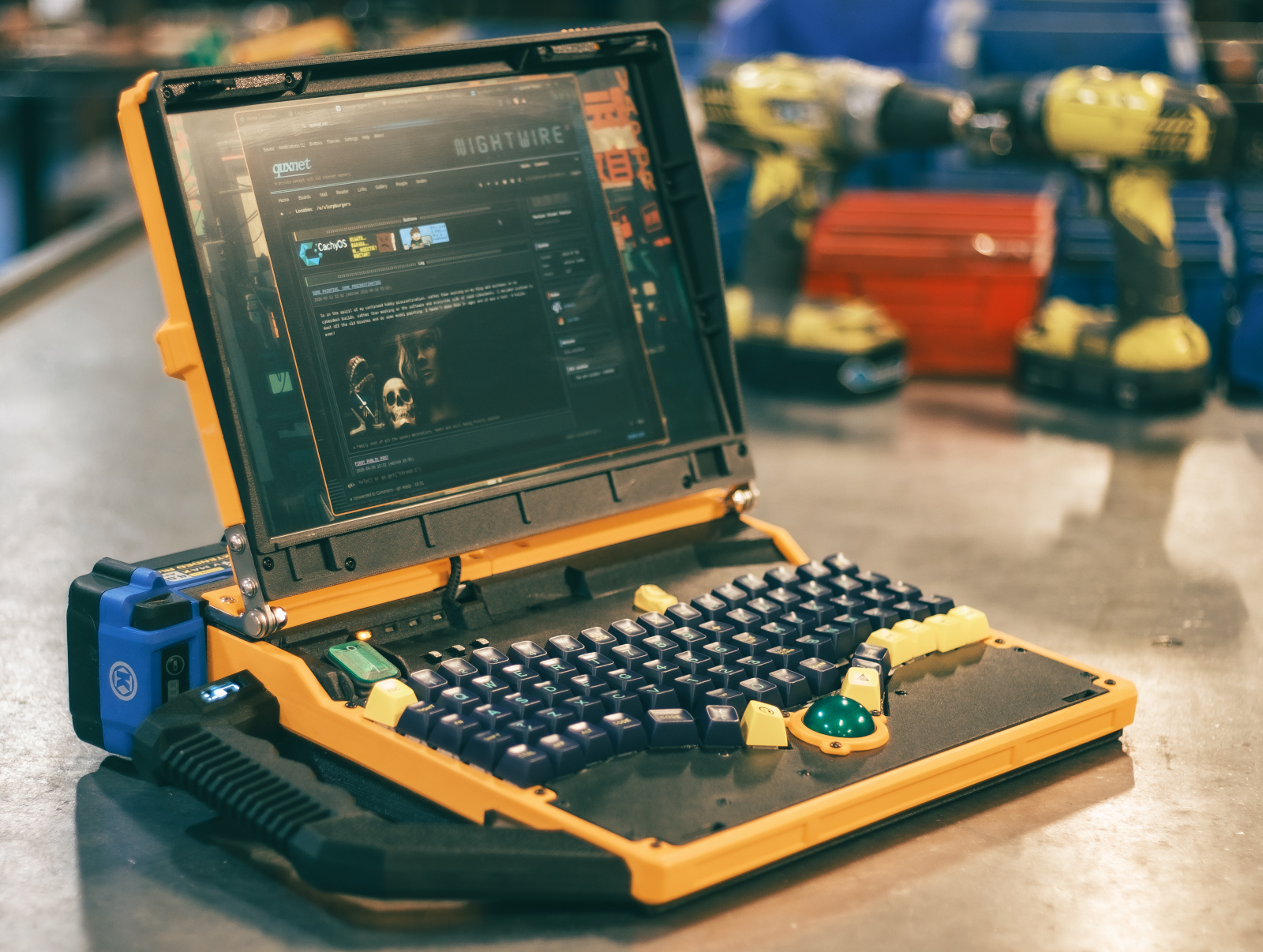
Basic Build Specs
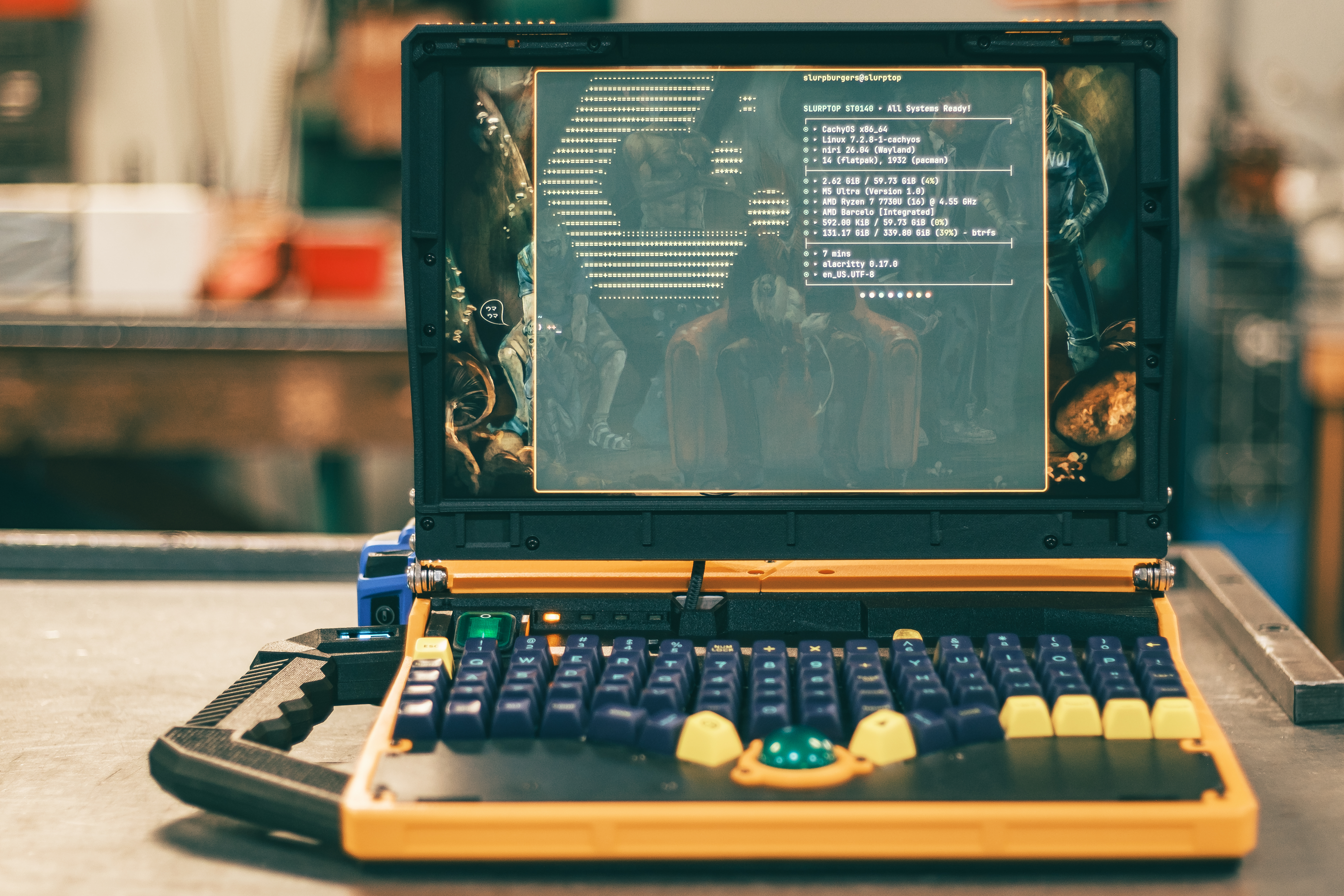
- Ryzen 7 7730u laptop CPU (8c/16t)
- 64gb DDR4 RAM
- 500gb NVME SSD
- 14" 16:10 screen (1920x1200)
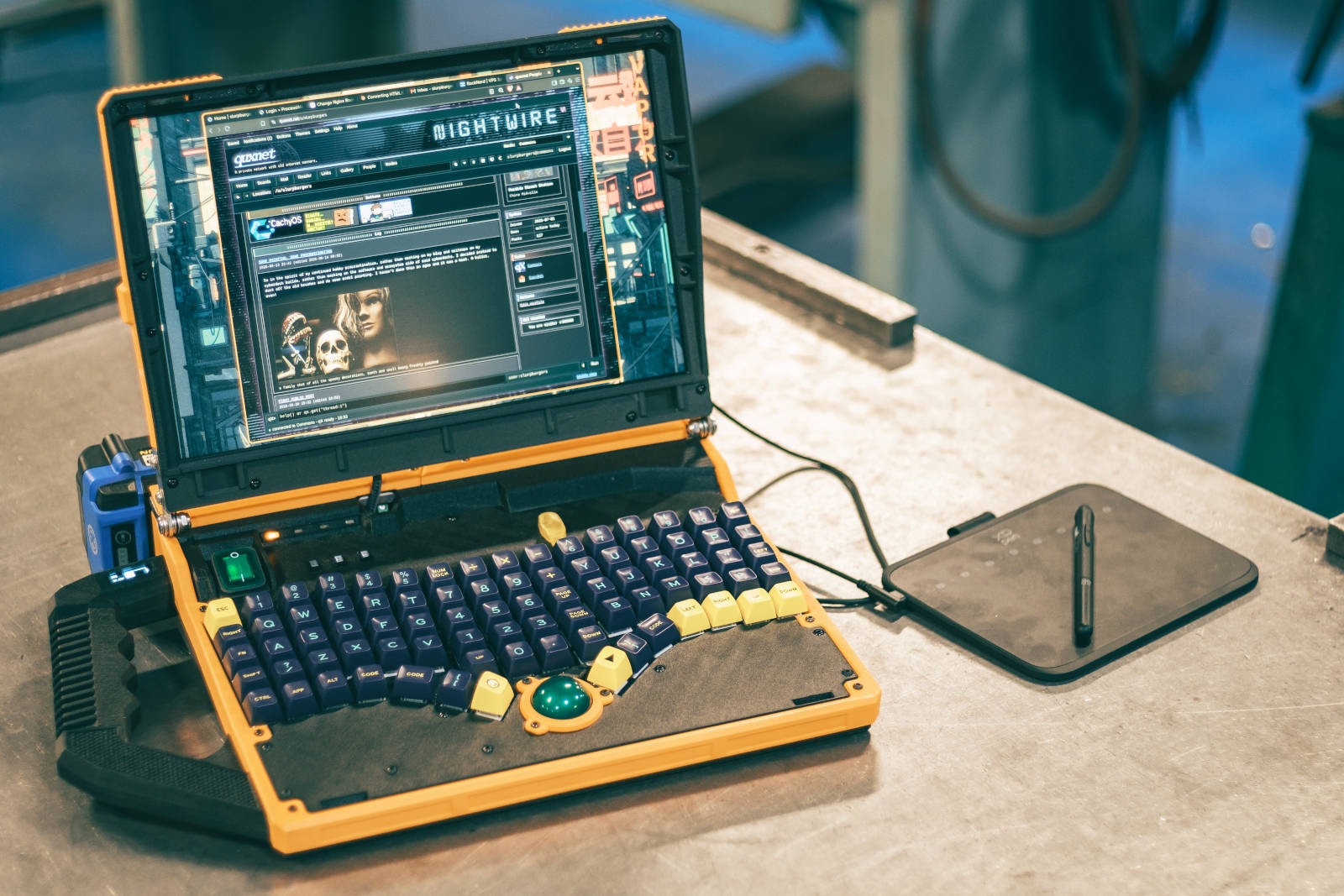
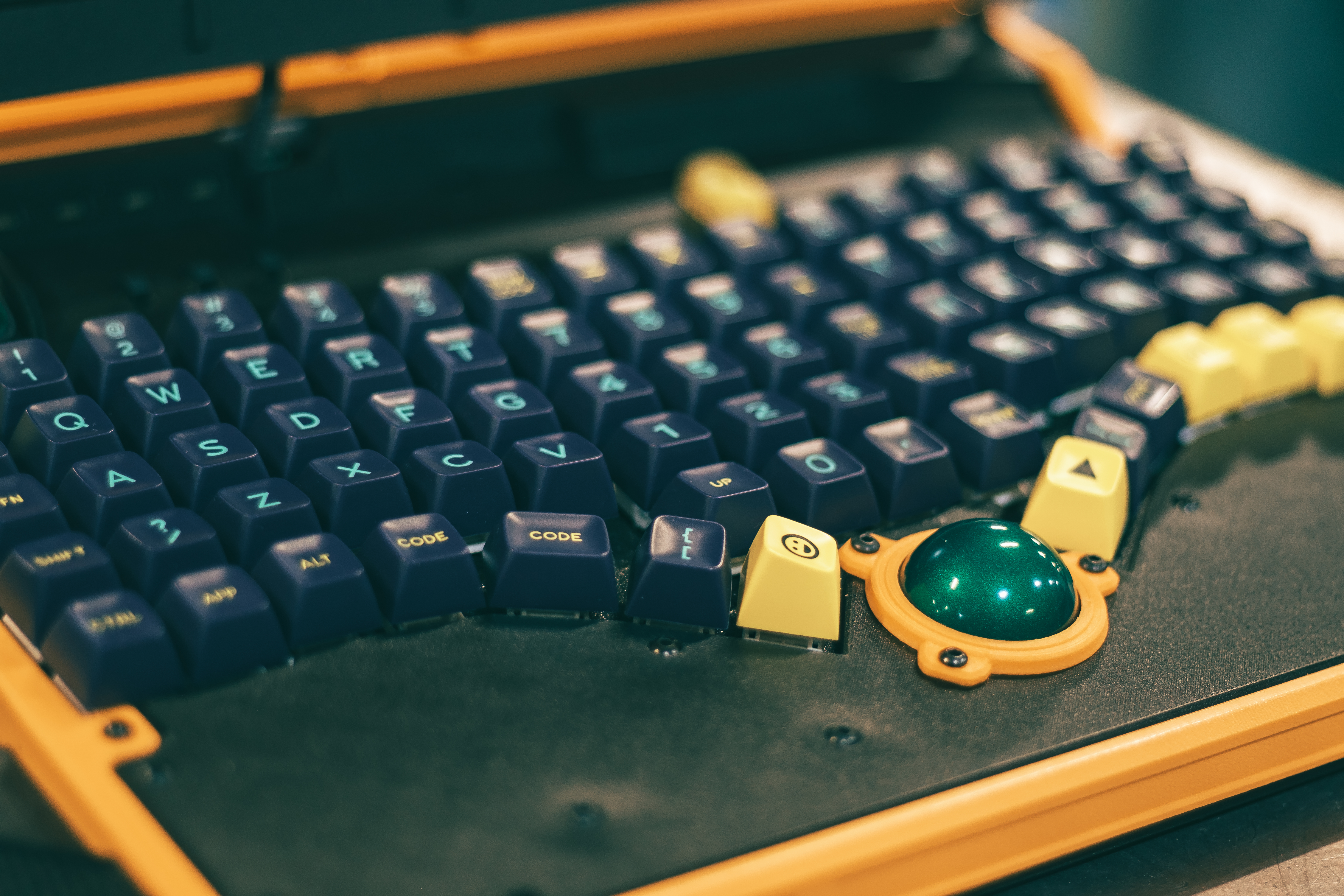
- Custom 82 key mechanical keyboard
- Integrated trackball mouse
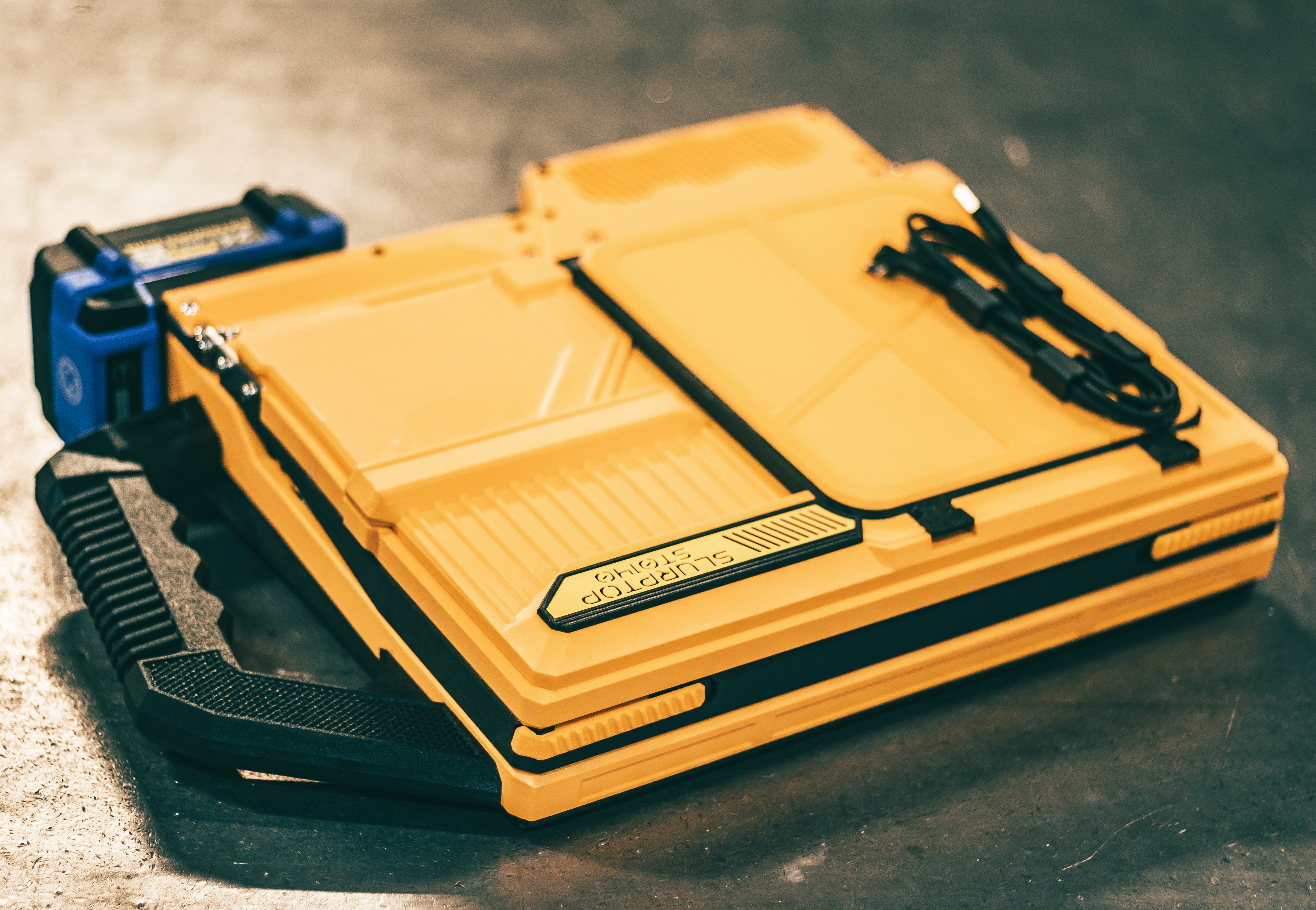
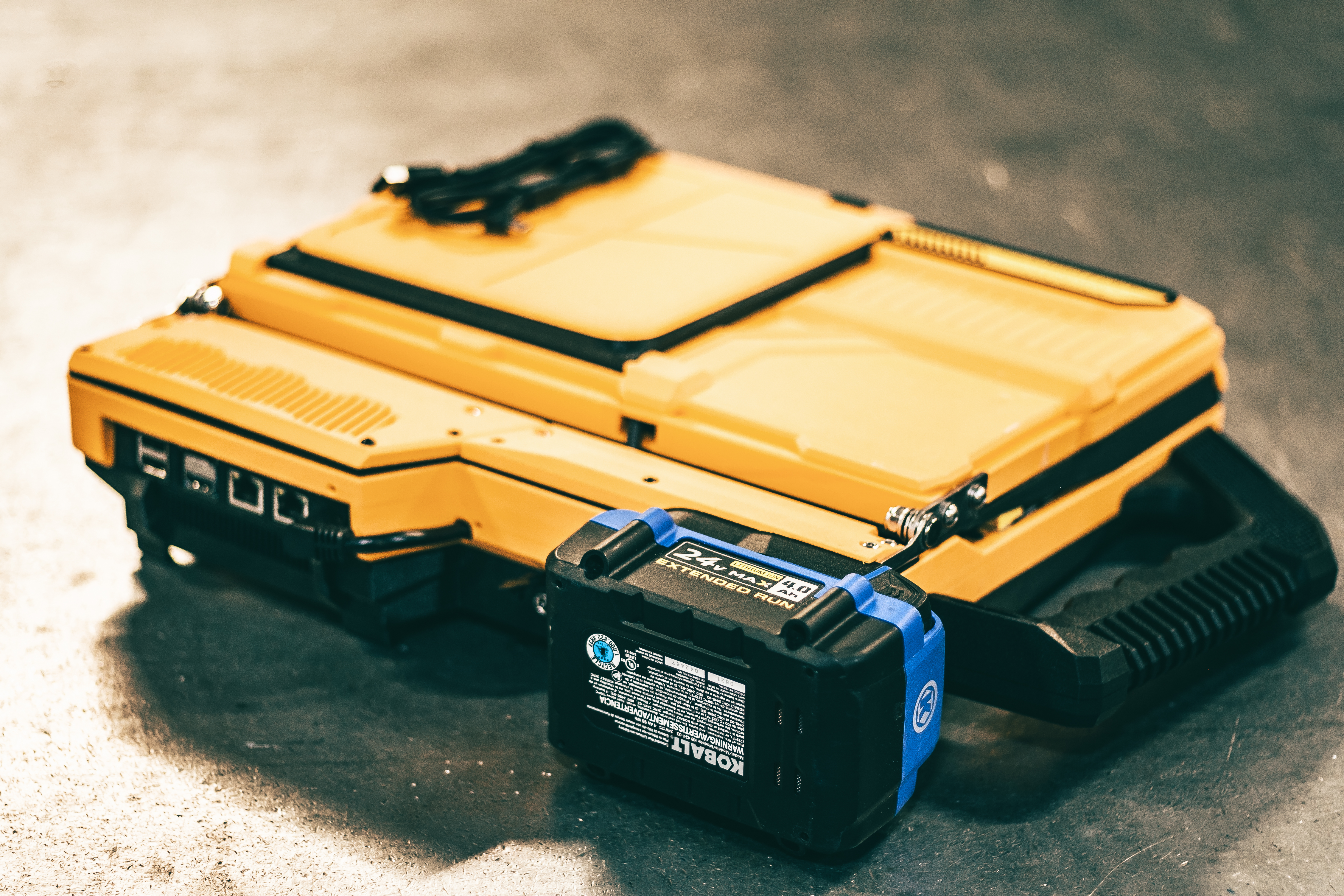
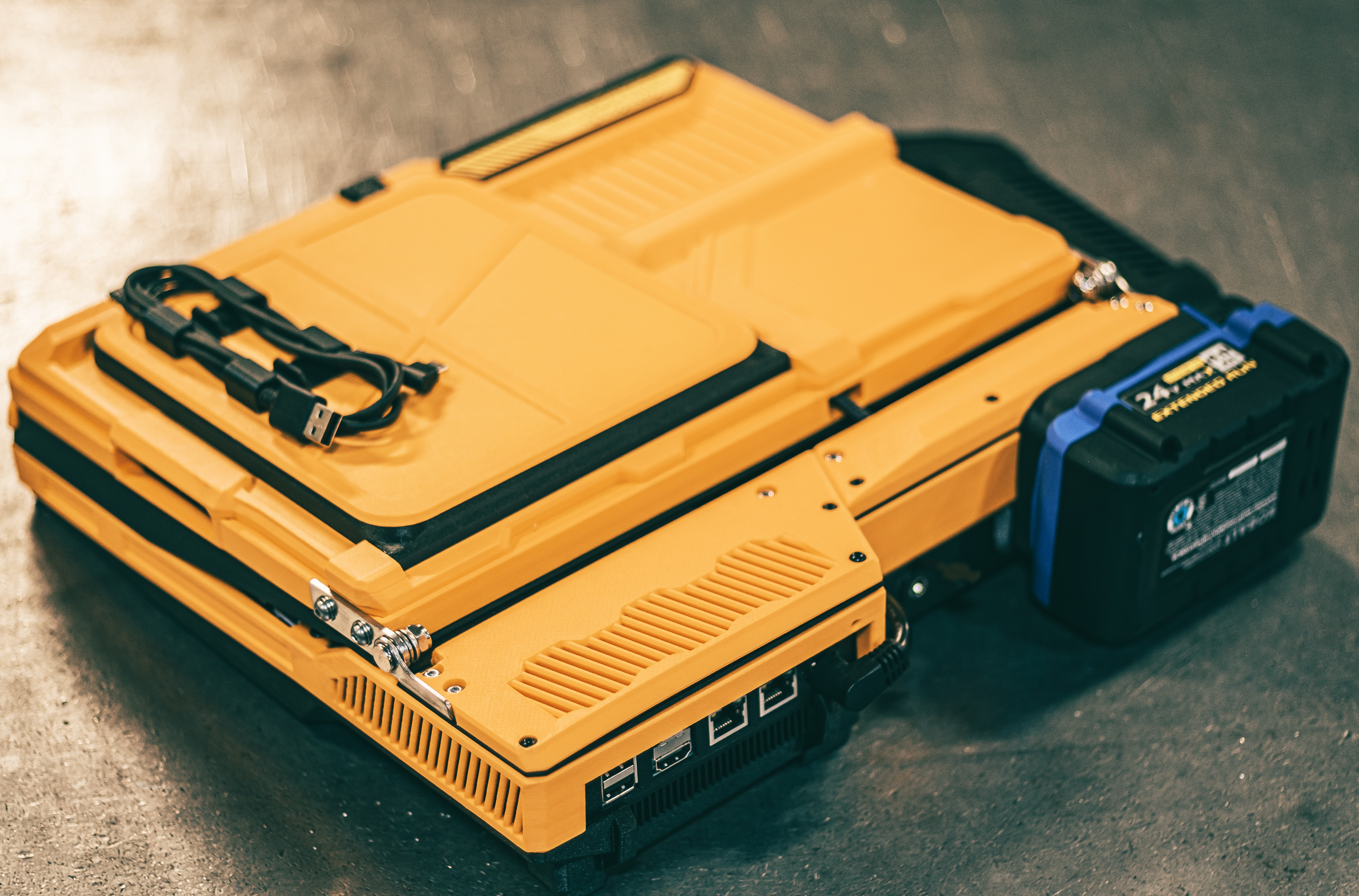
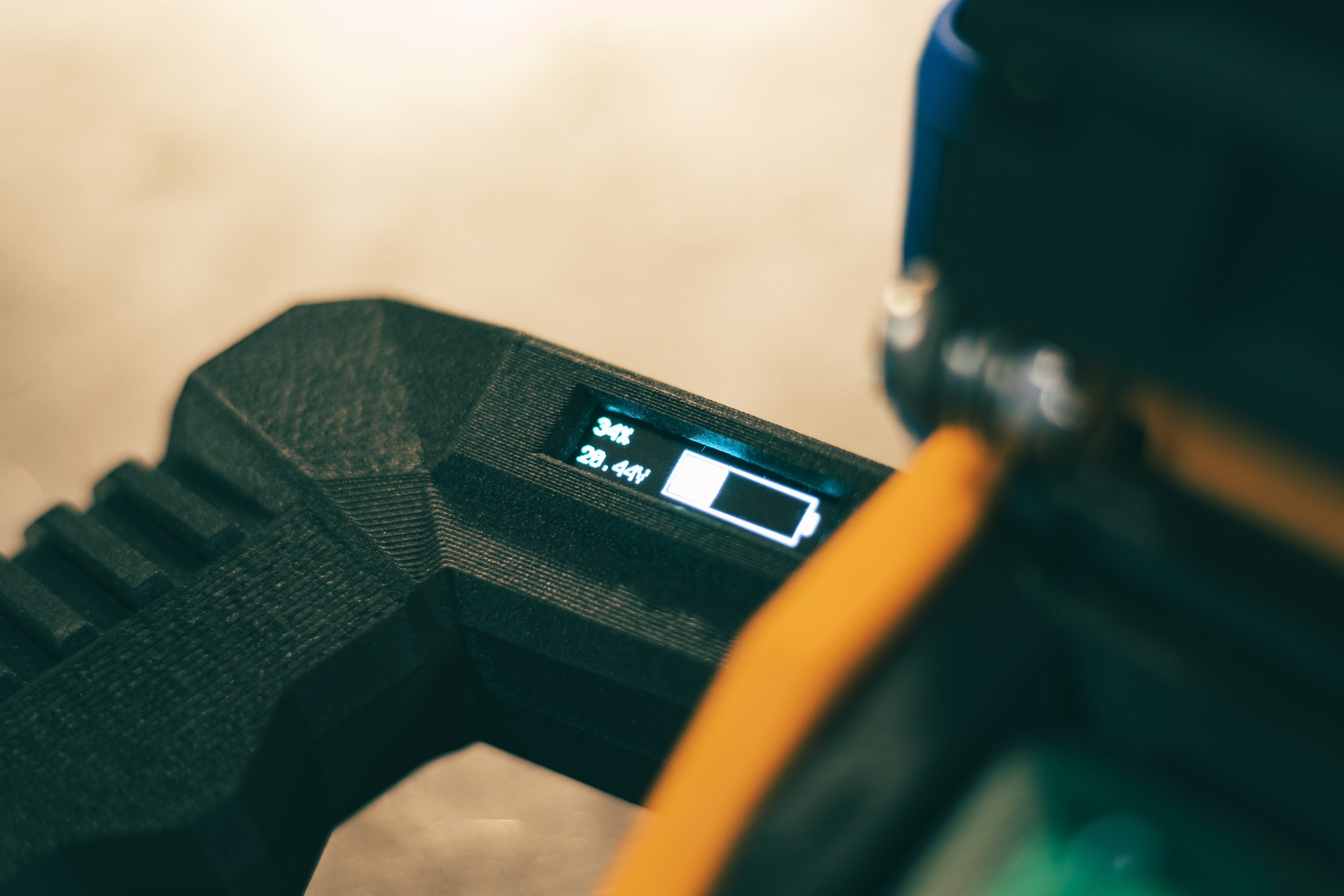
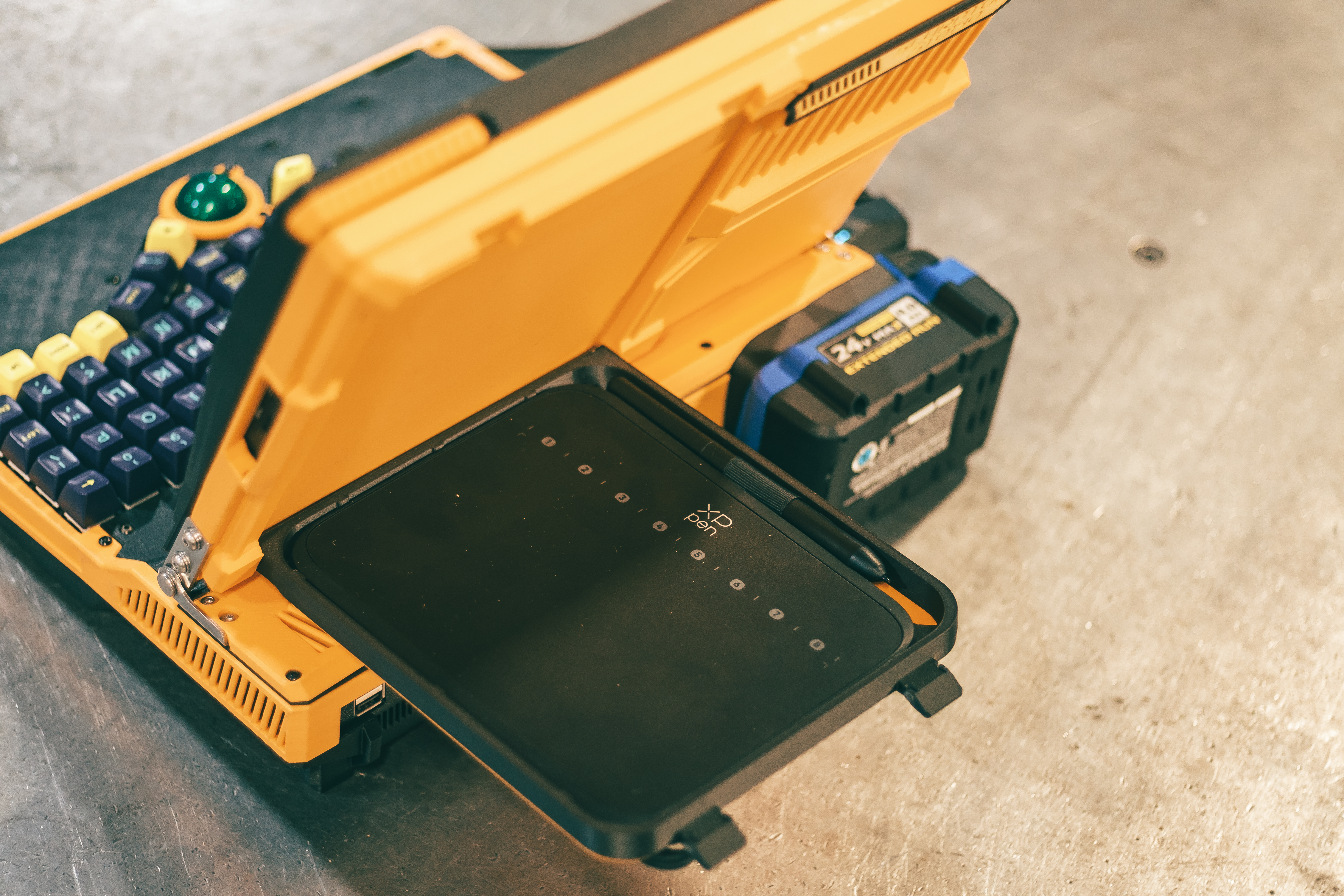
- UPS battery system that takes Kobalt powertool batteries (swappable, not hot-, sadly)
A Genesis of an Idea
Prior to completing this project I didn't have a modern laptop. I also had never tried out a trackball mouse. After completing a Writerdeck and a Cyberdeck based on Raspberry Pi SBCs, I felt that it would be incredibly useful to have a full-fledged x86 portable computer. You know, a laptop. Why not spend two months designing, building, and refining a laptop myself instead of just hitting up Best Buy for a new laptop that's ready to go? I mean, I don't have good justification beyond "because I can, and I want to", but sometimes that's all the justification you need!
The Design Process Begins
At the outset of the design process I started looking at Intel N50 and N100 mITX motherboards and PicoPSU power delivery, but started getting discouraged at the price prospect of something that was more expensive than a Raspberry Pi, consumed more power, didn't offer much more computing power than a Pi, and consumed significantly more power. That's when I figured if I was heading in a high power draw x86 setup, why not start shopping out some mini PCs?
That's where I found some decently spec'd out units with laptop processors and integrated graphics. These, I figured, would fit the bill for a machine that would be destined for some coding and light design work. Next up would be figuring out the power delivery.
Since my last folding screen Cyberdeck, I've been really enjoying designing within the Cyberpunk aesthetic. One of the aesthetic aspects that I felt the last build was missing was improvised part selection. Then I had the thought of powering the unit with a 24v power tool battery. The design aesthetic and the improvised hardware selection dovetailed beautifully in the design of the power delivery. The mini PC I bought had a 19v/5a power supply, and my power tool batteries were 24v. With a properly spec'd boost/buck converter, that should work perfectly both on the aesthetic requirement as well as the power and current requirement.
The Fun Stuff
Now we get to the fun stuff: sketching out the design.
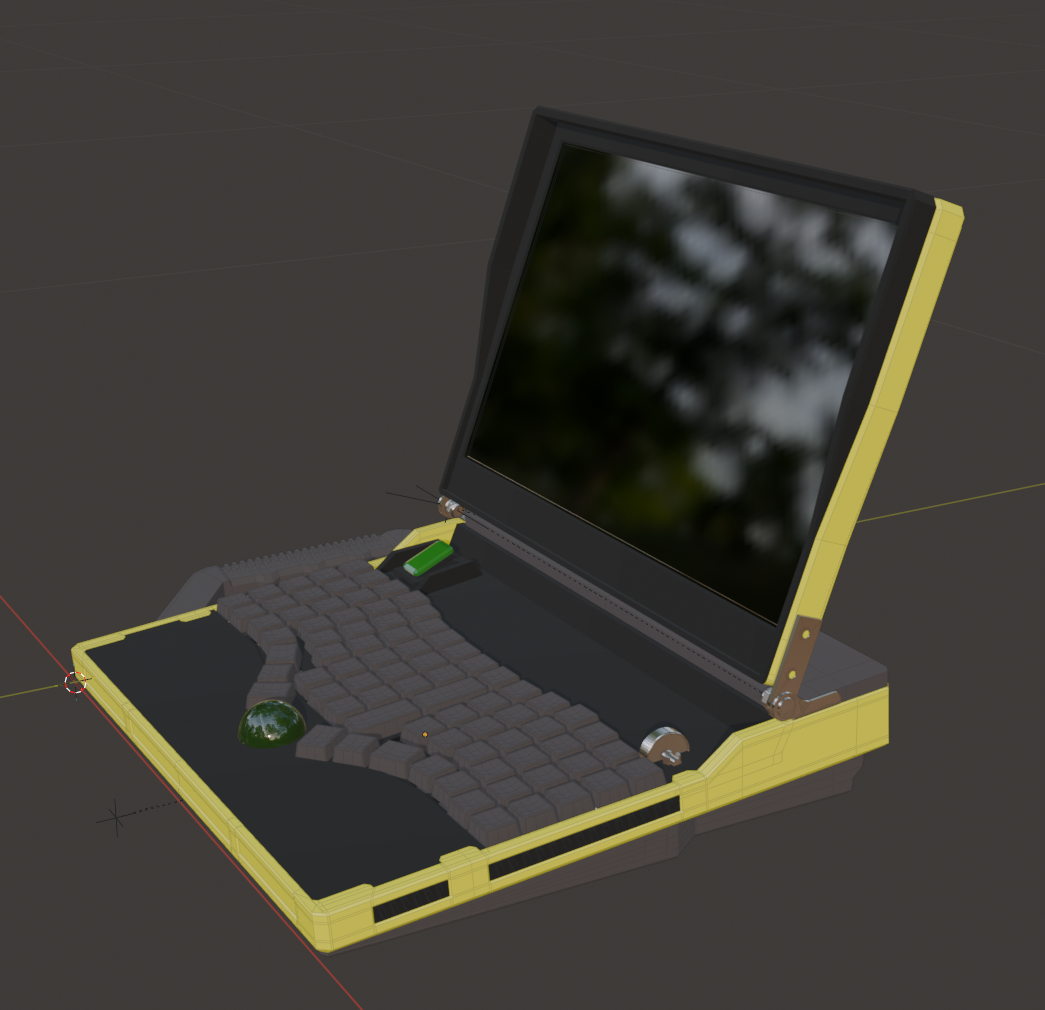
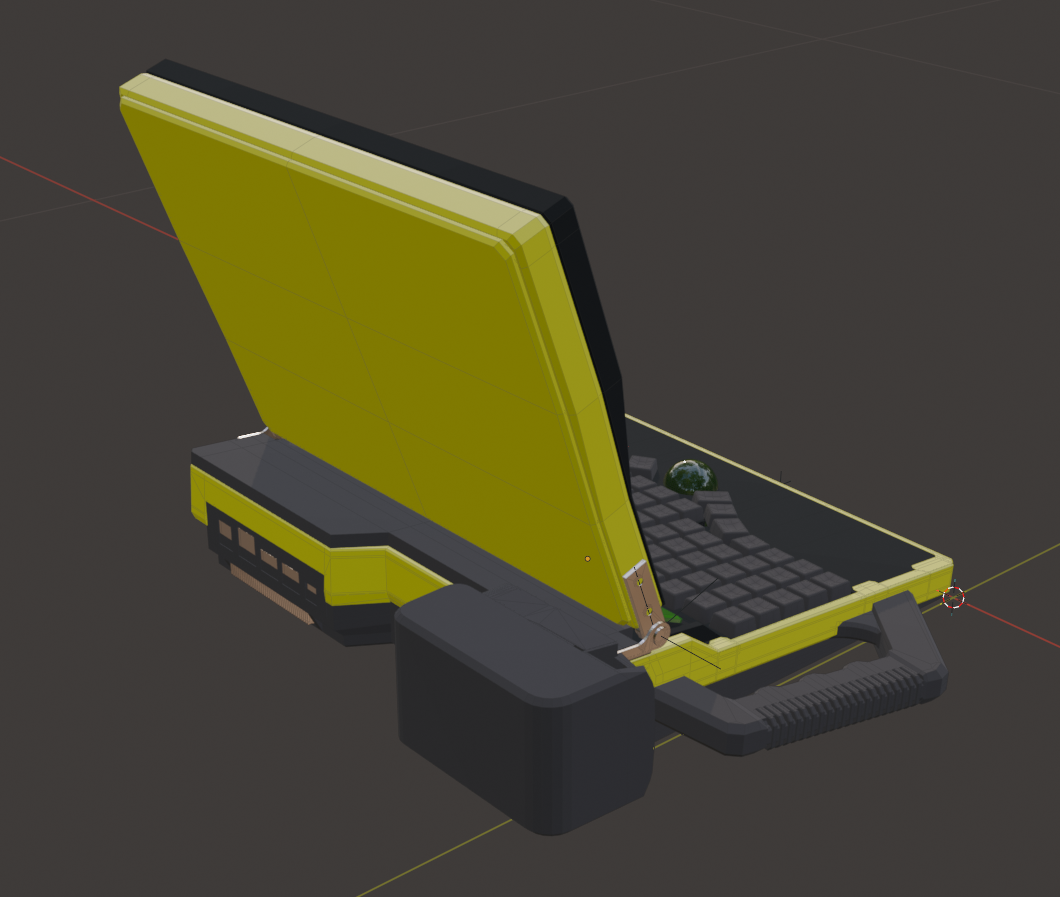
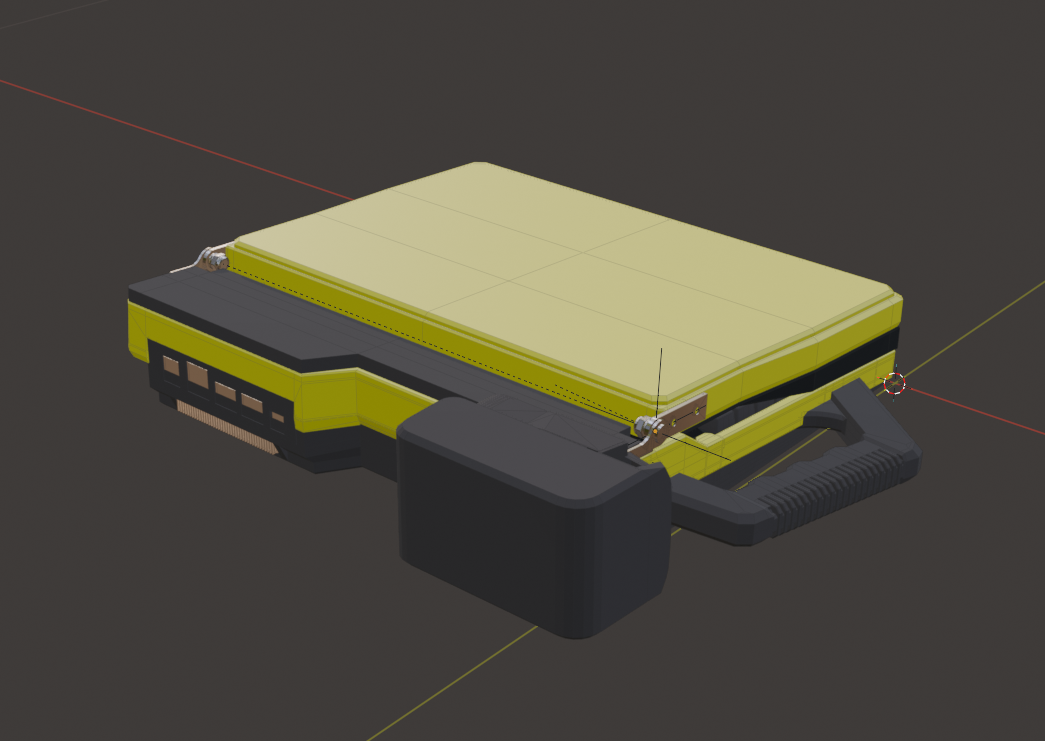
If you're interested in Cyberdecks, I'm sure you've seen a plethora of devices. From slabs without a hinging screen, to vintage computer style raising screens (like I used on my gray Cyberdeck), to absolutely awesome sliding designs like u/Personalitysphere's sliding modular Cyberdeck. I wanted something that would have the rough form factor of a laptop.
With the form factor decided on, the next step in every project I do is to gather up all the components, grab my calipers, and get to measuring and modeling in Blender. I make "good enough" 3d models of EVERYTHING. It's tedious and time consuming, but I wouldn't do it any other way. You can package everything so much nicer when using this method, and you run into WAY fewer problems during the assembly stage, WAY fewer redesigns and reprints, etc. This is the "measure twice" process when building a device like this, even though it's more along the lines of "measuer ten thousand times". Very worth it, and I highly recommend approaching things from this direction. Not to mention you're honing your ability to measure and model things, which is invaluable as a desinger.
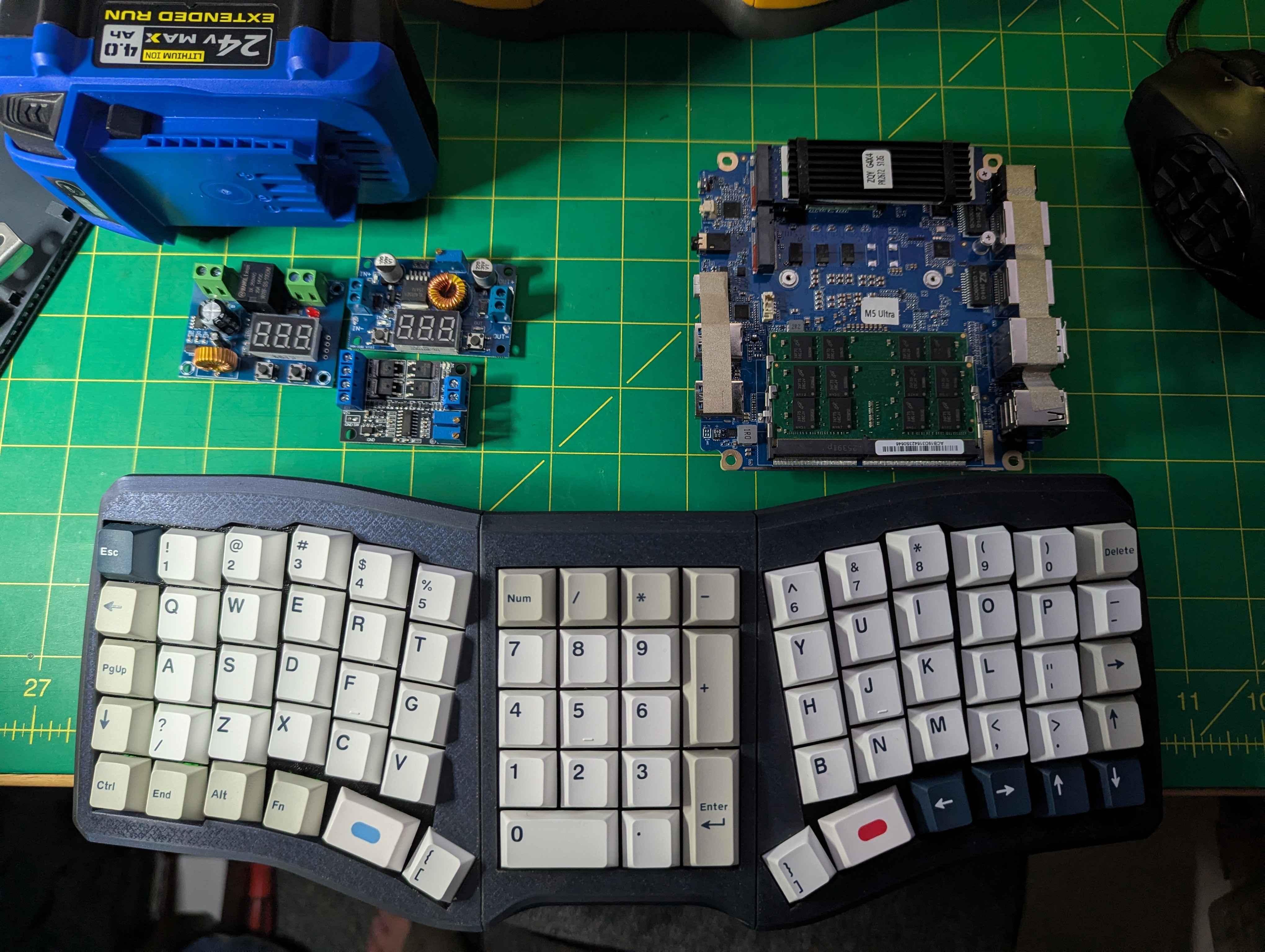
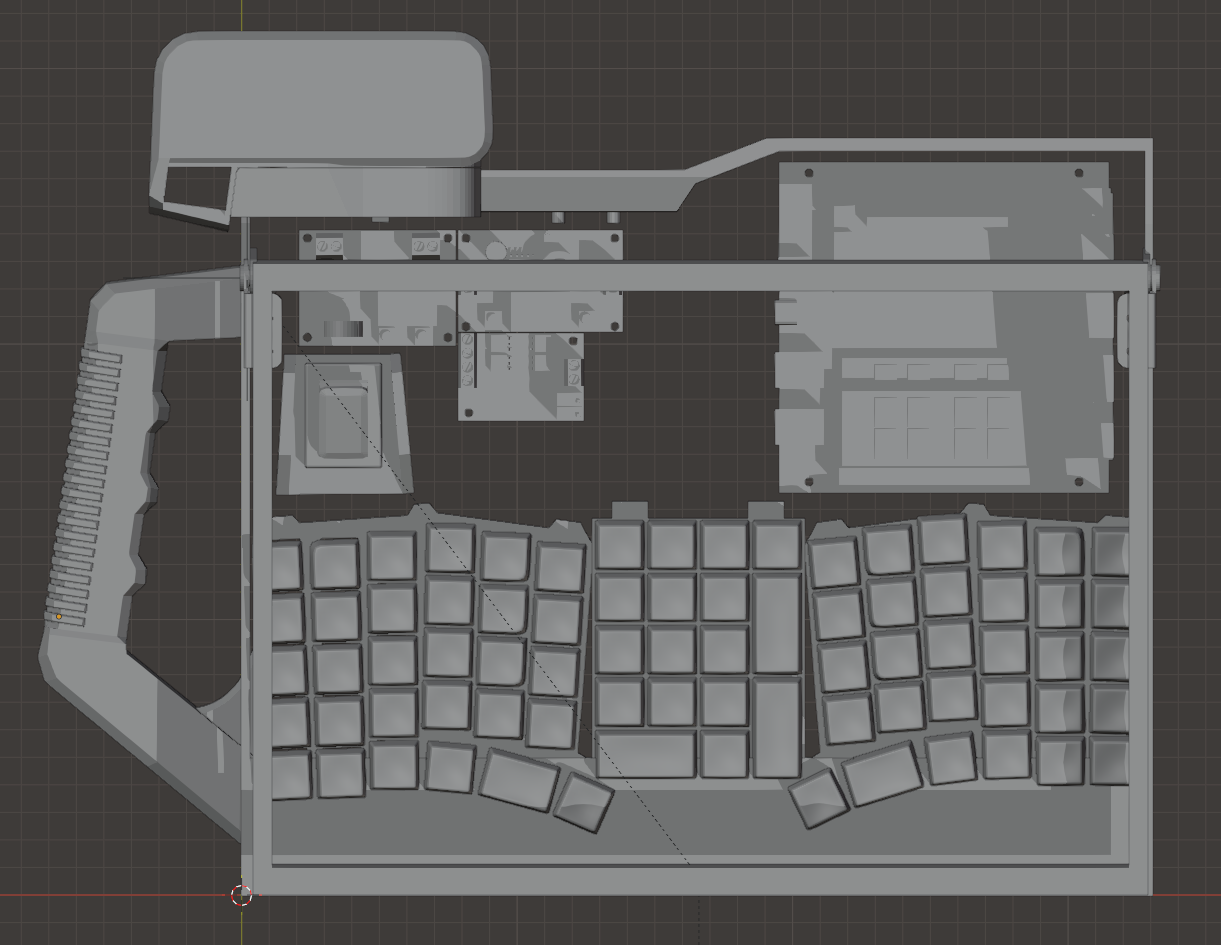
After establishing the layout of the individual components, I start going through a process of sketching out designs and layouts. Usually I have a pretty clear vision of what I'm going for at this point, but a lot of design elements are "discovered" at this stage. It's also where some hard choices have to be made because establishing certain design elements sets you down a road where if you choose to go a different direction you can't just CTRL+Z you're way out of. You have to delete a LOT of work sometimes.
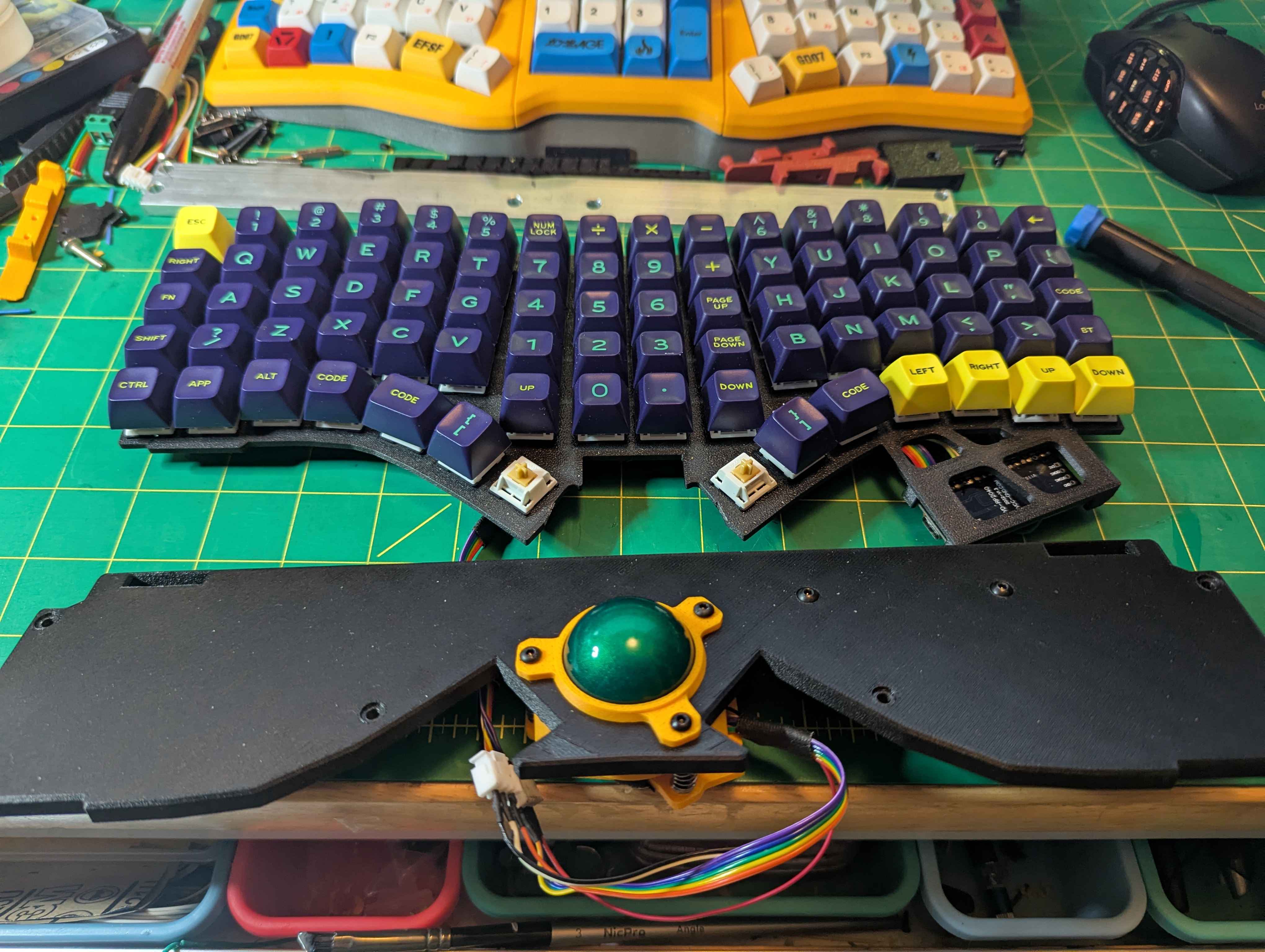
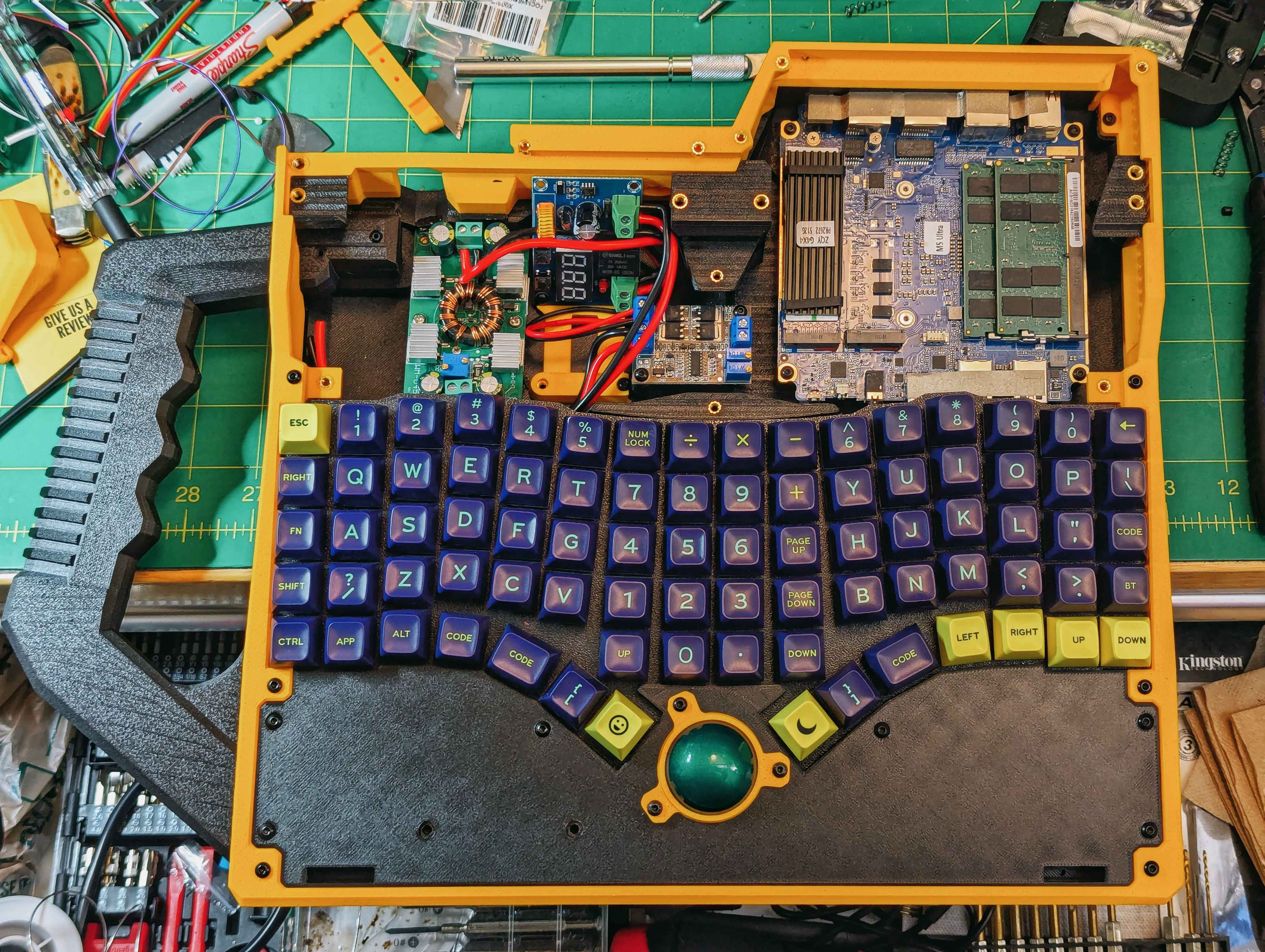
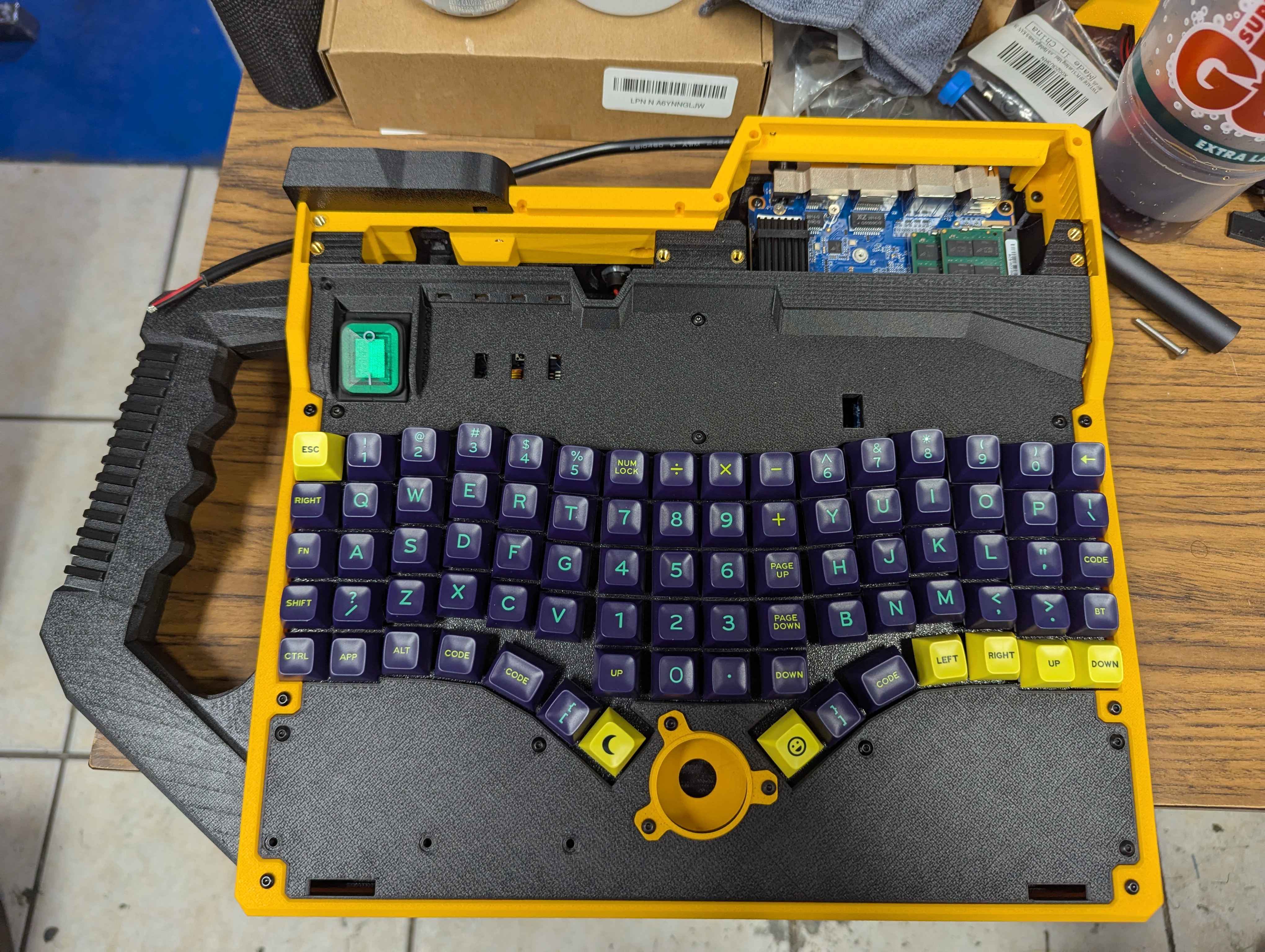
I'll jot out some of the notable design choices and processes that I went through:
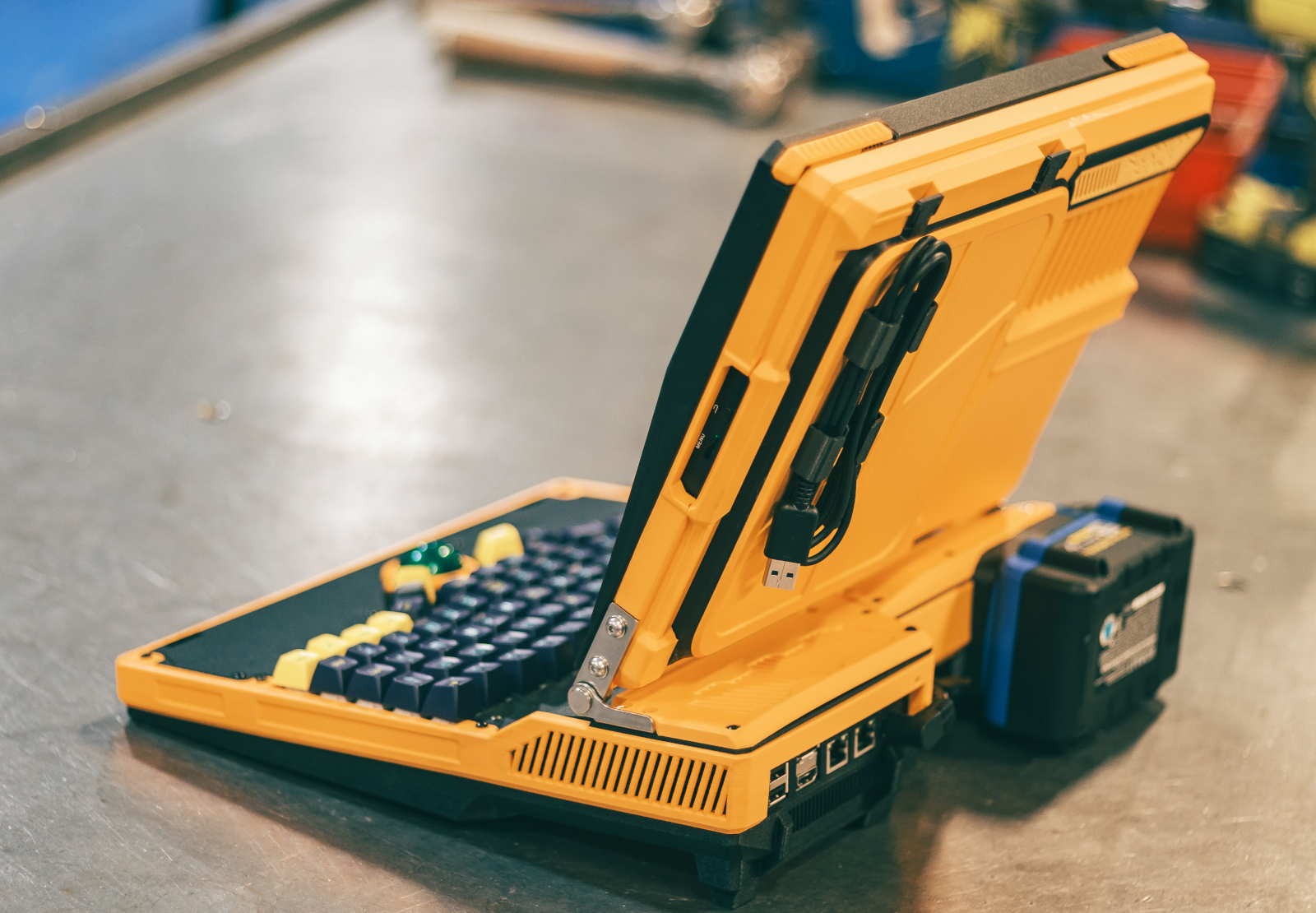
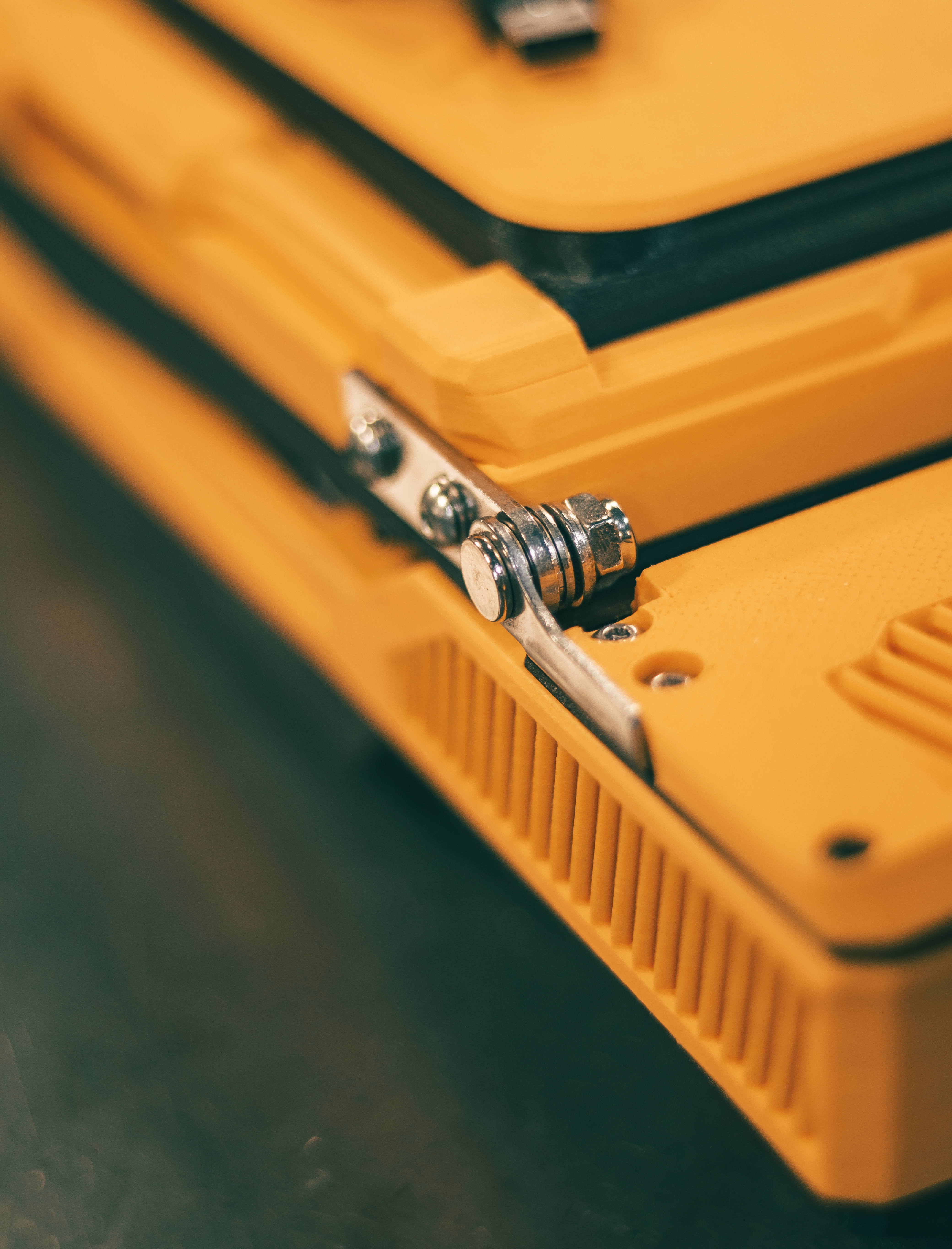
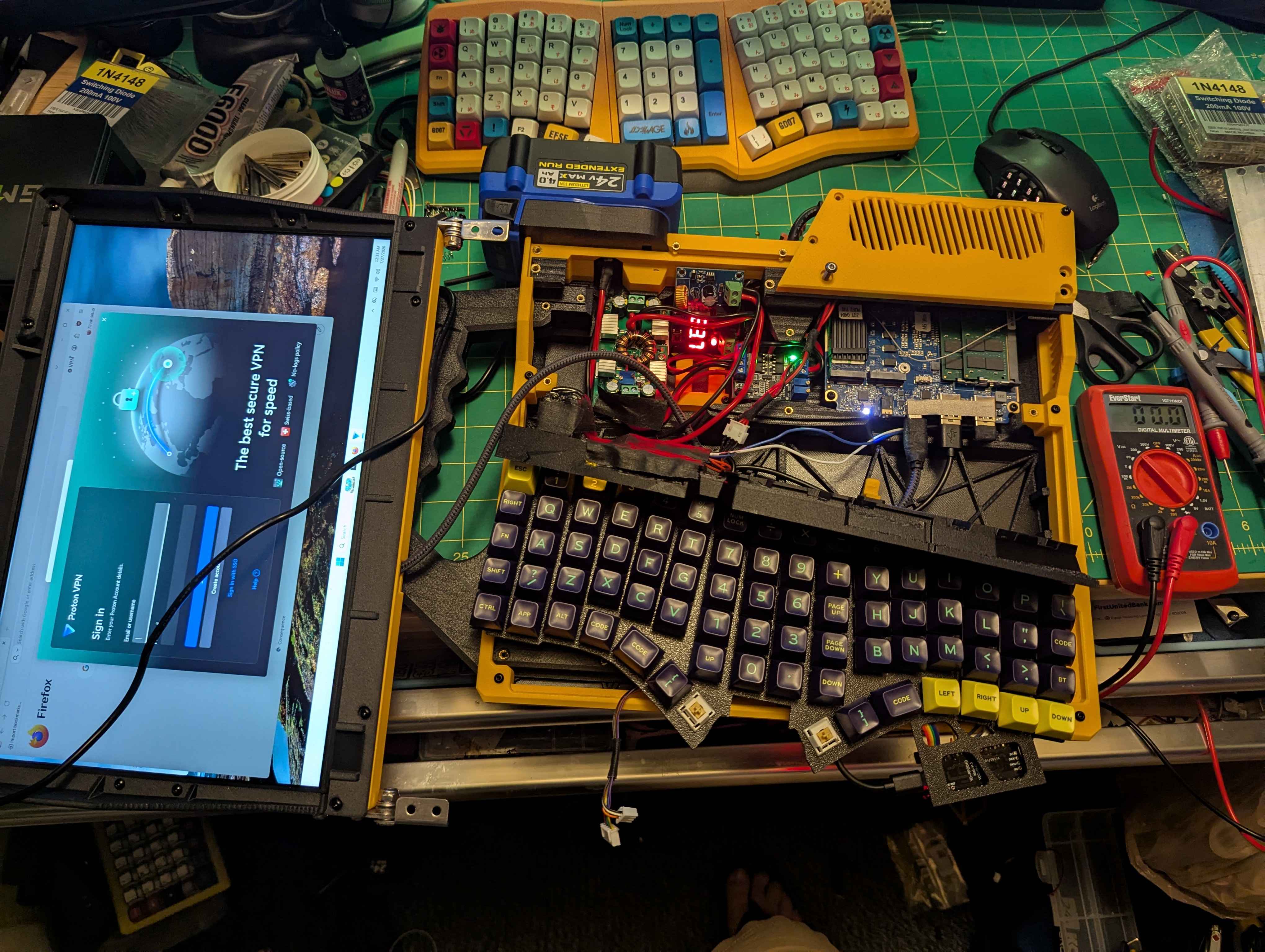
- I knew because of the size of the finished unit that I wanted to be able to incorporate some aluminum bar material to increase total unit rigidity and strength. I had initially planned on incorporating much more aluminum in the design, but whiddled that amount down in the design process to one bar that spans the width of the laptop, underneath the monitor hinges. It's designed to be a 4 layer sandwich where the bolts that hold the hinges in place also hold: the rear lower case fan covers, the aluminum bar, and the front keyboard switch plate. These are all bolted down to standoffs designed into the lower case housing that have heatset inserts installed.
- I didn't want the screen bezels and overall screen housing to be TOO big and bulky. This was fortuitous because as designed, the screen components and outer lower case frame are EXACTLY sized to my printer bed (340mm) with less than 2mm to spare on either side.
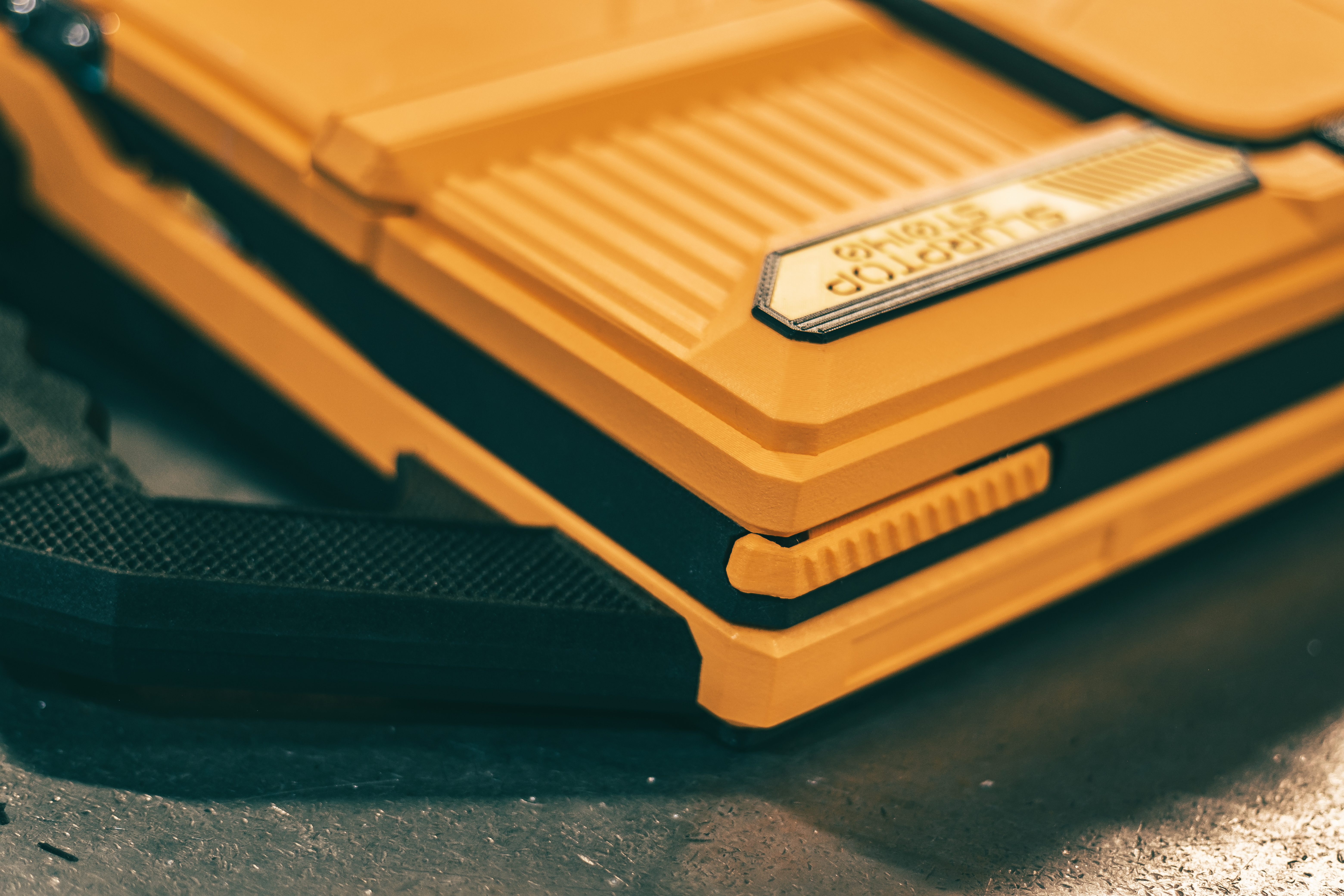
- The main design principles I had in mind were: Utilitarian (think power tools and modern rugged designs for products meant to be used and abused), Sci-Fi/Cyberdeck almost touching into NASA-punk (this is where a lot of the 45deg facets and bevels come from), and Cyberpunk (improvised design, scavenged hardware, etc).
- The handle was an integral element I wanted from the start, and the final design was ultra satisfying. It sits between the main case base and outer frame so intricately that once the case is bolted together it's firmly locked in place, even without the mounting bolts for the handle itself. One of those small acheivements that's hard to describe, but you know what I'm talking about if you've ever felt it!
- I really wanted a 4:3 display ratio. However, I also wanted a usable size screen in the 13-15" range, and didn't want to spend north of $100 on only the screen, so this 16:10 unit was the closest I could find that fits in the matrix of requirements listed. Being USB-C also made packaging super convenient. No HDMI ribbon cables to worry about here!
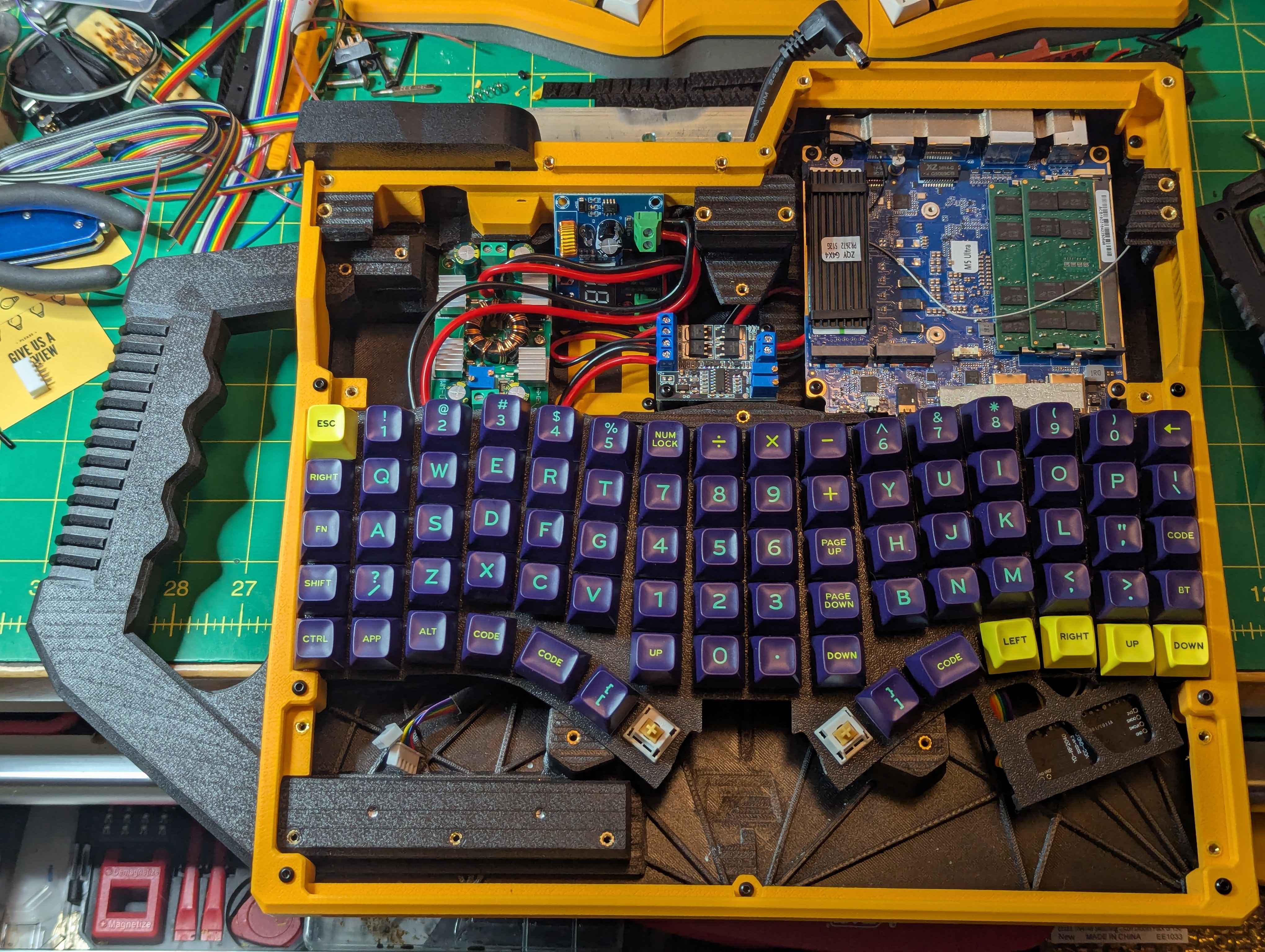
Some Notes on the Input Devices
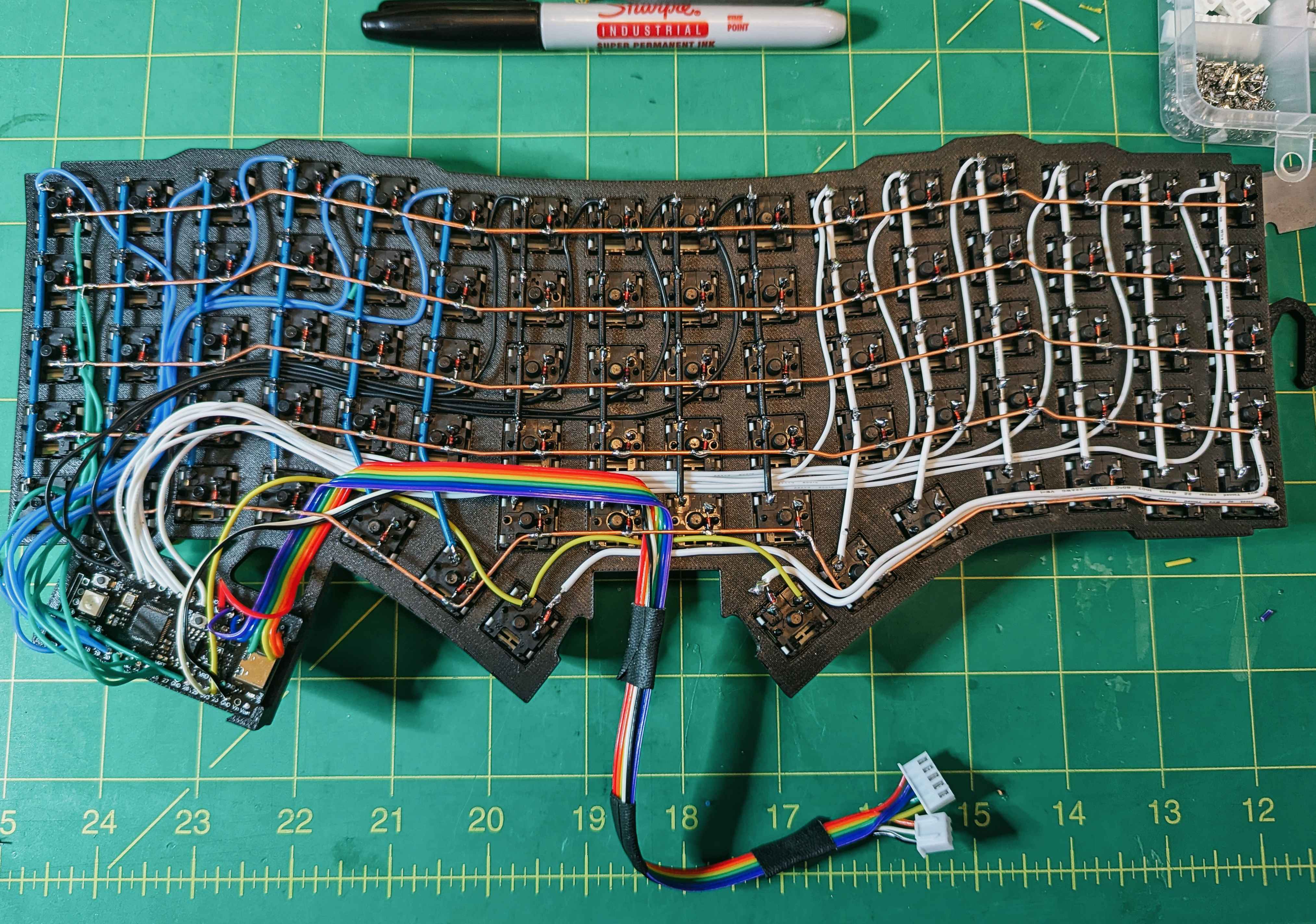
So I'm adding this after I posted the project to Reddit and was asked for some further details on the trackball setup. At its most basic, the trackball is just a ball in a cradle with static 3mm ceramic bearings (3 of them, for a perfect balance of alignment ease and stability) hovering over the sensor from a gaming mouse. The mouse I used was the Corsair M65 (non-ultra, non-pro old version). It had a couple things that made it super convenient. First, the sensor and lens are mounted to small and compact daughter board, the daughter board had all the necessary pins from the sensor exposed as test points, and it uses an ADNS-9800 sensor which has libararies already built into KMK firmware (my firmware of choice because python and easy).


Delivering Some Power
So with the rough sketch of the power delivery system in mind (24v battery, DC-DC conversion down to 19v) I had to start refining things into a working circuit, preferably with some off the shelf components to expedite the process.
So...
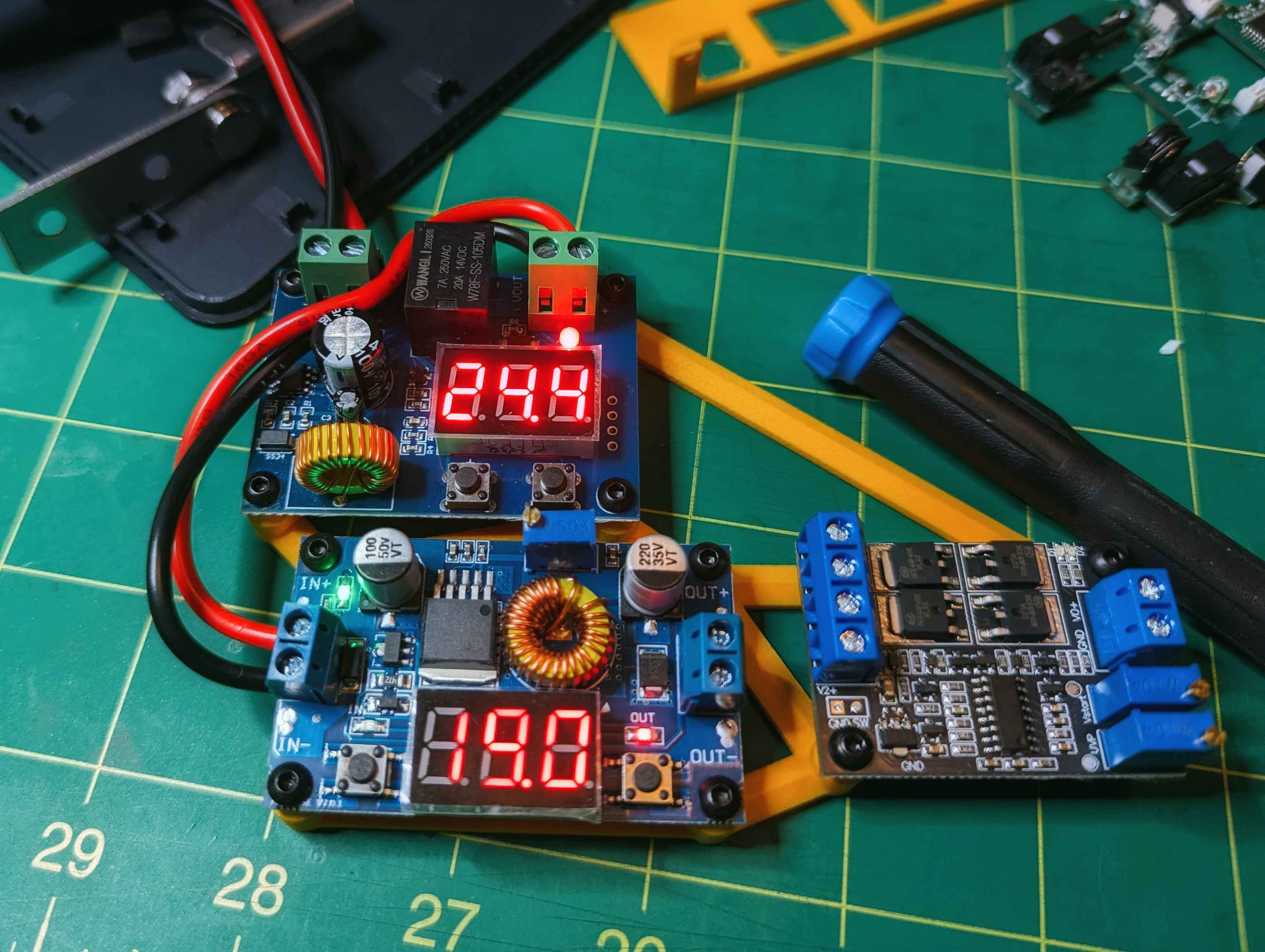
The battery I am using is an off the shelf item. Great. But it's going to swing from ~25v down to around 19v (being conservative and keeping the per-cell low voltage at around 3.2v). So I needed a converter that does buck and boost. Searching around, there's a pretty common converter rated for 300w/10a. Should have plenty of overhead since the PC itself should only see around 75w/4a draw at the max, and 300w/10a should give plenty of overhead regarding efficiency drops across the converter and switching circuitry, and still not push the converter to hard to prevent crazy high temps.
Next...
You can't fully just drain batteries. We all know that, it's a death sentence for our poor little cylindrically shaped ionic friends. So I needed a low voltage cutoff. Again, I was able to source another premade board that could be set anywhere between 0v and 36v. That should work perfectly set at 19v with a 2v margin to turn back on.
Then...
Because I'm using a power tool battery I figured I could save some time, money, headache, and size/weight in the finished unit by offshoring the charging to the stock battery charger and just forgo integrated charging on-device. However, I didn't want to run the machine purely off battery power. I wanted the option to plug it into the wall when wall power is available. The best way to do this that I found was with a high-speed UPS power switch. Again, conveniently, there was an off the shelf module from Teyleten Robot that serves this exact purpose. It's adjustable, so I just set it to detect when power was applied to the jack that the wall wart gets plugged into to switch from battery power to wall power. It also does the reverse: when the wall power is removed, it switches to battery power. It also works perfectly.
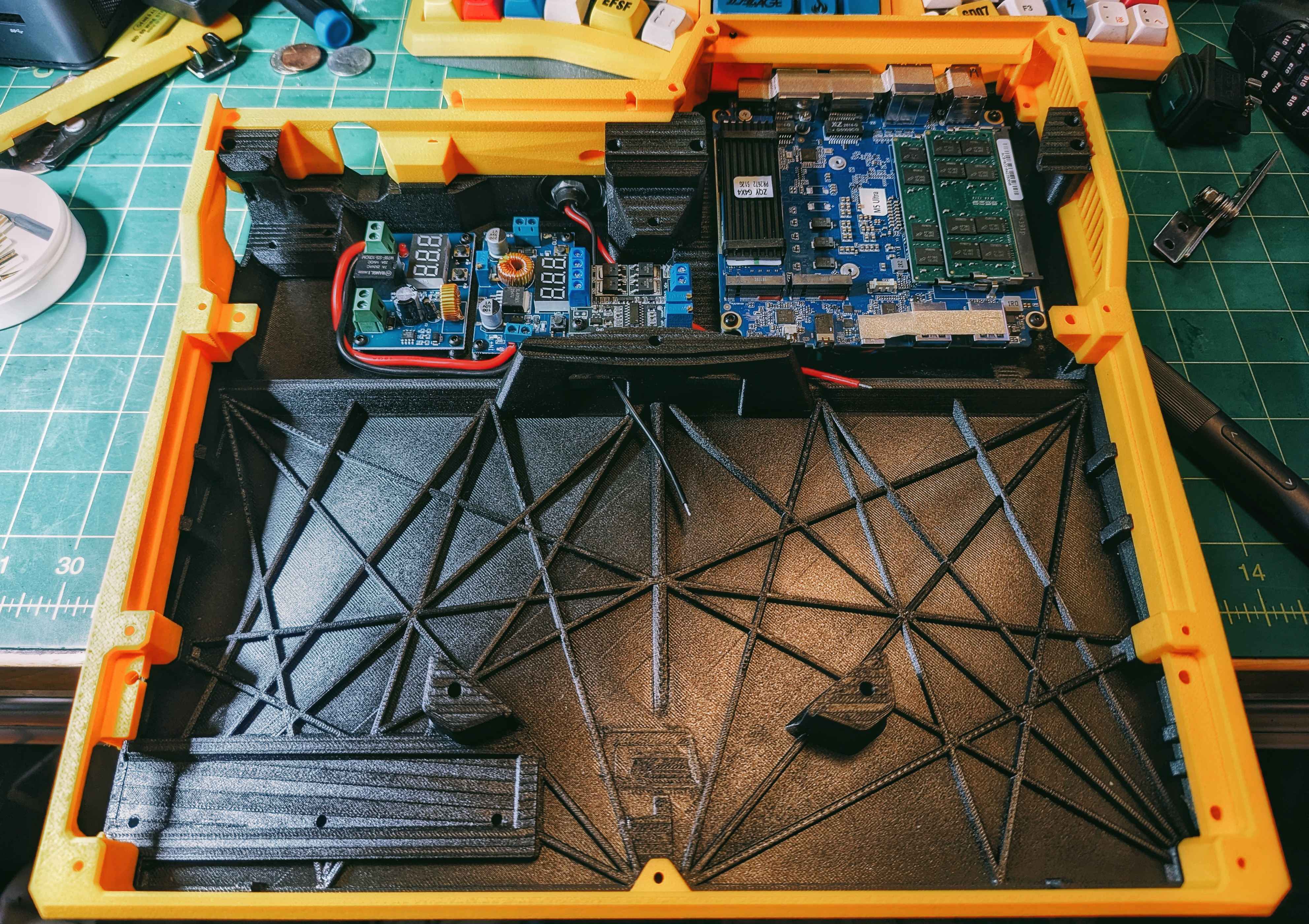
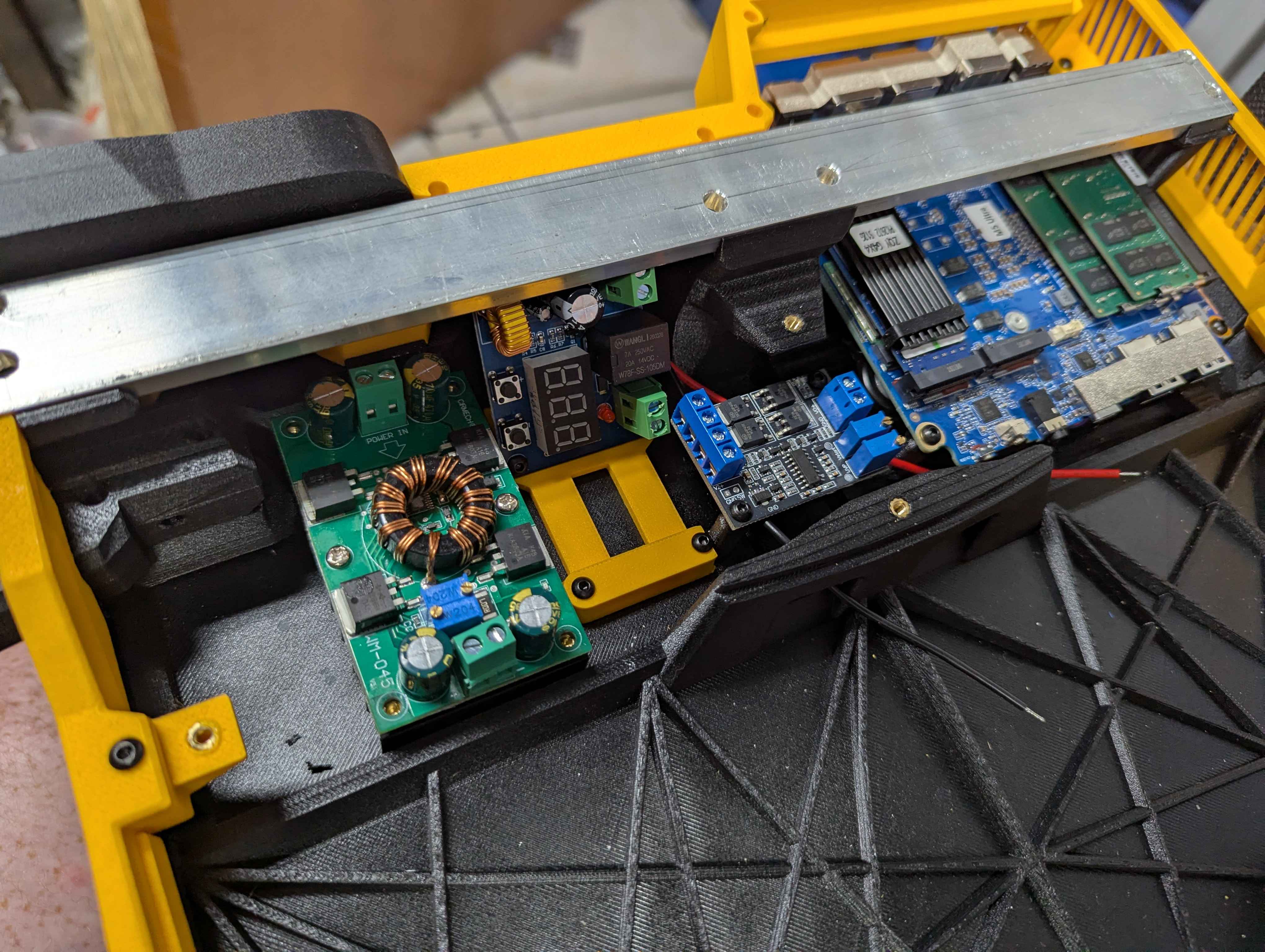
With that the power delivery design was completed and I was ready to move on to the design of the chassis!
Bill of Materials
Core Computing Components
- GMKtec M5 Ultra Mini PC
UPS Battery Setup
- 300w DC-DC 10A Automatic Boost/Buck converter (synchronous)
- Low voltage cutoff switch (to prevent over draining of batteries)
- Teyleten Robot DC Power Switching Module (mains to battery power switch)
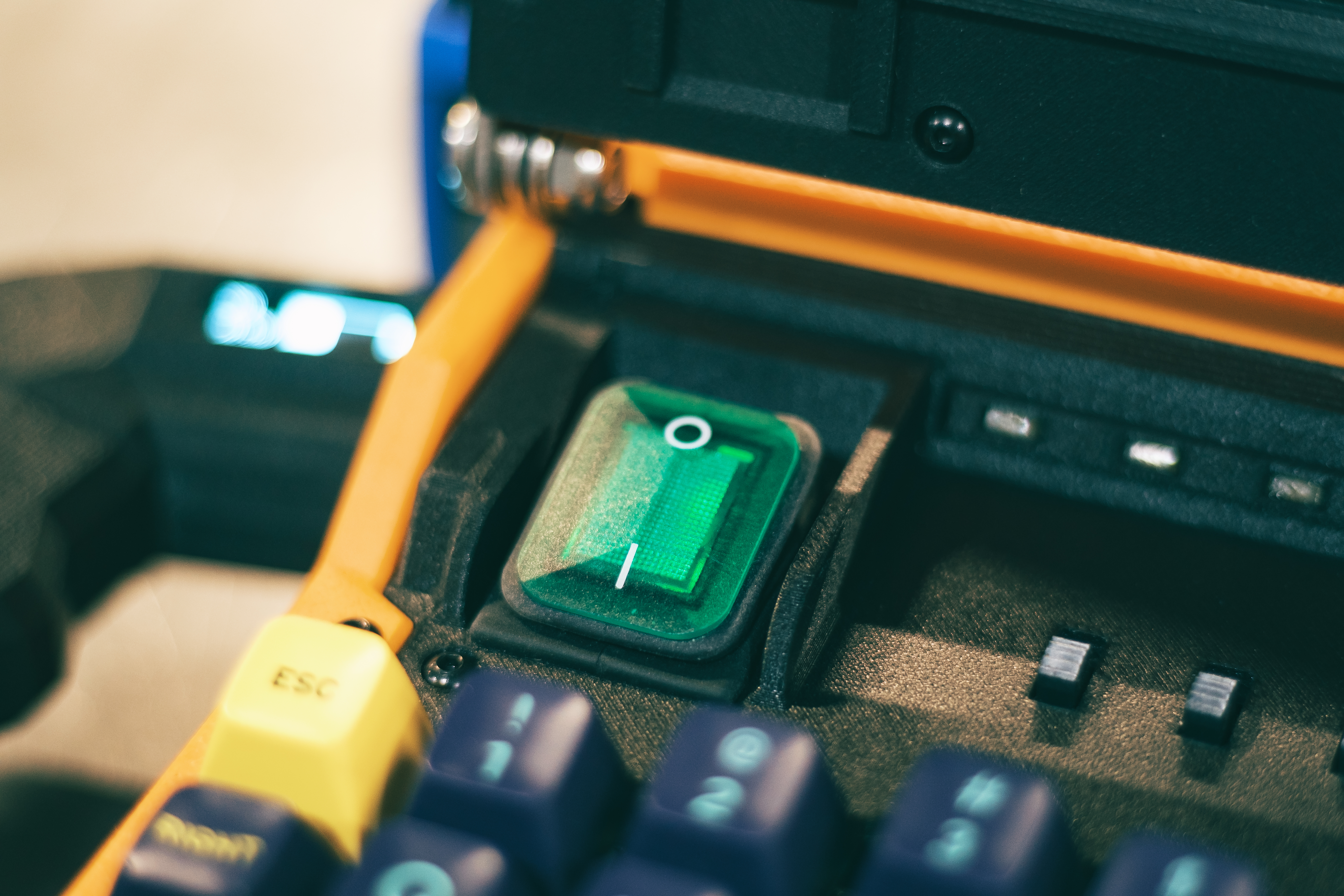
- DPST DC toggle switch
- 24v Kobalt power tool battery
- 2ft 16ga copper wire
- Copper sheet (for battery terminals)
Input Devices
- Akko Penguin silent tactile mechanical keyboard switches (x82)
- Mouse with PMW3360 sensor (or equivalent, for harvesting)
- Mechanical keycap set
- Replacement trackball (37mm)
- YD-RP2040 microcontroller (for the number of GPIO pins required, as well as USB-C)
- XP Pen drawing tablet
Miscellaneous
- 40mm cooling fans (x3)
- DPST sliding switches (x3)
- 5mm x 7mm rectangular amber LEDs (x3)
- 5mm x 20mm compression springs (x2)
- 360deg. rotation friction springs (x2)
Filaments and Structural Things
The filaments I used on this project:
- PETG-CF (black): the handle, the covers above and below the keyboard (the switch panel and the wrist wrest panel), the base of the main case. Used for the reasonable cost and high strength and impact resistance compared to PLA-CF.
- PLA-CF (black): the keyboard switch plate, the monitor visor, the tablet holder frame. Used for the extra rigidity compared to PETG-CF.
- HT-PLA-GF (yellow): used for the lower case frame, the monitor frame and rear cover. Used for the extra rigidity compared to PETG-CF, and the better impact and heat resistance compared to regular PLA or even PLA+.
As a side note, PETG carbon fiber and glass fiber filaments are fantastic, and one of my go-to structural materials. However, HT-PLA-GF might be my new favorite filament for structural things. This stuff is more rigid than PETG CF/GF. It has better heat resistance too. And it's less brittle than regular PLAs. Its almost like an easy to print ABS (with unknown UV resistance, for the record). Really good stuff. I highly recommend trying it out.
The hinges I used were 360 degree rotation friction hinges I found on Amazon. If you're building a Cyberdeck or Writerdeck and need some hinges these work great if you can design around them. The black nylon friction hinges on Amazon also work great on my Writerdeck retrofit. There are other options out there, but you do specifically want friction hinges or stay-in-place hinges when you're out there searching.
I Use Arch, BTW
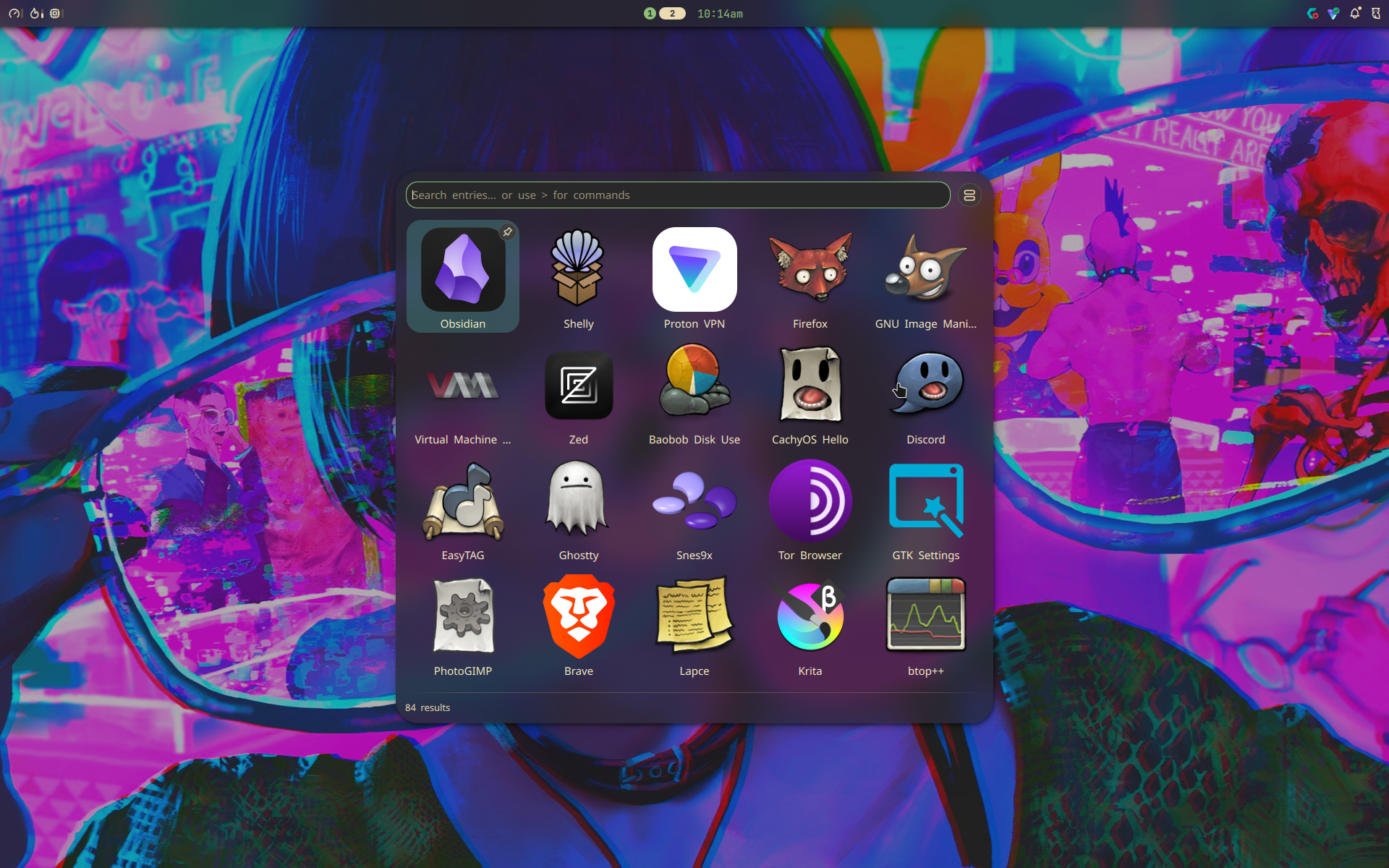
Well kinda but not really. I use CachyOS because I'm a filthy casual. There also was some intent with that choice beyond just being intimidated by the Arch install process. I am very much thinking of switching my main computer over to a Linux/Windows dual boot in the near future, and this project is a test bed for that. CachyOS offers a ton of conveniences over vanilla Arch, and in the handful of weeks that the physical build of this project has been completed I haven't run into a single issue or downside to using CachyOS. Time will tell, of course, but for now the CachyOS + Niri/Noctalia window manager setup (with Cosmic as a fallback if I need a traditional DE, but it hasn't been used since I got everything up and running), I am quite impressed. It's very usable, slick, modern, and snappy.
What Kind of Battery Life You Getting, Jack?
With a 24v 4ah battery, light use (word processing, coding) I have pushed it past 4 hours of use with the battery still having over 20v charge. Theoretically I could expect around 5 hours of use. I fully plan on buying an 8ah battery for it to push this big lunk to a thin book level of 10+ hours!
Closing Thoughts
Overall, this project was a blast. The design itself, while it challenged my skillset, wasn't quite the challenge of the gray Cyberdeck... that one was a whole different ballpark with the smaller packaging and double hinged screen design. However, this was a very satisfying build, it nailed every single one of the requirements that I had from the outset, and it looks quite handsome as well if I do say so myself.