Cheese Paper: a text editor specifically designed for writing
Organize your writing. Keep your notes with the text. Sync your project files.
Cheese Paper is a text editor specifically designed for writing, particularly fiction. Whether it's the story itself or notes about your characters, Cheese Paper files are simple and support syncing, so you can create, edit, move, or delete things, no matter what device you're on.
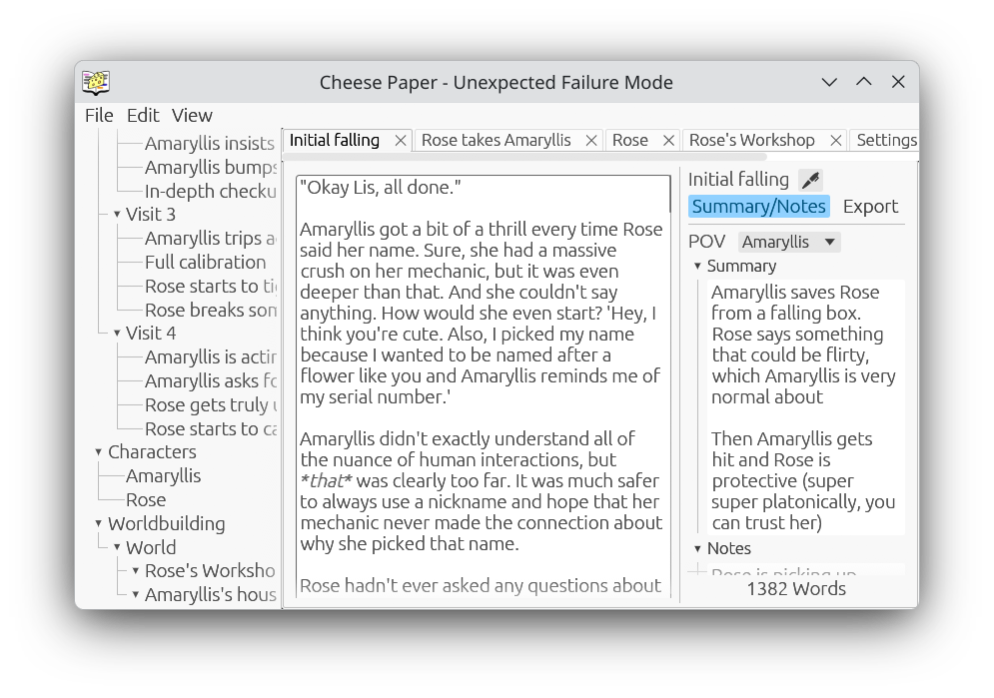
Cheese Paper stores notes and other information directly with each scene in a minimal file format. The resulting files can be edited in any text editor, including on a phone. Changes outside the editor will not break anything, even if the editor is still running at the same time.
Features
See your notes as you write
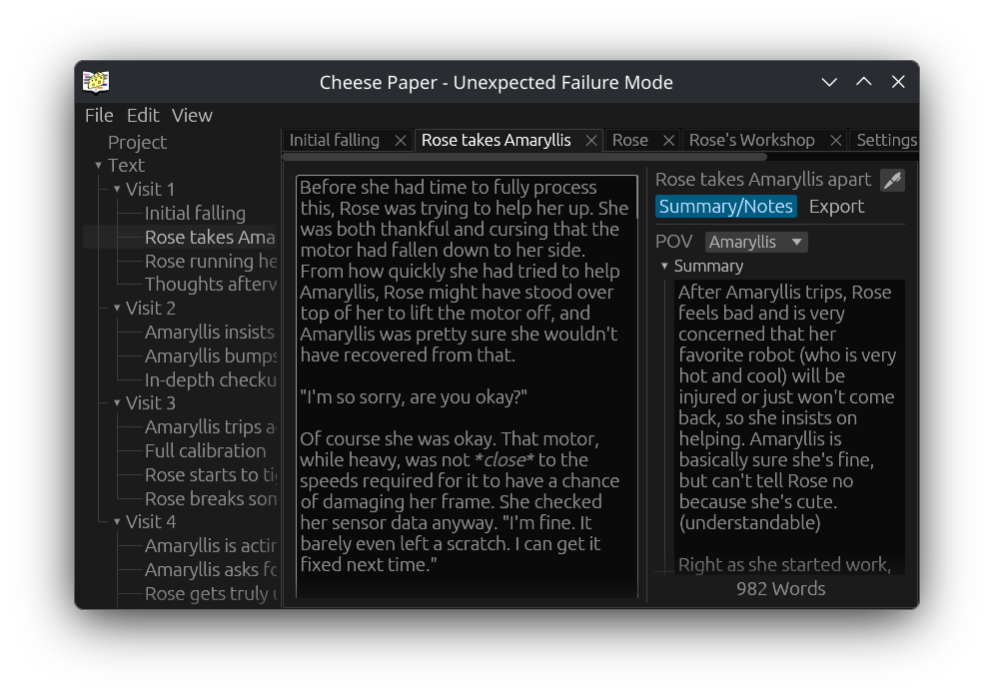
Cheese Paper keeps your notes visible as you're writing the scene. This can be used to jot down something for later, to plan our where a scene will go before writing, or to summarize a scene after you've written it to get a better high level overview of your story.
Pairing with other programs
The underlying text in Cheese Paper is Markdown, which is still readable as plain text. Summaries and notes are added in a TOML header, also relatively simple to edit. Any files created outside the editor are automatically read in and processed like any other files, even if some or all of the metadata is missing. Even when editing files by hand, you can just fill in the parts that you care about, and let Cheese Paper handle the rest. See the file format section in the manual for more information on this.
Cheese Paper also plays nicely with syncing programs - if you sync project files that are saved on your computer, Cheese Paper will automatically load your changes while it's still running. This includes operations including creating new files, editing existing files, moving files around, and deleting files.
Stay in control of your data
Cheese Paper is not an online service that will sell your data or start charging you a monthly fee for important features. Cheese Paper itself is a purely offline program, so your files never have to leave your computer (except for backups, hopefully). If you want to use Cheese Paper on multiple computers, you will need to sync the files yourself with something like Syncthing, Nextcloud, Google Drive, or Dropbox.
Characters
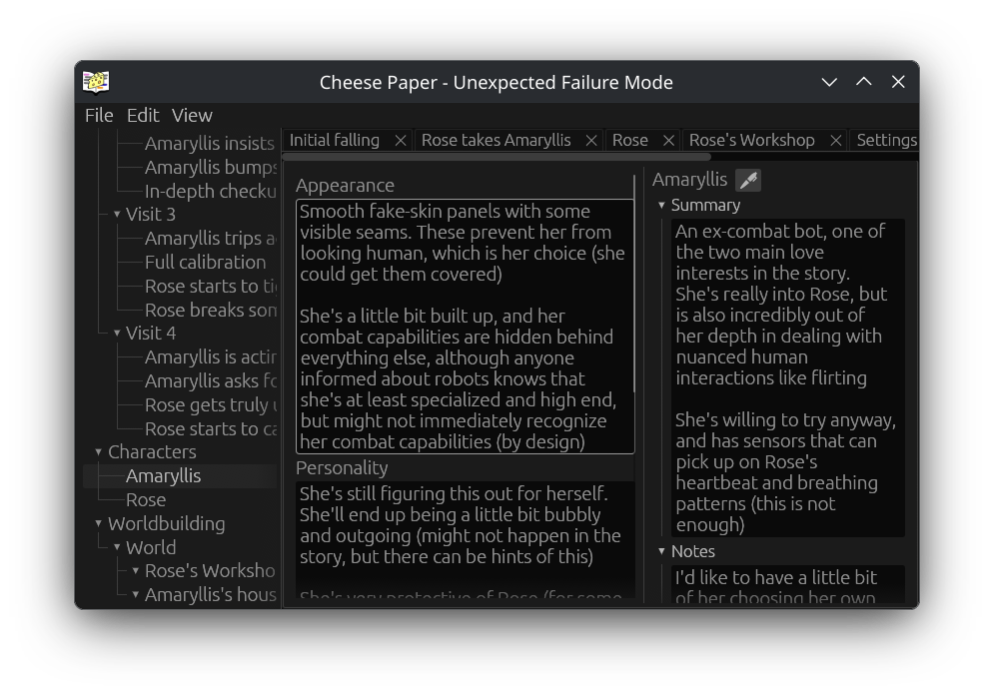
Character files are a handy place to fill out some information about who is in your story. It's easy to reference whatever notes or information you've written down without leaving the editor.
Worldbuilding
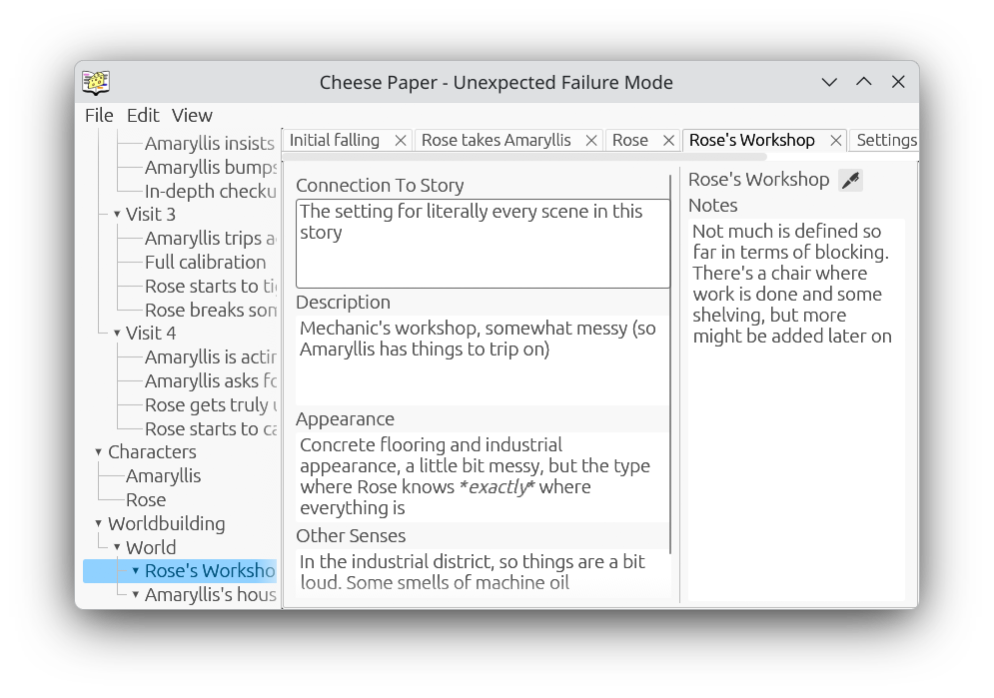
This is almost the same as characters, but for information about the world. This can be places, real or fictional, and as specific as desired. This could also be about organizations or magic systems in your world, if the plot/setting calls for that.
Outline Export
Cheese Paper projects split their contents over a lot of different files. This is wonderful for when you're trying to navigate around a larger project, especially outside of the editor, but makes it annoying to share a high level summary with someone else, particularly if that person is not lucky enough to also be using Cheese Paper.
In this case, you can export a single file that contains all of the notes, summaries, and whatever other information you've included, which can be shared with whoever you want.
Robot with Frustrated Mechanic
Story Summary:
Robot girl who doesn't know how to talk to her cute mechanic, but has specialized hardware and software for dealing with collisions with large stationary objects
The mechanic is really confused why the combat bot keeps asking for the same maintenance that never finds anything wrong, but is too intimidated by how cool and hot the bot is to point it out. Or to ask how the bot keeps hitting these walls. The robot girl is clearly super calm so she must have a plan
Scenes
Visit 1
Notes:
This is almost definitely going to be more than one chapter in reality
Initial falling
Summary:
Amaryllis trips on something on the workshop floor and gets checked out by her mechanic, Rose. Rose says something that can be interpreted in a flirty way, which Amaryllis is super super normal about
Story Export
Cheese Paper combines all of the scenes (that have not explicitly been excluded) into a single file in the outline process. This produces a markdown file, which is then easily transformed into any file format you might desire. Pandoc has a fantastic online tool here, which lets you convert your project to convert markdown to an epub, docx, html, or pdf.
(Side note: if you are distributing a book, please consider not just using PDFs. PDFs can be difficult for readers who need larger font sizes, particularly on smaller devices like phones)
Here is an example of some of the output:
Visit 1
“Okay Lis, all done.”
Amaryllis got a bit of a thrill every time Rose said her name. Sure, she had a massive crush on her mechanic, but it was even deeper than that. And she couldn’t say anything. How would she even start? ‘Hey, I think you’re cute. Also, I picked my name because I wanted to be named after a flower like you and Amaryllis reminds me of my serial number.’
Amaryllis didn’t exactly understand all of the nuance of human interactions, but that was clearly too far. It was much safer to always use a nickname and hope that her mechanic never made the connection about why she picked that name.
Themes
Cheese Paper comes with both a dark and light theme out of the box, and custom themes can change nearly every color used.
Is the text too readable? Colors too pleasant? Not enough whimsy? Cheese Paper has a solution: a button that randomizes every single color used in the theme. There is no coordination, no consistency, and no concern for contrast. If you restart Cheese Paper with this option selected, it will helpfully generate a new random theme. You can also save your randomized theme if you somehow generate one that looks somewhat okay.
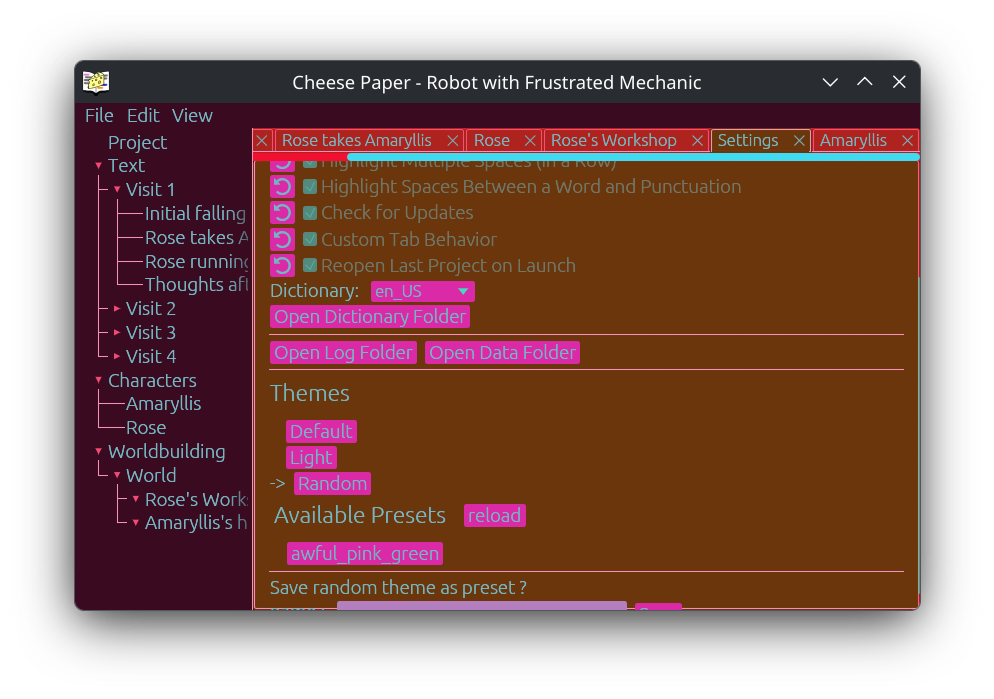
My roommate suggested the random theme button, then was horrified to find me actually using it while editing a story.
Spellcheck in different languages
Not writing in English? Set the language in the settings. (On Windows or MacOS, installing non-English dictionaries will require a bit of effort, see the manual for more info)
Have different projects in different languages? Cheese Paper projects languages can be individually configured.
Cheese Paper tries to not be an English-only software, something that software is commonly not very good at. (A lot of non-English stuff will probably still have issues, this is a small project. But do ask for fixes if you stumble upon any issues, and it has been tested with multiple different languages).
Installing
You can get the latest release on codeberg. On Windows and MacOS, installers are generally recommended for most users, but the portable versions are also available, although without default spellcheck or start menu/dock icons. If you are on a platform that is not supported but still want to use Cheese Paper, please create an issue on Codeberg to ask.
Other
Missing feature? Need help? Found a bug?
Please try searching the issues, and then please feel free to open up a new one, providing as much detail as possible.
Comparisons to other projects
Both Manuskript (FOSS) or Scrivener (closed source, paid) are similar in concept to Cheese Paper, although they have their differences. I've used both extensively, although neither of these quite met my use case, which is why Cheese Paper exists.
Obsidian is also often compared to Cheese Paper - it is wonderful for taking notes, but I found it less useful for actually writing the content of the story, since my notes were in different files.
Cheese Paper is simply different from these projects, not necessarily better. If you don't care about any of the features that Cheese Paper prioritizes, one of the other projects may be a better fit.
Rights/Ownership
Cheese Paper is an open source project, meaning that users are free to modify the code (and distribute it to other under the terms of the GPLv3). Nobody but you has the rights surrounding anything produced in Cheese Paper.
Contributions to Cheese Paper are welcome, please see the "contributing" section of the README for more details.
Your Data/Privacy
Cheese Paper does not have any telemetry, and we do not ever intend to collect data about our user's writing. We do not want your data. Please keep it to yourself.
Cheese Paper makes exactly one network request: if checking for updates is enabled, on startup it fetches the latest version of Cheese Paper available on Codeberg. No network requests are sent if update checking is disabled.
AI
Cheese Paper was written by humans without the assistance of AI/LLM tools, and does not accept community contributions created with generative AI.
Repository
Cheese Paper's home is on Codeberg, but also has an official GitHub mirror, at least for now. I am making no promises to keep up with GitHub, although it might happen anyway.
FAQ
Why is it called "Cheese Paper"?
This is a project for writing and I'm named Brie.
It's easy to say out loud and understand, without requiring any spelling. "cheese paper editor" doesn't refer to any other project, so it's easy to find. It's also silly, which is important on a project that I'm doing for fun.
Why did smart quotes disappear when into Cheese Paper?
Cheese Paper automatically converts smart quotes to normal quotes, since the editor itself does not process them. They will be added back in on export.
Windows shows a security warning when installing Cheese Paper, is this normal?
Unfortunately, yes. Cheese Paper is a small project and certificates to avoid this are expensive. As of right now, the warning is unfortunately there.
Is there a way to convert a Manuskript project to use in Cheese Paper?
There was a Python script created to do this conversion, located in the Cheese Paper repo. If you are not already familiar with running python scripts on your system, please look up a guide or ask for help.
How can I convert the .md file I exported to an epub?
Markdown is a well known file format, there are a variety of options. Pandoc is my personal favorite.
Is there an app for Cheese Paper?
This isn't currently planned, at least by me. In theory, you should be able to build Cheese Paper for Android (which might work on tablets), and it might be possible to build for iOS (again for tablets).
A phone app would require at least a partial re-design of the UI, which wouldn't exactly be trivial.
I don't have a plausible way to test anything on iOS in the first place, so any app will likely be the efforts of someone else.