Sometimes I get bitten by the free software bug. I’ve followed the consumer tech industry for decades, and immersed in that universe, it’s hard not to grow disillusioned with its monopolies, questionable practices, and normalized abuses. Although disdain for big tech is more fashionable these days, we’re far from any universal, practical shift because — let’s face it — that shift comes at a cost. Try convincing someone to swap WhatsApp for Signal, for instance.
In late July, my free software fever reached dangerous temperatures. Once again, I found myself installing a Linux distro with the intent of freeing myself from macOS, the first step out of Apple’s walled garden; I thought I was standing at the door of a digital utopia, something like the modern-day dream of dropping everything to go live off the land.
I’ll say it upfront: just like the previous two attempts, the penguin’s operating system didn’t last long. A few days, to be exact. Despite the early end, it was good while it lasted, and the experience left behind some valuable lessons.
***
My laptop, a MacBook Air with an M1 chip, made by Apple itself, is very good, but peculiar. Unlike AMD and Intel chips, this one isn’t friendly to third-party operating systems. It’s only possible to install another OS thanks to the dedication of a group of insanely committed people who reverse-engineered Apple’s closed chip architecture — the Asahi project. The fact is, it works, with caveats.
Asahi Linux’s reference distribution is Fedora. A few months ago, I discovered that a Debian team called the Debian Bananas Team adapted Asahi’s packages for the project. I went with Debian Testing running KDE’s Plasma 6.6 desktop environment.
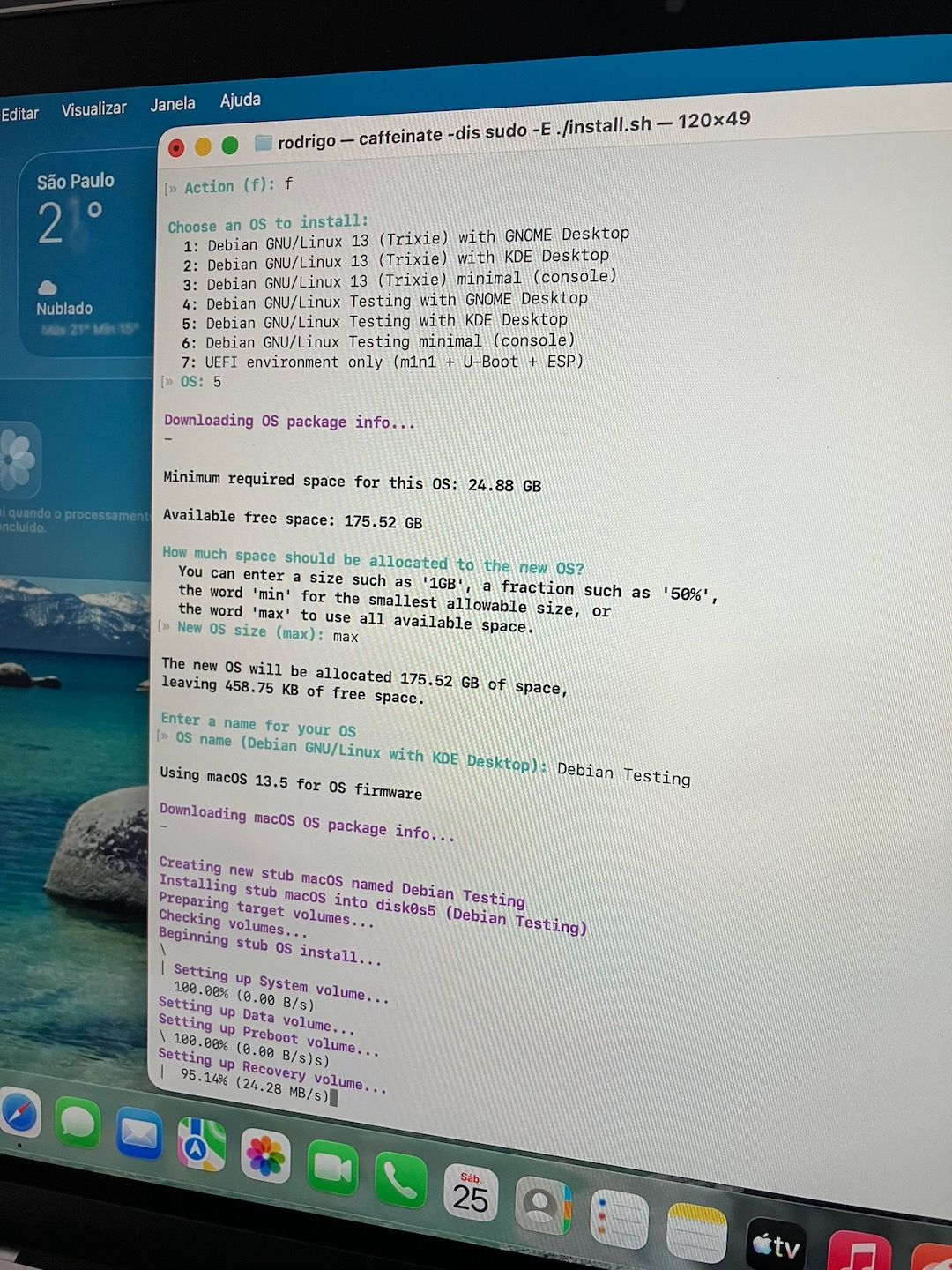
The installation is different from that on conventional computers from other brands with AMD or Intel chips. Instead of preparing a USB drive, you need to run a script from within macOS. It performs some magic to make the computer Linux-ready, resizes the storage partitions, and finally installs the alternative system and sets it as the default.
It’s a bit intimidating, especially the part where the script asks you to restart the machine while holding down the power button to enter the OS selector. Apparently something bad happens if that step isn’t executed perfectly. Otherwise, the script is very well written, and I felt confident throughout the process. Everything went smoothly, and in the end, the Debian/Plasma login screen revealed itself to me in all its glory.
***
Remember Apple’s claim that its computers with 8 GB of RAM (temporary memory) were equivalent to 16 GB on other computers? I hate being the bearer of bad news, but it seems to be true.
In more than four years using this laptop on macOS, with its measly 8 GB of RAM, I don’t recall a single app crashing from lack of memory, even in demanding sessions with a thousand apps open or while editing video.
In the few days I spent aboard Debian, though, the situation kept recurring, happening several times a day — way above the ideal number, which is zero.
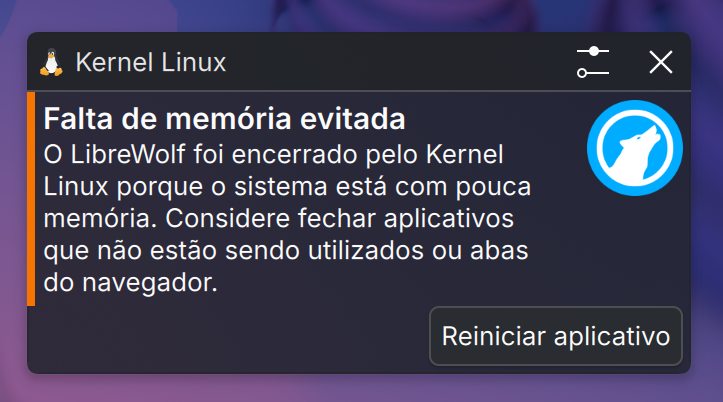
I’d open LibreWolf (a Firefox-based browser) and Thunderbird (mail and calendar) at the same time, and one of the two would crash. To be fair, both are RAM hogs on any operating system. When I used them on macOS, though, they never crashed.
Given that memory currently costs an arm and a leg (thanks, AI), it’s essential to do more with less, and macOS pulls off things that shouldn’t be possible with what I’ve got here.
I brought this episode up with the folks in the Manual‘s WhatsApp group and learned I needed to increase the swap partition. I think I could’ve managed that, despite my fear of turning the laptop into a paperweight. Looking back over the screenshots I took to illustrate this account, I noticed in one of them that the system had no swap at all. A Linux-on-Apple-chips limitation? Some oversight in the installation script (I don’t recall this being mentioned)? Did I do something wrong? Who knows, but it explains a lot. Lesson learned, and my apologies for such a rookie mistake in the experiment.
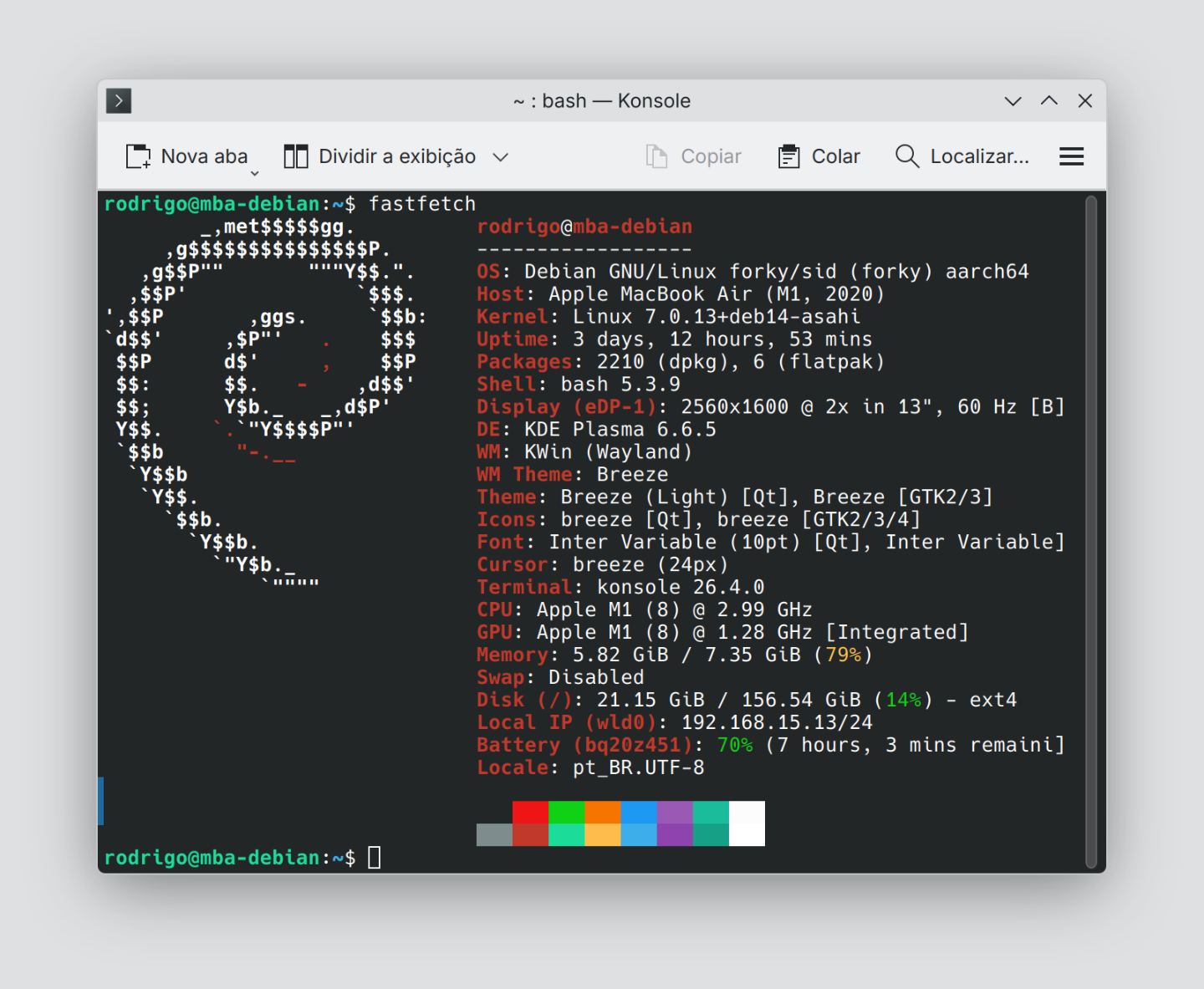
Either way, the struggle with 8 GB of RAM was the last straw, but not the only reason I went back to macOS. Other hard blows that threw me off balance: the fingerprint sensor that doesn’t work and — worst of all — incompatibility with my external monitor, connected via a USB-C/Thunderbolt dock.
I use the laptop’s keyboard and trackpad, and every now and then, its screen too. Most of the time I’m at my desk, where I swap the built-in display for the external monitor, which is roomier and sits at eye level. I’m past the age where I can sacrifice good posture; the consequences show up almost immediately, and they hurt. In the first few days, still buzzing on the ~dream of having my own Linux setup, I believed I could live on the laptop’s small screen, neck bent down. I changed my mind two days and one stiff neck later.
***
The system itself, Debian Testing, works well. LibreWolf and Thunderbird have their quirks (interface issues, inconsistency — mostly Thunderbird), but they get the job done. Other apps I use daily, like a plain text editor (KWrite), a password manager (KeePassXC), and an image viewer for basic edits (Gwenview), I found excellent. I already knew them from past adventures, and they’re just as good as I remembered. Everything I use on the command line in the macOS terminal is available on Linux too.
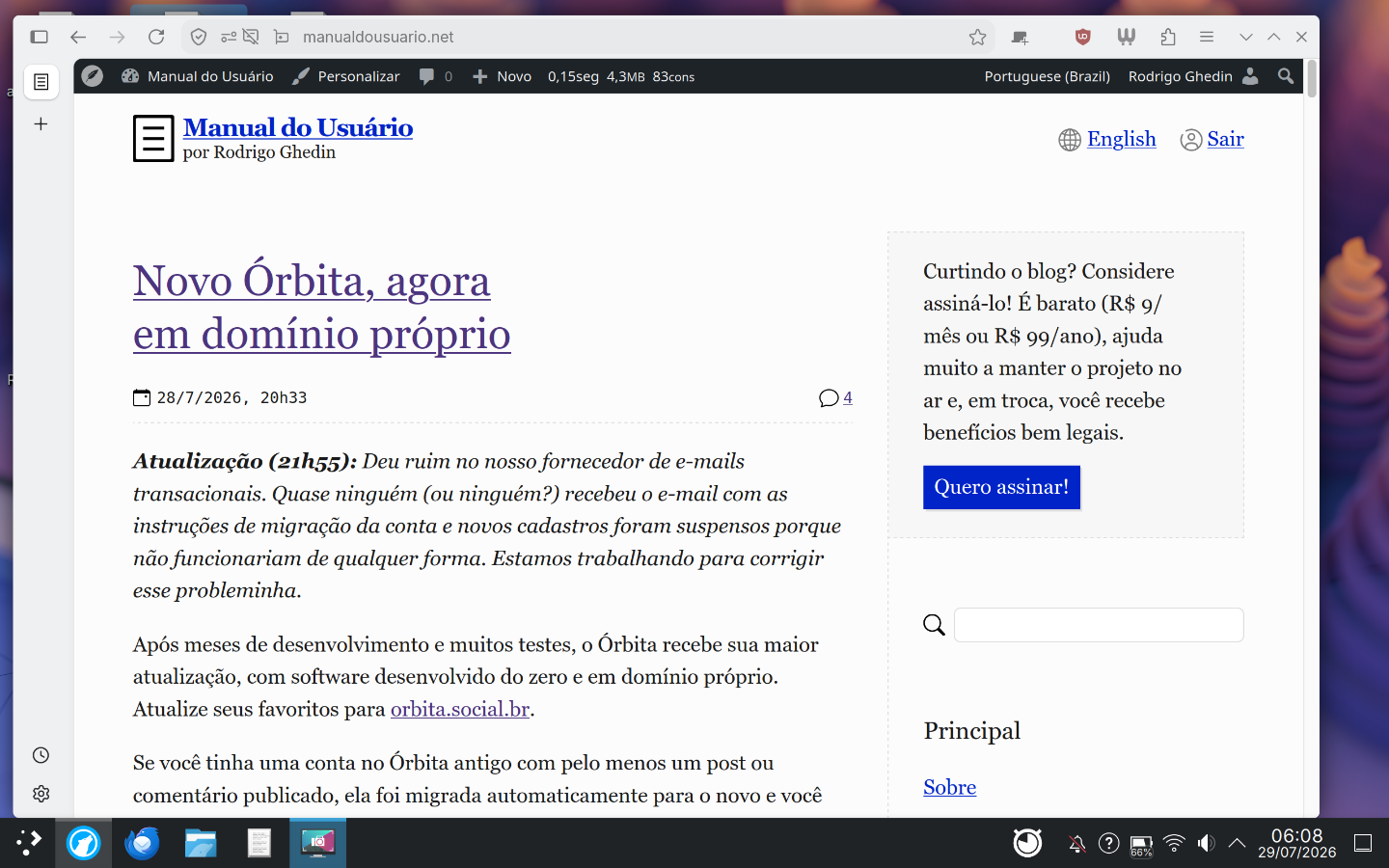
Unlike my last attempt, I didn’t make the mistake of starting with a minimal Debian install and installing packages one by one. I went with the default package set, which — I’m not sure if this applies across the board or is specific to Debian on Apple computers — came pretty lean, with few pre-installed apps.
Even the different architecture (arm64), incompatible with apps compiled for the dominant one (amd64), wasn’t really a problem. The only hiccup I ran into was with Thunderbird, which didn’t have its standard version available for arm64 in Debian’s repositories or on Flathub, a popular app repository in a distro-agnostic format. I had to settle for the ESR (Extended Support Release), which only gets new features once a year.
The laptop’s power made a noticeable difference compared to my previous attempt at using Linux daily, which ran on an underpowered little computer that later became my home server. (Ironically, it now runs a headless Debian 12 and handles the job with room to spare.) Window scrolling, for instance, which was choppy on the weak computer, ran smoothly here. Apple’s trackpad, considered the best in the industry, also works well, though some behaviors are better on macOS. Tap-to-click doesn’t always register in Plasma; if you make a micro-movement and shift the mouse mid-click, the system reads it as movement and the click fails. macOS anticipates and corrects for that. It sounds trivial, but it happens a lot, and the accumulation of these moments gets frustrating.
KDE Connect covered part of what Apple’s famous Continuity features deliver across devices. With an iPhone, it’s pretty limited and only works with the app open on the phone. It’s recommended to pair it with an Android phone, which would be too much for me. (Not the Android part — switching two systems at once.)
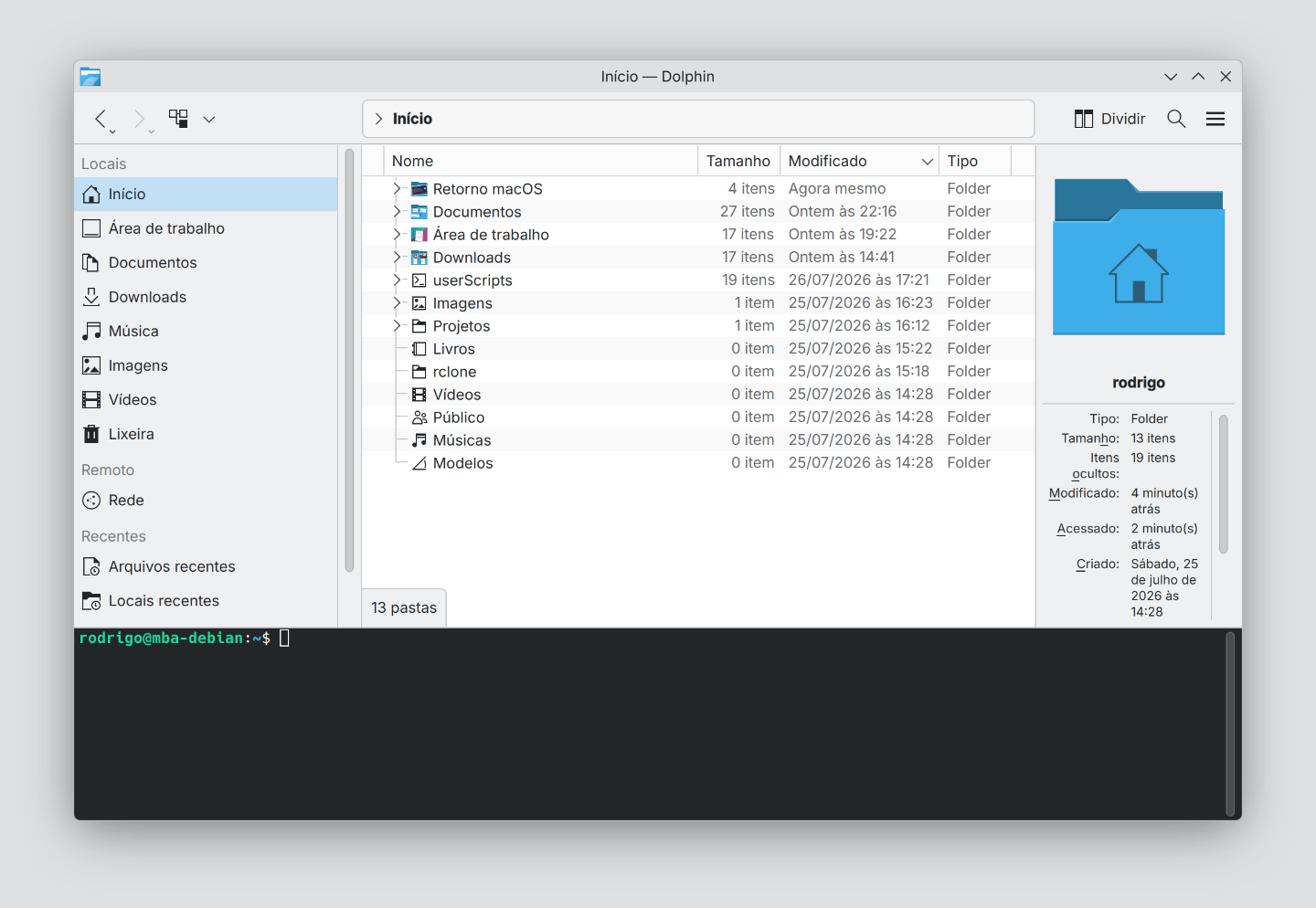
A really neat feature of Dolphin (the file manager) is opening a terminal right in the directory shown at the bottom of the window. Just press F4. When I went back to macOS, I looked for something similar. There’s a configurable keyboard shortcut that does almost that: it opens a terminal window in the directory/folder currently selected in Finder, not the one that’s open. That’s different enough to be nearly useless. Maybe there’s a shortcut or an Apple Script that can replicate the Dolphin way.
An old grievance I have with systems other than macOS reared its head again: keyboard shortcuts. The experience I’d picked up the previous week aboard Linux saved me from no small amount of agony over not being able to type ellipses (…) or em dashes (—). Turning on the Compose key did the trick. Too bad I still can’t get curly quotes out of it. Not sure if that’s on me or on KDE Plasma.
I spent a good while in Plasma’s shortcut editor, tailoring things to my quirks, trying not to change too many of them. I was willing to learn — or at least get familiar with — the “Linux way” of using computers. And with plenty of patience, which I think was missing from my previous attempts.
It was expected (and it did happen) that I’d be slower doing the things I do in my routine. I went the slow route, taking the long way around things that, on macOS, I do without thinking, hoping that time and practice would eventually give me the same fluency I have there. There wasn’t enough time for that, but that’s okay.
***
Before sitting down to write this account, I reread my two previous ones and was surprised to notice I’d wrapped up both with similar messages. In December 2012 (!), after a week on Ubuntu 12.10, I wrote [pt]:
Could you live with Ubuntu? Yes. Plenty of people manage it, in fact, though most of the ones I interviewed work in IT and therefore might not fit the “average user” profile this experiment was scoped for — with the exception of the XAMPP part, everything else I did was pretty… conventional. There are rough edges, some still quite thorny, that will send you down tedious Google searches and unintelligible terminal commands, but the situation is already much better than it was some time ago.
And in the most recent one, from January 2024 with Debian 12 [pt]:
Yes, you could use Linux as your only computer operating system without (too much) hassle. Some tasks are more intuitive and/or work better here, others don’t, but most of the discomforts and oddities of this week came down to the underpowered computer I used or my own lack of familiarity with the system.
Yes, you could live with Linux on your computer. For me, though, that life remains a utopia, an irrational wish driven by emotion, because for my usage profile, skill level, and familiarity, macOS is the better deal — Liquid Glass and all, a change that caused quite a bit of grief around here.
The future remains a mystery. Or maybe not.
***
To make room for Debian, I had to reinstall macOS and leave it with the minimum space recommended by the Bananas Team. I prepared thoroughly, at a near-paranoid level, to preserve my files and settings. Everything went fine. This might be the biggest lesson I’m taking away: that, in practice, it’s easy to step outside Apple’s walled garden, that there is a way out — even if it’s not so pleasant out there.