For the longest time, I couldn't login to my Vanguard account through web.
I reset the password maybe 3 times during the past year, and it still didn't work. I didn't have time to think about it more, so I assumed there was a glitch. I'd just login by scanning the QR code with the Vanguard app on my phone.
Eventually, I've decided to spend some time figuring out, and maxlength="20" is the root cause. Let me explain.
Vanguard has the reset password form where <input type="password"> sets its maxlength to be 20.
I am using 1password with a heightened sense of security. Of course, my generated password is longer than 20 characters. I would copy the password and paste it in the password input field.
For simplicity, let's say my password is abcdefghijklmnopqrstuvwxyz (26 characters) Since the maxlength is 20, Chrome inputs only abcdefghijklmnopqrstu (20 characters) as shown below:
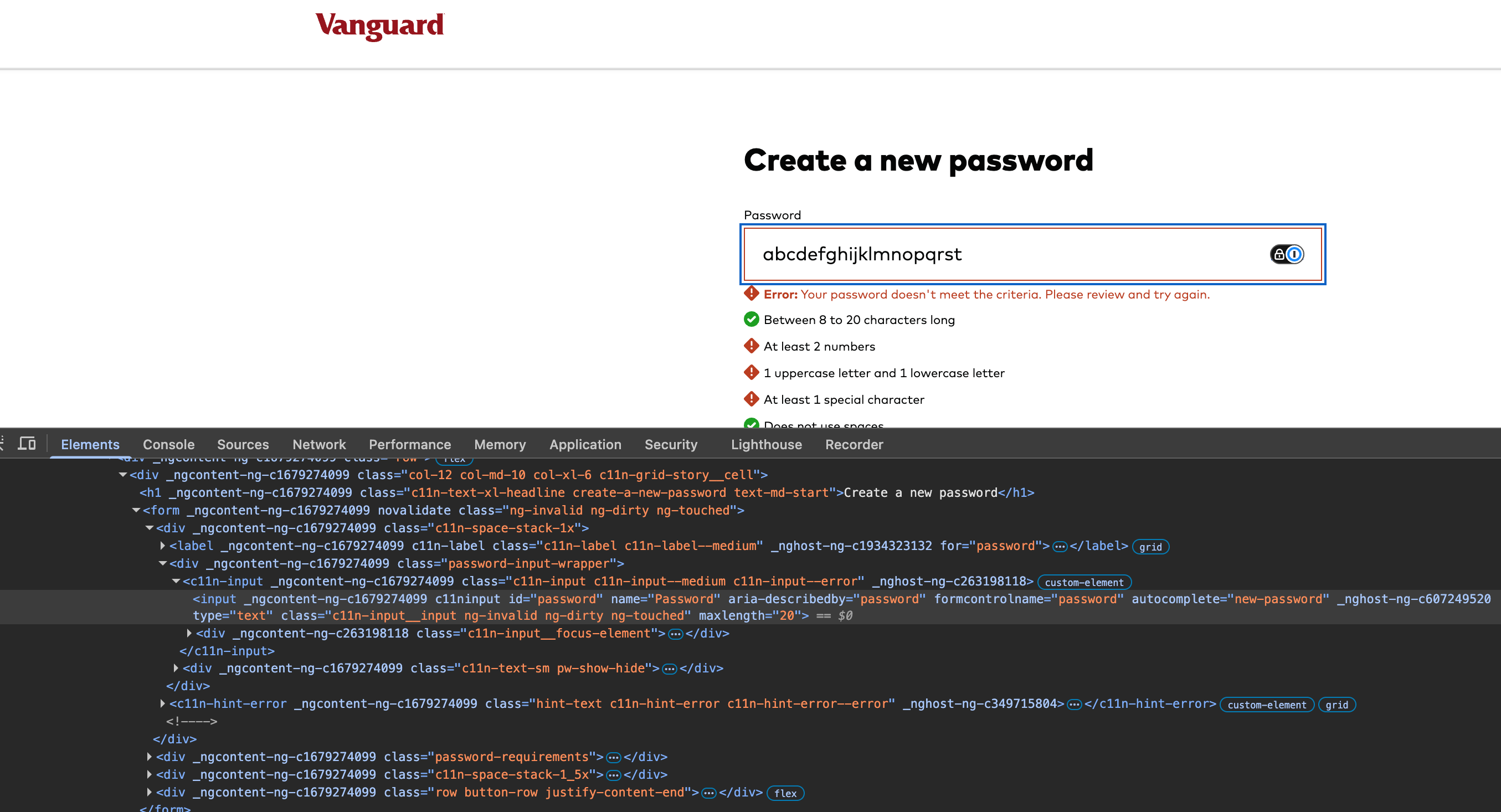
I'd paste the password twice. Once in the password field, and another in the confirm password field. Then, I'd would click submit.
All good. The password reset was a success!
Then, I'd go to the login page and try to login using the same password.
As it turns out, the password field on the login page doesn't set maxlength to 20. Therefore, the pasted password is the full abcdefghijklmnopqrstuvwxyz (26 characters) as shown below:
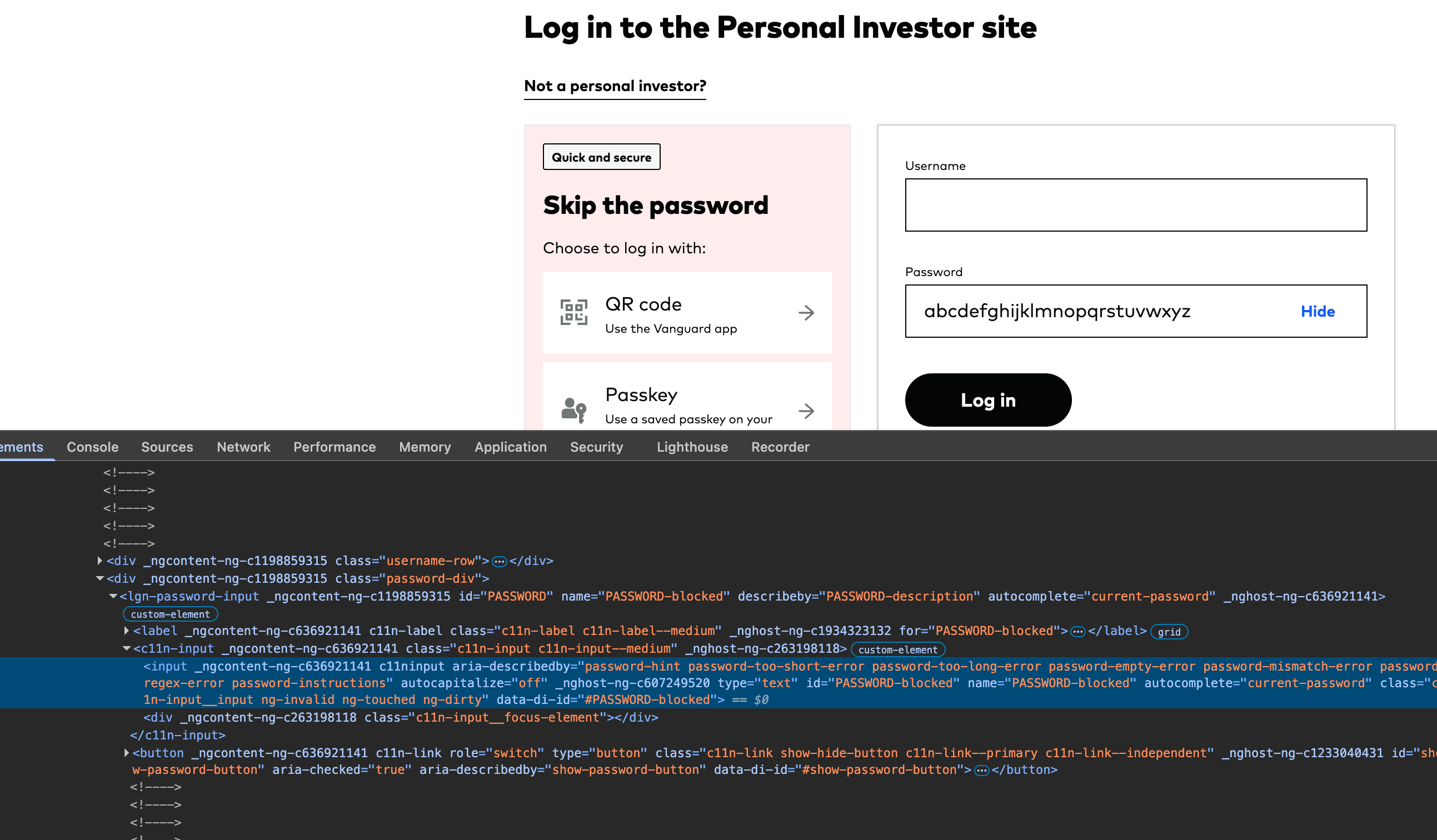
Vanguard would complain that my password was incorrect. And I would be so confused because I just reset the password.
This is one example why we shouldn't use the maxlength attribute on the password field. Validating the length using JS or on the backend seems superior since it processes the exact text that the user sends... not the unintentionally trimmed text.