Sending one email is one line of code. Sending them properly is a whole other thing. Here's how that one line grows, one support ticket at a time, and seven times it went wrong for real companies.
Every notification system starts the same way. Someone files a ticket: send a receipt email when someone places an order. Say you work at Halden, an online shop that sells lamps. You've got an email provider and an API key, and ten minutes later checkout does this:
on order placed:
    send receipt email
Ana in Lisbon orders a lamp (order #8812), the receipt shows up in her inbox, you close the ticket and go get lunch. Easy.
sendEmail() and called it done.It's not easy. I ran into a bunch of these problems myself, which is why I built notifkit. I looked at the hosted options first. Courier, Knock and Novu Cloud all charge per message, so they get stupid expensive once you're sending real volume. Self-hosting Novu fixes the bill but not the server: it's a handful of services plus MongoDB, it needs a big box to run, and it was slow when I tested it.
So I can promise you that one line is going to grow. Let's follow it for three months. Every step below is a problem you hit once you send enough notifications, and most of them come with a public incident from a company that hit it first: Salesloft, Zoho, Asana, Buttondown, Starbucks, HBO Max and Everbridge.
Quick note before we start. I don't know how any of these companies built their systems, and I'm not calling anyone careless. Several of them published honest write-ups about what broke, which takes guts. The code below is my version, not a guess at what they should have done. My point is just that this stuff is hard, and careful teams still get bitten.
01Week one · Support: "A customer says her receipt never arrived."
The provider timed out, so you add retries
You check the logs. The provider took too long to answer, the call threw, and nothing went out. Networks do that. Fine, retries:
send receipt:
    try 3 times:
        send the email
        if it worked: done
        wait a bit longer each time          # 1s, 2s, 3s
    give up: "receipt not sent"
Done. Except that loop can take ten seconds, and it's running inside the checkout request, so Ana is staring at a spinner while you wait on an email. So you move the send into a background job, and now you've got a job queue to look after. For one email.
02Two days later · Support: "Now she has two receipts."
The retry sent it twice, so you give each message an ID
Here's what happened. A timeout only means you didn't get an answer. It doesn't mean the provider didn't send the email. It did, and then your retry sent it again.

What you need is an ID for each message that stays the same every time you retry it, like order-8812-confirmed. (A random ID won't work, because every retry gets a fresh one.) Before you send, you check whether that ID already went out.
Without an ID. The retry looks like a new email.
Checkout
Provider
Ana's inbox12
timeout → retry
With order-8812-confirmed. The retry is recognised.
Checkout
ID check
Provider
Ana's inbox1
timeout → retry
seen it, skip
send receipt:
    id = "order-8812-confirmed"              # the same on every retry

    if id was already sent: stop

    try 3 times:
        send the email, passing id to the provider
        mark id as sent                      # after the send, not before
        done
One thing in there is sneaky: the "sent" mark goes after the send. Write it before, and a crash in between means the receipt never goes out. Write it after, and a crash in between means the retry sends a second one. You don't get an option where neither can happen.
That second case is pretty much what Zoho described: the email went out, they couldn't mark it as processed, so it got retried. You can't fully fix that from your side. The provider has to accept your ID and refuse the repeat, which is why the ID gets passed to the provider too.
And honestly, none of this would have saved Salesloft. Gmail reported errors for emails it had actually delivered, so anyone would have retried. Only the provider can fix that one.
03The week after · Status page: "Email delivery: major outage."
The provider went down, so you add a second one
Retrying three times doesn't help when your provider is down for an hour. So you sign up for a backup and try them in order. If both are dead, you send a text instead.
email · primary✕ down→ email · backup✕ down→ sms✓ sent
send receipt:
    ... id and sent check as before

    for provider in [primary, backup]:
        if provider failed 5 times in a row: skip it for 30s

        try 3 times:
            send the email through provider, passing id
            if it worked: mark id as sent, done

            if it's a bad address: stop, don't retry    # not an outage
            note that provider failed
            wait

    give up: "not sent by any provider"
The "skip it for 30s" line is there so that during an outage, every single message doesn't sit through three timeouts before moving on. If a provider keeps failing, you stop trying it for a bit.
The annoying part is deciding what counts as a failure. A provider rejecting a bad address is the provider working fine. Count that as a failure, and five dead addresses in a row switch off a perfectly healthy provider for all your customers.
Oh, and the ID from step 02 just sprang a leak. Only the provider that saw it knows about it. If the primary delivered the email and then timed out, the backup has never heard of that ID, and it sends the email again.
04A month in · Ana, 2:40 am: "Why are you emailing me in the middle of the night?"
Your users are asleep, so you add quiet hours
By now the receipt isn't alone. Product wanted a "your order has shipped" email, so
"send receipt" is now a general notify(). The warehouse is in Ohio. They ship Ana's
lamp at 9:40 pm, which is 2:40 am in Lisbon, and the email goes out the second the box gets
scanned. Ana is not thrilled.
So the message has to wait until her morning, unless it's urgent:
"Your order has shipped"held, not dropped
z z z 02:40 arrives 08:00 sent
000608121823
"Card flagged for fraud" · criticalsent now
02:40 sent
000608121823
notify(user, message):
    if not critical and it's night where the user is:
        save the message to the database
        send it at 8:00 their time
        stop

    ... sent check, providers and retries as before
Store the time zone as a name (Europe/Lisbon), not an offset like +01:00, because the offset changes with daylight saving. I'm skipping the "is it night for the user" check on purpose. Ana's quiet hours are 23:00 to 08:00, so it has to handle a window that crosses midnight, plus the two nights a year the clocks change. It's longer than you'd think.
The held message goes in a database table, because a setTimeout dies with your next
deploy. Which means you now need something that wakes up every minute, finds what's due and sends it. At 08:00, before it sends, it has to check that Ana didn't unsubscribe overnight. And fraud
alerts and login codes can't wait for morning, so that's what critical is for.
05Friday, 8:00 am · Provider: "429 Too Many Requests."
Everyone sends at once, so you add a rate limiter
You've added "out for delivery" too. All the vans leave the depot at 8:00, so thousands of those fire in the same minute. Your provider allows 100 a second and starts throwing 429s at you. Rate limiter time:
    for provider in [primary, backup]:
        skip provider if it keeps failing

        while we're over the provider's limit:
            wait a random 0.2 to 1 second       # so they don't all come back at once

        ... retries as before, now with a random wait too
The wait is random because if everyone backs off for exactly one second, everyone comes back at the exact same moment and you're right where you started.
Everyone retries at +1s
limit
The jam forms again every second.
Each picks a random time
limit
A queue that moves at the speed the provider allows.
Here's the fun part: a rate limiter is new code, so it can have bugs too. Buttondown's did. A bug in their rate-limiting code sent duplicate emails for five newsletters over eight minutes.
Two more things sneak in around here. A big send shouldn't hold up a password reset, so urgent messages need their own queue. And nobody should get fifty messages in an hour because your code got stuck in a loop, so you add a cap per user.
06Marketing: "Can we send a review request to everyone who ordered last month?"
Marketing wants a bulk send, so you add consent checks
A receipt is something Ana asked for. A review request isn't, and she's allowed to say no. Gmail and Yahoo require one-click unsubscribe on bulk email, and providers punish senders who keep mailing addresses that bounced or marked them as spam. So two checks go in front of everything:
notify(user, message):
    if the address bounced or reported spam: stop
    if not critical and user turned off this topic: stop

    ... quiet hours, sent check, providers, rate limit and retries as before
"How's the lamp?" going to four people who ordered last month
AnaLisbonturned off review emails✕ skipped
BenLeedshis last email bounced✕ skipped
KenjiTokyoit's the middle of the night there◷ waits until 8:00
MayaChicagonothing stops it✓ sent, with unsubscribe link
Per-topic settings let Ana turn off review requests and still get receipts. A blocked list stops every send to an address that bounced or complained, critical ones included. And each of those drags in more stuff: an endpoint for the provider's bounce and complaint webhooks, an unsubscribe page, and a signed token in the link so nobody can unsubscribe someone else.
But all of those checks ask whether Ana wants the message. None of them asks whether you meant to send it. That's where the famous ones happen. HBO Max and Everbridge both had a test go out to real people.
The cheapest fix I know is making it impossible for a test to reach a real inbox, whichever button you press:
if not production:
    use a provider that only writes to a log
You'll also want a log of who got what, and a big red stop button for when a bad send is already halfway out the door.
07Support: "A customer got 'Delivered' for an order she cancelled."
The messages don't know about each other, so you add a workflow
Last one. By now you're sending five messages per order, and each one is fired by a different bit of code:
11:26
Monday, Lisbon
HALDENTue 15:12Thanks for your order#8812 · Ceramic lamp
HALDENThu 08:00Your lamp has shippedTrack your parcel
HALDENFri 08:05Out for delivery todayArriving 10:00–14:00
HALDENFri 11:26DeliveredLeft at your front door
HALDENMon 11:26How's the lamp?Takes 30 seconds
- Receiptcalled from checkout
- Shippeda webhook from the warehouse
- Out for deliverya webhook from the courier
- Deliveredanother webhook from the courier
- Review requesta timer, three days later
None of those handlers know what the others did. "Delivered" can show up before "shipped". The review request goes out even though Ana sent the lamp back. And if the courier's webhook is wrong, you just repeat whatever it says.
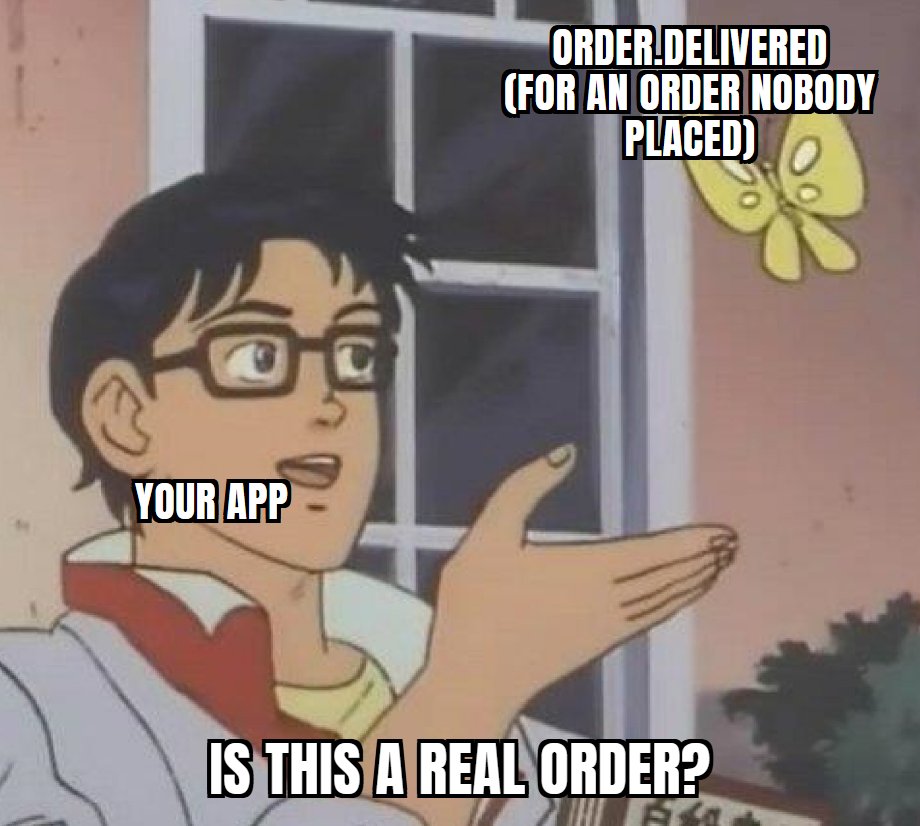
Your code can't tell a fake event from a real one. What it can do is make sure an event only moves its own order forward, and only in the right order. For that you need one record per order that knows what's been sent and what comes next:
on order event:
    flow = the saved record for this order

    if there's no record, or the order was cancelled: ignore it
    if it's not the step we're waiting for: hold it    # "delivered" before "shipped"

    notify(user, event)
    move flow on to the next step
Receipt email
wait for order.shipped
Shipped email
wait for order.out_for_delivery
Out for delivery push → sms
wait for order.delivered
Delivered push + email
wait 3 days, unless a return starts
Review request email
order.delivered #8813
✕ not this order, ignored
order.delivered #8812
✓ matched, continue
And now you're building your own workflow system. It has to wait for days without losing its place, survive a deploy halfway through, and stop when the order gets cancelled. That's a whole project by itself.
Three months after the ticket
What one line turned into
Here's notify() with everything from above in one place:
notify(user, message, critical = false):
    id = order id + message type

    if the address is on the blocked list: stop
    if not critical and user opted out of this topic: stop

    if not critical and it's quiet hours for the user:
        save it, send at the end of quiet hours
        stop

    if id was already sent: stop

    for provider in [primary, backup]:         # log-only outside production
        skip provider if it keeps failing
        wait if we're over the provider's limit

        try 3 times:
            send through provider, passing id
            if it worked: mark id as sent, done

            if it's a bad address: stop, don't retry
            note that provider failed
            wait, plus a random extra

    give up: "not sent by any provider"
That's 25 lines of pseudocode, and the real thing is a lot longer. It also leaves out the quiet-hours check, the thing that sends held messages, the rate limiter, the "keeps failing" tracking, the order workflow, the unsubscribe page, the endpoint that fills the blocked list, the delivery log, and the tests for all of it.
None of these pieces is that hard on its own. The hard part is that they all touch each other. Quiet hours have to respect the blocked list, retries have to respect the message ID, and the workflow has to survive a deploy in the middle of all of it.
Oftentimes things that seem like they should be simple end up being way more complicated when you get into the details.
Sophie Alpert, on Slack's notification logic · "Everyone is wrong about that Slack flowchart"
About notifkit
The same thing with notifkit
That's what notifkit is for. It's an open-source notification service that does everything in that listing, so none of it has to live in your codebase. You run it yourself, on your own Postgres and Redis. The receipt from the first ticket looks like this:
await notifkit.notify({
  user: "usr_ana",
  template: "receipt",
  channels: ["email", "sms"],
  fallback: true,                  // email first; SMS only if email fails
  data: { orderId: "8812" },
});
Ana's time zone, quiet hours and opt-outs live on her user record. The duplicate checks, the backup providers, the rate limits and the blocked list run on every send. And the five messages for an order are one workflow:
workflow("order", async ({ step, event }) => {
  const order = { orderId: event.orderId };

  await step.notify({ template: "receipt", channels: ["email"], data: order });

  const shipped = await step.waitForEvent("order.shipped", {
    match: order,
    timeout: "14d",
  });
  if (!shipped) return;
  await step.notify({ template: "shipped", channels: ["email"], data: order });

  // ... "out for delivery" and "delivered" wait for their events the same way

  await step.wait("3d");
  await step.notify({ template: "review", channels: ["email"], data: order });
});
Each step gets saved before the next one runs, so a deploy on Thursday picks up right where it left
off. match stops one order's event from waking up another order's workflow. If Ana
cancels or starts a return, you cancel the workflow and nothing else goes out.
To be upfront about what it doesn't do: it isn't hosted, so you run it. And it doesn't promise exactly-once delivery, because nobody can when a provider says an email failed after delivering it (hi, Salesloft). It catches the duplicates it can see.
Yes, this last section is a plug. I built the thing, so obviously I think you should use it. In my defence, it's MIT licensed, there's no paid plan, and nothing above needs notifkit. If you'd rather build it yourself, take the pseudocode and go for it. If you want to try it, the quickstart takes a few minutes. It's a young project and I'm actively working on it, so if something's missing or breaks, open an issue at github.com/devkitshq/notifkit and I'll take a look.