The Raspberry Pi Interactive Timeline · 2006–2026
Era 1
2006–2012: The Beginnings
From a university prototype tackling falling computer science applications to a $35 computer that crashes servers.
The idea is born in Cambridge
Company
At the University of Cambridge, Eben Upton notices that fewer and fewer young people are applying to study computer science — and that the applicants lack the hands-on tinkering experience of the home-computer generation. The first Atmel-based prototypes are built: still a long way from the later Pi, but the mission is already set — a computer so cheap that every kid can experiment with one.
The Raspberry Pi Foundation is founded
Company
Together with allies from academia and industry — including Broadcom colleagues and Cambridge lecturers — Eben Upton founds the Raspberry Pi Foundation. In May 2009 it is registered as a charity (UK charity no. 1129409). Its stated goal: promoting computer science education for young people.
25 beta boards — 10 of them auctioned on eBay
Company
The first 25 final beta boards are manufactured. In early 2012 the Foundation auctions ten of them off on eBay in a well-publicised campaign — individual boards fetch four-figure sums and fund the final polish before launch. The auctions give the upcoming $35 computer its first taste of international fame.
Launch: Raspberry Pi Model B for $35
Hardware
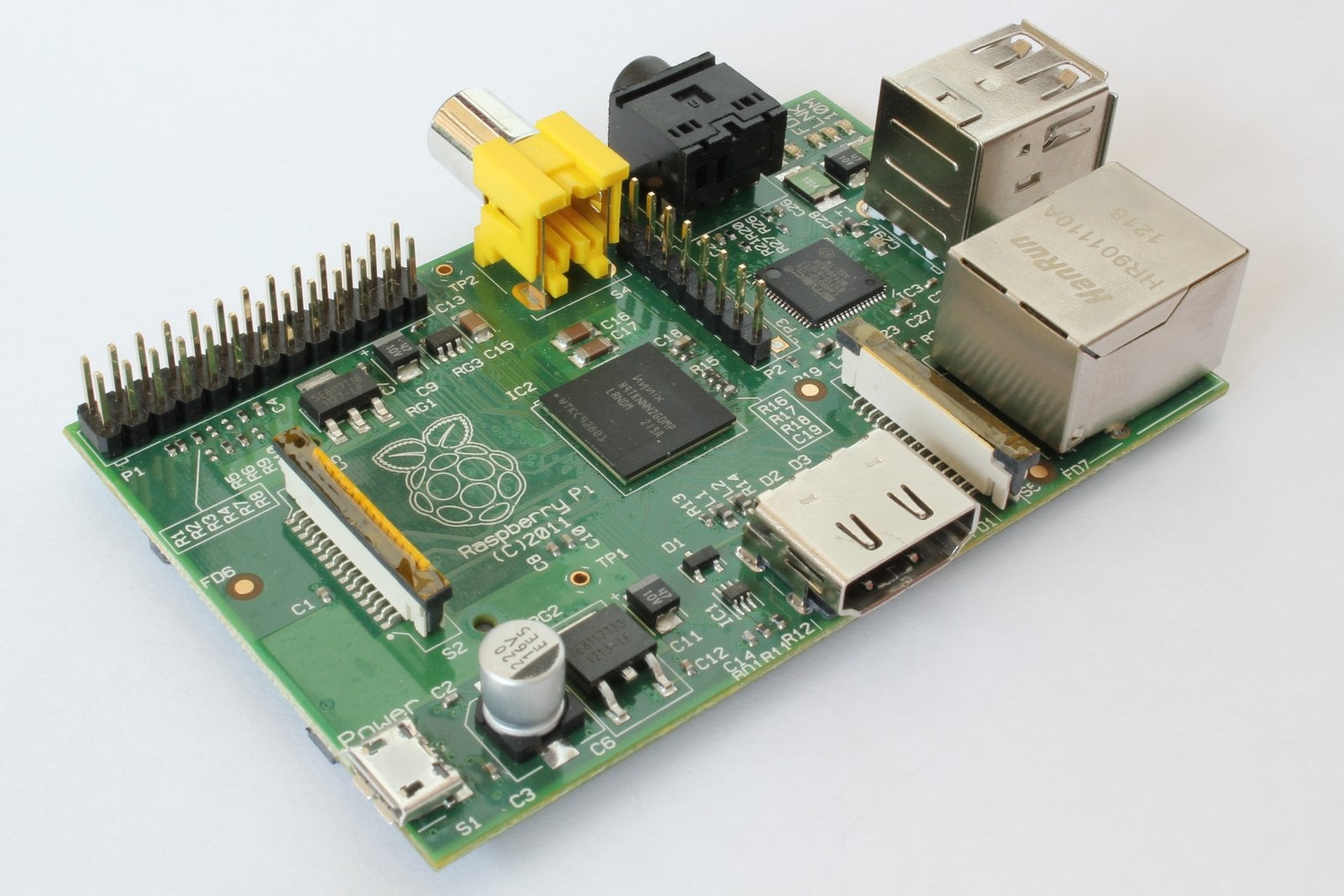
On leap day 2012, the first Raspberry Pi goes on sale. The rush for the $35 computer with its 700 MHz ARM chip and 256 MB of RAM takes down the servers of both distributors, Farnell and RS Components, within minutes — the Foundation itself has to switch its website to a static page. The plan had been a small production run for British school kids; it turned into the beginning of the best-selling British computer of all time.
Raspbian becomes the recommended operating system
Software
Raspbian — a Debian build optimised for the Pi’s hardware, started as a community project by Mike Thompson and Peter Green — becomes the officially recommended system. It marks the start of the Debian lineage that the Pi’s operating system follows to this day.
“Made in the UK”: production moves to Wales
Company
Manufacturing moves from China to the Sony factory in Pencoed, Wales — and most Raspberry Pis still roll off the line there today. For an electronics product in this price class, bringing production back to Europe was unheard of in 2012.
Model B gets 512 MB of RAM
Hardware
At no extra cost, the Foundation doubles the Model B’s memory from 256 to 512 MB. It is the first example of a pattern that stays with the Pi for years: more performance for the same price.
Era 2
2013–2018: Growth
Camera, Compute Module, Pi 2 and 3 — and a $5 computer at the newsstand.
Model A: the $25 variant
Hardware
The stripped-down Model A (256 MB RAM, one USB port, no Ethernet) reaches Europe. Drawing only a third of the Model B’s power, it becomes the first choice for battery-powered projects and robotics.
The first Camera Module (5 MP)
Hardware
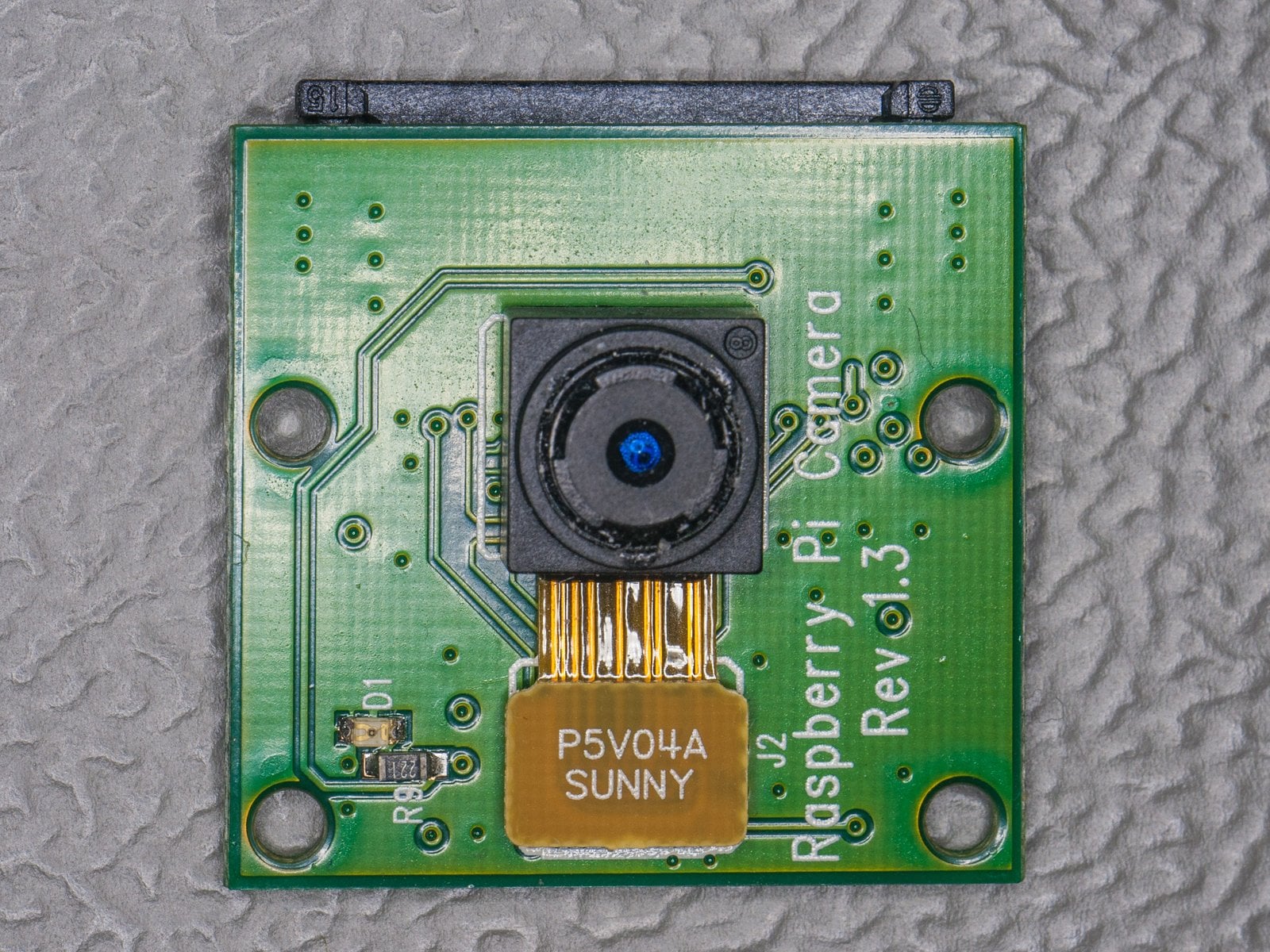
For $25, the Pi gets its first official accessory board: a 5-megapixel camera for the CSI port. Time-lapses, birdhouse cams and surveillance projects quickly make the camera the most-used Pi accessory of all.
1.75 million sold — 1 million made in Wales
Company
Eighteen months after launch, the Foundation reports 1.75 million Pis sold, one million of them built at the Sony plant in Pencoed. The tinkerer’s computer is definitively no longer a niche product.
Compute Module: the Pi goes industrial
Hardware
The Pi in SODIMM format kicks off the industrial line: companies can now build Pi technology straight into their own products. Along the way, the education project becomes an embedded supplier — today, industrial and embedded customers account for over two-thirds of sales.
Model B+: 40 GPIO pins and microSD become standard
Hardware
The B+ locks in the layout that still applies today: 40-pin GPIO header, microSD slot, four USB ports and the familiar mounting holes. Thanks to that decision, practically every HAT expansion board of the past ten years fits every modern Pi.
Raspberry Pi 2: quad-core and 1 GB of RAM
Hardware
Four cores instead of one, 1 GB of RAM, same price: according to the Foundation, the Pi 2 is “six times faster” than its predecessor. For the first time the Pi actually feels usable as a desktop machine — and Microsoft announces Windows 10 IoT Core for the Pi in parallel.
5 million: the best-selling British computer
Company
With five million units sold, the Raspberry Pi overtakes the legendary ZX Spectrum and becomes the best-selling British computer of all time — three years after launch.
The official 7-inch touch display
Hardware
After years of development (including an EMC certification odyssey), the first official display arrives: 7 inches, 800×480, touch — the starting signal for countless Pi-based smart home panels, kiosk systems and car dashboards.
Pi Zero: the $5 computer on a magazine cover
Hardware
The Pi Zero undercuts every price barrier — and the Foundation sticks it onto the cover of its own MagPi magazine as a free gift. A full Linux computer at the newsstand: the issue sells out within hours.
Astro Pi: two Raspberry Pis fly to the ISS
Company
Two specially hardened Pis with Sense HATs launch to the International Space Station alongside ESA astronaut Tim Peake. Ever since, tens of thousands of school kids have run their own code in orbit every year — still one of Europe’s biggest STEM education programmes.
Pi 3: Wi-Fi and Bluetooth move in
Hardware
Right on time for the fourth birthday (another leap day!), the Pi 3 arrives — for the first time with Wi-Fi and Bluetooth on board and a 64-bit-capable quad-core. The dongle sprawl on the USB ports comes to an end, and the Pi finally becomes the standard building block for the connected home.
10 million Raspberry Pis sold
Company
Four and a half years after launch, ten million Pis have been sold — Eben Upton had originally expected 10,000 in total. The first official starter kit is released to mark the milestone.
Zero W: wireless for the smallest Pi
Hardware
For its fifth birthday, the Zero gets Wi-Fi and Bluetooth — for $10. IoT projects, smart cameras and retro handhelds no longer need a USB adapter.
Pi 3 B+: a speedy polish on Pi Day
Hardware
More clock speed (1.4 GHz), Gigabit Ethernet (attached via USB), dual-band Wi-Fi and PoE readiness: the B+ is the most mature version of the Pi 3 generation — fittingly released on Pi Day, 14 March.
Pi 3 A+: the last Model A
Hardware
The A line gets its send-off: full Pi 3 performance in the compact A format for $25. No successor has appeared to this day — anyone building small has reached for the Zero ever since.
Era 3
2019–2023: Platform Maturity
The Pi matures into a desktop-class machine, gets its own chips — and survives the chip shortage.
Pi 4: USB 3, dual 4K and your choice of RAM
Hardware
The Pi 4 brings USB 3.0, true Gigabit Ethernet, two 4K HDMI outputs — and for the first time a choice of RAM (1, 2 or 4 GB, later 8). The $35 entry price stays, but from now on the Pi is also a serious desktop and server machine. One sore point: the first revision has a USB-C charging flaw that acts up with “smart” cables.

Raspbian becomes Raspberry Pi OS — and the Pi 4 gets 8 GB
Software
Along with the 8 GB variant of the Pi 4, the Foundation renames its operating system: Raspbian becomes Raspberry Pi OS, and the 64-bit beta launches in parallel. The new name positions the system as an official product — the Debian base stays.
Compute Module 4: farewell to the SODIMM format
Hardware
The CM4 switches to compact board-to-board connectors and brings PCIe into the Pi world for the first time — officially only for industrial customers, though. The community builds anyway: NAS boards, routers and the first NVMe experiments all emerge on a CM4 basis.
Pi 400: the computer inside a keyboard
Hardware
In the middle of the homeschooling year, the Pi 400 appears: a complete computer in a keyboard case for $70 — a deliberate bow to the home computers of the ’80s whose spirit once inspired the Foundation.
Pico & RP2040: the first in-house chip
Hardware
With the $4 Pico microcontroller, Raspberry Pi steps into Arduino territory — and with the self-developed RP2040 becomes a chipmaker for the first time. The step from board builder to silicon designer shapes everything that comes after.
Zero 2 W: quad-core in the Zero format
Hardware
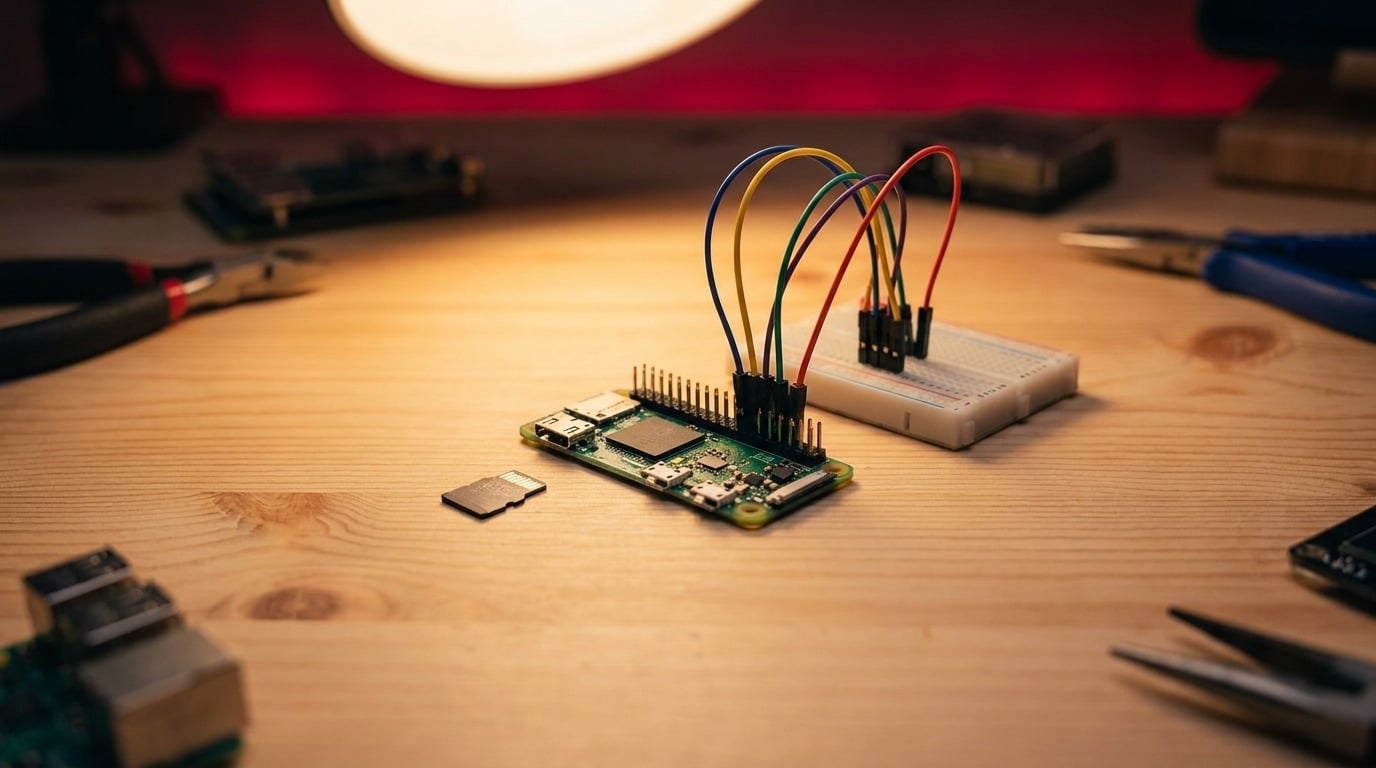
The Zero 2 W packs a quad-core into the unchanged Zero footprint — made possible by a custom system-in-package (RP3A0). For $15, even more demanding software now runs on the smallest Pi.
Chip shortage: the Pi becomes scarce
Company
The global semiconductor crisis hits the Pi with full force: boards are sold out for months, scalpers charge absurd prices, and the Foundation officially prioritises industrial customers. Things only ease up in mid-2023 — a dent that briefly gives the competition (Orange Pi & co.) a boost.
Pico W: Wi-Fi for six dollars
Hardware
The Pico goes wireless: for $6, the microcontroller becomes a fully-fledged IoT platform. Sensors that beam their readings straight into your Wi-Fi now cost less than a lunch.
Raspberry Pi 5 with the in-house RP1 I/O chip
Hardware
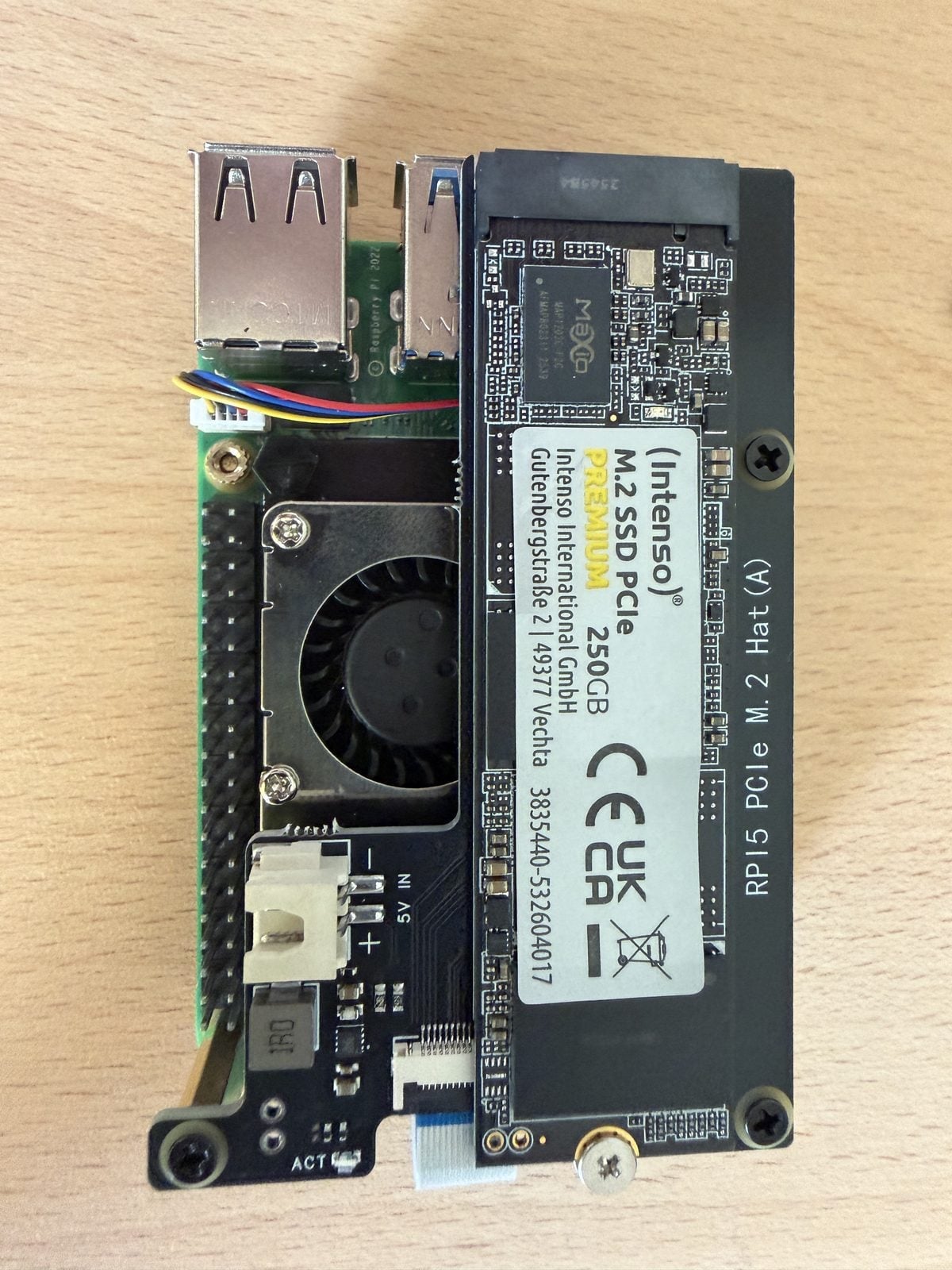
The Pi 5 brings the second in-house design: the RP1 chip handles all of the I/O. For the first time, PCIe is officially accessible — the foundation of the NVMe boom that finally turns the Pi into a server and desktop machine. On top of that come a power button and a real-time clock, two of the most-requested features ever.
Raspberry Pi OS “Bookworm”: Wayland becomes the default
Software
With its Debian 12 base (“Bookworm”), Raspberry Pi OS switches the desktop to Wayland — as one of the first major Linux systems to do so. The move brings smoother graphics, but also breaks a few old tool workflows.
Era 4
2024–present: IPO & AI
From charity project to publicly listed company — and local AI becomes the new core topic.
Raspberry Pi Connect: official remote access
Software
With Connect, there is finally an official way to control your Pi remotely — desktop and shell in the browser, without port forwarding or VPN fiddling. For beginners, one of the biggest hurdles of headless operation simply disappears.
AI Kit: the gateway to local AI
Hardware
Together with Hailo, Raspberry Pi releases a 13 TOPS AI accelerator as an M.2 HAT for $70. Real-time object detection now runs locally on the Pi 5 — no cloud required. The starting shot for the AI product line.
IPO on the London Stock Exchange
Company
Raspberry Pi Holdings plc goes public on the London Stock Exchange. The charitable Foundation remains the majority shareholder — the education legacy and the commercial arm have been formally separated ever since. Among other things, the IPO funds the company’s own chip development.
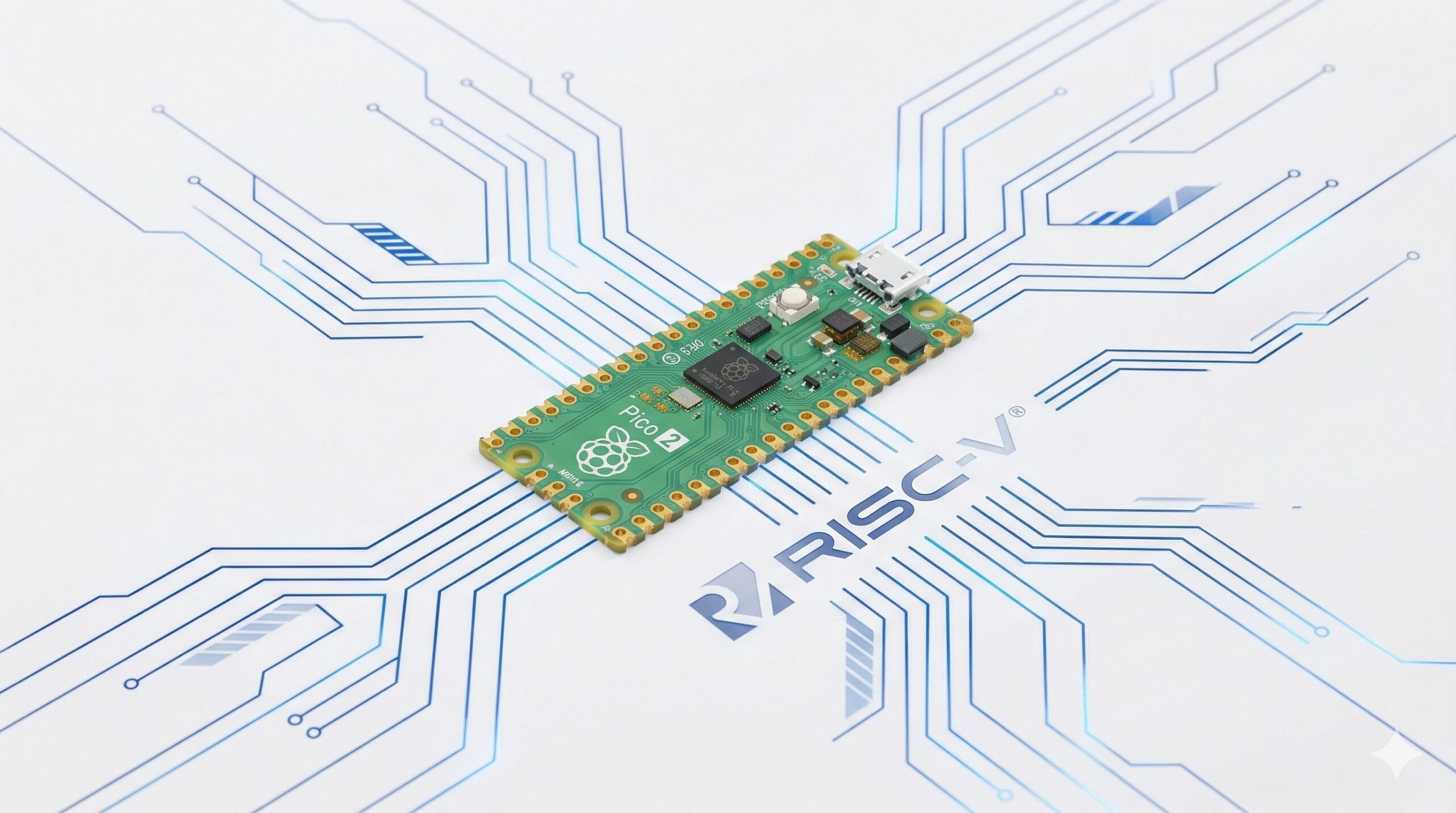
Pico 2 & RP2350 — now with RISC-V too
Hardware
The second in-house microcontroller chip, the RP2350, offers freely selectable RISC-V cores alongside its ARM cores for the first time — a remarkable statement in favour of the open processor architecture. The Pico 2 stays at $5.
AI Camera: AI right inside the camera sensor
Hardware
The AI Camera with Sony’s IMX500 runs neural networks directly in the sensor — the Pi receives ready-made detection results instead of raw images. AI image processing now works even on a Zero.
AI HAT+: up to 26 TOPS on the Pi 5
Hardware
The AI HAT+ integrates the Hailo accelerator directly onto the board — with 26 TOPS in the top variant. Analysing video from several cameras at once becomes an everyday job on the Pi 5.
Touch Display 2: the 7-incher goes modern
Hardware
Nine years after the first touch display comes its successor: 720×1280, five-finger touch, slimmer design — at the unchanged $60 price. The standard panel for smart home hubs finally gets a contemporary resolution.
Compute Module 5
Hardware
Pi 5 technology in the industrial format: the CM5 brings PCIe, USB 3 and up to 16 GB of RAM to the embedded world — pin-compatible with the CM4, which makes switching easy for manufacturers.
Pi 500 and the first official monitor
Hardware
The Pi 500 puts Pi 5 technology into the keyboard case, flanked by the first official Raspberry Pi monitor (15.6″, Full HD, $100). Together they form, for the first time, a complete desktop setup from a single source.
Pi 5 with 16 GB of RAM
Hardware
For $120, the Pi 5 is now available with 16 GB — four times as much as the former flagship Pi 4. The target audience: local AI models, larger container setups and everyone who seriously uses the Pi as a desktop.
68 million Raspberry Pis sold
Company
The first annual report after the IPO puts total sales at 68 million units. For perspective: the Foundation’s original goal was 10,000 units for British schools.
Pi 500+: mechanical keyboard and NVMe out of the box
Hardware
The most expensive Pi product to date: for $200, the Pi 500+ combines 16 GB of RAM, a 256 GB NVMe SSD and a mechanical RGB keyboard. Raspberry Pi is openly aiming for the desk now — no longer just the workbench.
Raspberry Pi OS “Trixie”
Software
The new major release based on Debian 13 (“Trixie”) brings a reworked desktop with a modular Control Centre and a fresh look. The Debian lineage that began with Raspbian in 2012 enters its fourteenth year.
Raspberry Pi Imager 2.0
Software
The most important beginner’s tool is rewritten from scratch: Imager 2.0 modernises the path from blank SD card to running system — including a reworked interface and better preconfiguration.
RAM price crisis: the end of the “ever cheaper” era
Company
Exploding memory prices force Raspberry Pi into broad price increases for the first time — and into a 1 GB Pi 5 for $45. Another round of increases follows in February 2026. The story of the ever-cheaper Pi, told since 2012, ends here.
AI HAT+ 2: generative AI on the Pi
Hardware
The second generation of the AI accelerator targets generative models: language models and image generators now run locally on the Pi 5 — right in line with the trend of running AI assistants like OpenClaw entirely at home.
The curious 3GB Pi 4
Hardware
Not an April Fools’ joke: with 4 GB chips scarce and expensive, the Pi 4 appears in a 3 GB variant for $83.75 — a child of the RAM crisis and probably the most unusual model in Pi history. At the same time, prices for further models rise once again.
Touch Display 2 in 10 inches
Hardware
The Touch Display 2 gets a big brother: 10 inches for $80. Smart home dashboards and kiosk applications finally get an official tablet-sized panel.
50 events, each backed by a primary source · Last updated: August 2026 · raspberry.tips