The car that I drive is a 2014 Renault Latitude. It's not a fancy car by any means and is starting to show its age, but it gets me from point A to point B and does everything else reasonably well so I've never really had any reason to complain.
When I bought the car, the previous owner asked me whether I wanted a "navigation map SD card" with it.
They mentioned that the car apparently needs this SD card just to change the time on the clock, but I didn't really find that believable - not that they were lying to me, but perhaps they couldn't figure out how to enter the correct settings menu. After all, videos of similar head units online showed the menu with the clock settings option right there.
Since the maps on the SD card were apparently very out of date and didn't function properly, I decided I didn't need it and the previous owner tossed it.
I didn't really miss it. The dashboard display did show a large "No maps found!" message taking up the majority of the display, but it didn't bother me too much.
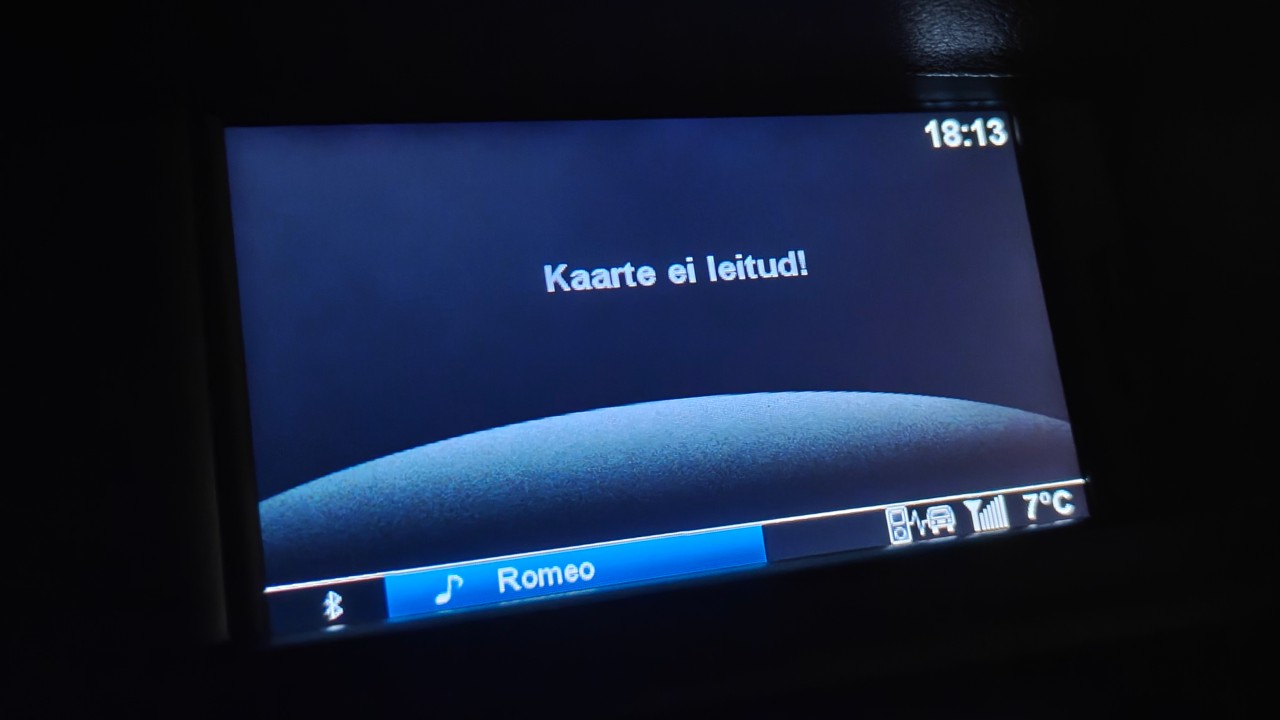
Like most other European countries, Estonia uses daylight saving time, and we recently switched from summer time (UTC+3) to "winter time" (UTC+2), which meant that the time displayed on the dashboard was out of sync by an hour. I dived into the settings menu, hoping to easily find the "Set time" option in there.
That never happened.
The menu where the "Set time" option should've been simply didn't have that option. I compared the menus with the ones in online videos, and the option was simply missing. There were two "Settings" buttons on the dash, and one of them worked but only let me change various Bluetooth and phonebook settings, with no time & date settings in sight. The second Settings button did not work whatsoever, instead showing a "No maps detected!" pop up message every time I pressed it.
I must've spent an hour going through various menus, pressing various buttons or button combinations hoping to land in the correct menu, searching the web for information on this particular unit simply because I refused to believe that there was no option to change the time and I clearly must've been missing something obvious.
Just RE it
Still in denial, I decided to fetch the firmware and dig into it, hoping to find some indication on how to open the correct settings menu.
Luckily, I wasn't the first to embark on this journey and someone had already done some reverse engineering work on this particular unit (https://github.com/andronedev/carminat-tomtom-live-re/blob/main/README.md). While it was in French and seemingly heavily LLM-assisted, it did point me to the correct URLs for fetching the update files themselves.
When extracted, the update files included a ttsystem file which turned out to be an ext3 filesystem containing the device's root filesystem, which was pretty much exactly what I was looking for. The unit itself (TomTom Carminat LIVE, codename beaumont) is built around a Samsung S5P6440 SoC running TomTom's custom OS based on Linux 2.6.28.10.
After reverse engineering it for a while, I came to the conclusion that the previous owner was completely correct. There was absolutely no way to enter the correct settings menu without a navigation SD card inserted. In fact, the menu definition pointing to the Settings applet was read from the SD card itself, and without one inserted containing the right menu definition, the unit didn't even know how to enter the Settings applet.
This decision by TomTom (or Renault) is still baffling to me.
What made things worse was that this needed to be a legitimate SD card. The system had DRM checks which rejected SD cards without the correct CID (a unique ID burned into the card) and files with signatures based on that specific CID, so I couldn't even copy the files to a blank SD card. I'm guessing the DRM was in place to prevent people from pirating maps.
I don't want maps. I have a phone that I use for navigation. I just want to change the damn time.
I checked online and found some third parties selling the card I presumably needed, but with shipping to Estonia, it would've cost me roughly 60 EUR, which I really didn't feel like paying.
Fine. I'll just root it and do it myself.
Easy wins?
I couldn't find anyone online who'd jailbroken one of these before. I found some old forum threads with long-expired image links that had some pretty generic information about the unit itself and the general consensus was that it was difficult to root.
I didn't expect a Linux 2.6 system from 2011 to be incredibly hard to hack, so I naively went in looking for some easy wins.
My first idea was to modify the ext3 update image itself. It seemed like I could easily just mount the filesystem, modify some init scripts to do what I want, and copy it to a blank SD card for the unit to pick up my modified image and flash it.
While the system showed confirmation prompts to install vanilla, unmodified ttsystem images with no problem, I could never get it to update to my modified image, and I had no idea why. I checked the updater logic present in the update file itself and couldn't see any reason why my image would be rejected.
It was at this point that I set up an emulator with QEMU, a custom kernel also based on the same 2.6 version, some patches and a very simple CAN emulator for the system to actually boot - albeit reluctantly, wanting to reboot every 3 seconds, which I just patched out by ignoring reboot syscalls.
I used this to test installing the modified update image in there. I then realized that I don't actually have the recovery partition that the device boots into to perform the update, and came to the conclusion that there must be some sort of verification layer there that I'm missing.
Taking a closer look at the ttsystem image also pretty much confirmed this, as it had a bunch of high-entropy data appended to it, followed by some zero blocks, followed by 40 high-entropy bytes. I assumed this was a signature of some sort (40 bytes could be DSA with SHA-1), but with no access to the actual binary doing the verification, I couldn't really figure out how to attack this or if I even could.
Back to the drawing board
I'd been reluctant to put the effort into building the emulator, but it turned out to be extremely useful for testing out various attacks and getting an overview of how the system behaved.
For example, I found out that most partitions were mounted either read-only, noexec or both. Mounts from a live system:
rootfs on / type rootfs (rw)
none on /sys type sysfs (rw,nosuid,noexec)
none on /proc type proc (rw,nosuid,noexec)
/dev/mmcblk0p5 on /content type ext3 (rw,nosuid,nodev,noexec,noatime,nodiratime,errors=continue,data=ordered)
/dev/loop0 on / type ext2 (ro,noatime,nodiratime,errors=continue)
none on /dev type tmpfs (rw,nosuid,noexec,size=1024k)
none on /tmp type tmpfs (rw,nosuid,noexec,size=2048k)
none on /var type tmpfs (rw,nosuid,noexec,size=5120k)
none on /dev/pts type devpts (rw,nosuid,noexec,gid=5,mode=620)
none on /var/log type tmpfs (rw,nosuid,noexec,size=1024k)
/dev/mmcblk0p3 on /mnt/flash type ext3 (rw,sync,nosuid,nodev,noexec,errors=continue,data=ordered)
/dev/mmcblk1p1 on /media/sdcard type vfat (rw,sync,nosuid,nodev,noexec,noatime,nodiratime,fmask=0022,dmask=0022,codepage=cp437,iocharset=iso8859-1)
/dev/loop1 on /media/loopback type ext3 (rw,nosuid,nodev,noexec,noatime,nodiratime,errors=continue,commit=3600,data=journal)
none on /mnt/movi type unionfs (rw,nosuid,nodev,noexec,noatime,nodiratime,dirs=/media/loopback=rw:/media/sdcard=ro)
Notably, the base FAT32 filesystem of the SD card was mounted to /media/sdcard, and the system mounted a unionfs on top of it in /mnt/movi, which had a writable layer pointing to an ext3 filesystem which lived as a file on the external SD. I'm not 100% sure what the point of this setup was (maybe so they can use data=journal, which survives power loss better?), but nevertheless all of these mounts were noexec.
This seemed like surprisingly strong security for something from 2011.
Something else that the emulator helped me with was identifying all of the files that the system tried to read from the external SD card. One of these files was master.script, a script in a custom language for automating certain UI navigation actions. This was loaded every boot and I hoped this would allow me to somehow open the correct settings menu for setting the time.
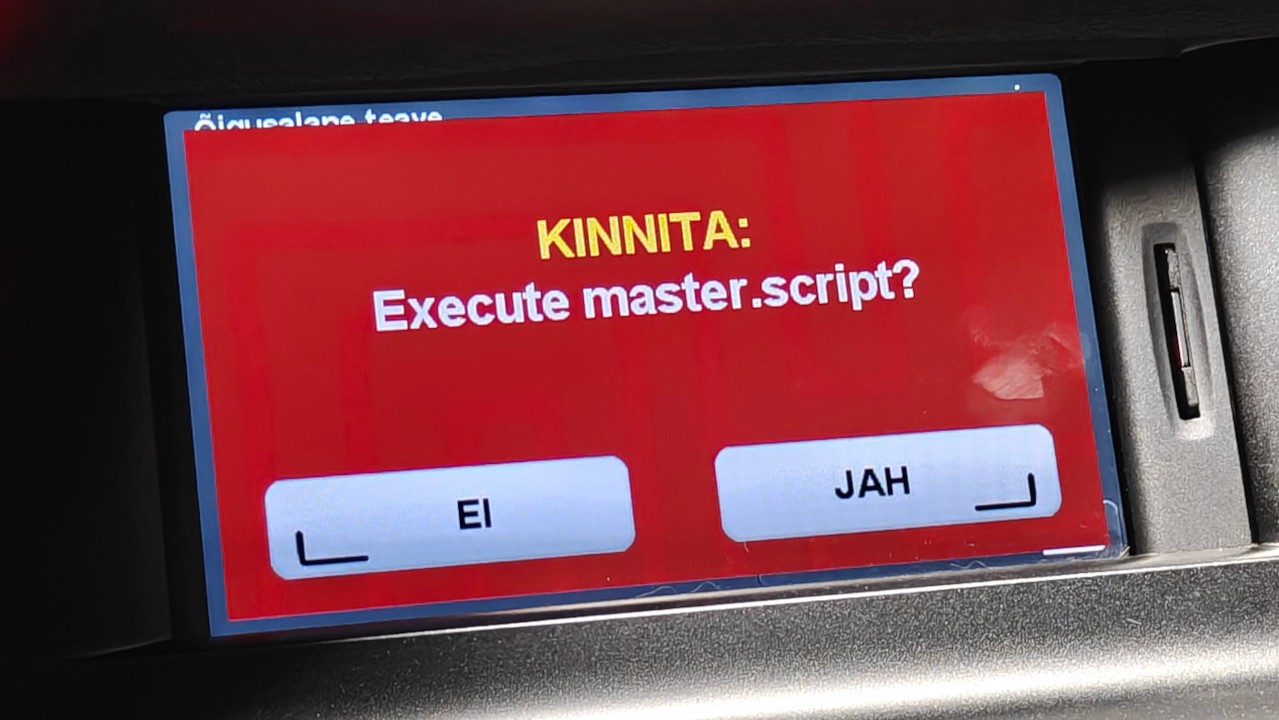
I reversed ttn, the binary responsible for parsing this script, documenting its functionality as I went, but unfortunately I didn't find any way to open the menu I needed.
More wild goose chases
I still thought master.script was what I should be putting my effort into, since it had a lot of functionality that could be a potential attack vector.
As usual, I checked for any system or popen calls that would allow me to perform command injection. Unfortunately, I didn't find any constructed with user input.
I thought I had hit the jackpot when, while reversing the parser, I came across a SHEX/SHELLEXECUTE command. It passed an arbitrary argument to launchserver, which launched whatever command line was provided with execve.
This had two obstacles. The first one was that there was still no way to get it to execute a custom executable directly, as the SD card was mounted noexec which prevents executables and scripts on it from running. However, this could be bypassed by not executing the script directly, but rather executing something like /bin/sh /media/sdcard/payload.sh, which would go through /bin/sh on the rootfs, which was not mounted noexec.
The second hurdle was bigger, however. It turned out that while launchserver would happily launch anything, SHEX accepts only a single whitespace-delimited token. This means that I could only control which binary was executed, but not pass it any arguments. Combined with the previous obstacle, this then also seemed like a dead end because I could only run scripts or binaries that were already on the rootfs. I did look through most of them, but nothing seemed very helpful.
Defeated, I started looking at file writes. Maybe if I could write files to places I shouldn't be able to, that would give me some sort of leverage.
Sure enough, I discovered the LOG command, which let me truncate a file (defined with #define LOGFILE log.txt) and write a single line to a file of my choosing. This one actually allowed spaces and regular ASCII characters, but only bytes 0x20 to 0x7E, meaning writing binary data is out of the question. As ttn runs as root, any writes would also be written as root.
It also had a classic path traversal vulnerability. Defining LOGFILE with ../ in it allowed me to write outside the intended logfile directory, theoretically allowing me to write printable ASCII to anywhere on the system.
However, I once again ran into a wall with how the mount points were set up. I couldn't overwrite anything on the rootfs since it was mounted read-only, and everything else was mounted noexec and would never be executed anyways. I also looked into whether there were any useful config files I could overwrite, but most files were a custom binary format that I couldn't write with LOG or were otherwise unhelpful. This also looked like a dead end.
Among other things, master.script allowed displaying images on the screen (GIFs/BMPs). I spent some time setting up a fuzzing environment using Unicorn to see if I could hit any image decoder bugs causing memory corruption, and while I did get quite a few OOB reads, I didn't find any useful writes.
Borrowing a trick from kernel exploits
I had been researching, reverse engineering and trying to come up with different strategies to run arbitrary code for a while. Much to my frustration, none of my strategies ended up working, and I took a step back to look at the bigger picture and figure out if I can make any of the puzzle pieces that I already have fit together.
Among other things, I knew I could:
- Execute arbitrary binaries, but with no arguments and only the ones already on the rootfs
- Write ASCII to paths of my own choosing
This is when I had a brainwave and was reminded of a trick that kernel exploits often use: Instead of trying to get the userland to execute our script, why don't I get the kernel to execute our script instead?
Often, Linux kernel exploits, when being able to write arbitrary memory, overwrite the core_pattern string. Normally, this dictates how coredumps are stored when a process crashes, but it also accepts special syntax for piping these coredumps to a process instead (|/bin/my-coredump-handler). When a crash occurs, the kernel spawns the process specified in core_pattern and pipes the data in there.
core_pattern also supports cmdline arguments for the spawned process. I got lucky here, since support for this landed in 2.6.24 whereas the unit's kernel was 2.6.28.
Importantly, you're also able to set core_pattern from userland by writing the pattern to /proc/sys/kernel/core_pattern.
I can easily use this to point LOGFILE to ../../proc/sys/kernel/core_pattern and LOG the string |/bin/sh /media/sdcard/payload.sh. This would run the rootfs /bin/sh and execute our script with it as root.
Being able to execute arbitrary binaries also turned out to be useful even without arguments, since I needed to somehow get a program to crash, triggering a coredump. Using a DoS vuln to crash the script parser or the main UI itself wouldn't work very well, because this would immediately trigger a reboot of the whole system, killing my script.
I used my emulator setup to execute pretty much every single binary on the system, and found that /bin/dbus-monitor raised a SIGABRT if it couldn't connect to the system bus (which the unit didn't run), triggering a coredump. This was perfect.
Putting it together
My final master.script turned out to be quite simple:
#define LOGFILE ../../proc/sys/kernel/core_pattern
LOG |/bin/sh /media/sdcard/payload.sh
SHEX /bin/dbus-monitor
I initially confirmed success by simply calling reboot in the payload.sh script. I was very pleasantly surprised when booting the unit with the SD card inserted and pressing "Yes" at the "Execute master.script?" prompt, the unit rebooted, confirming that I had code execution.
The first thing I did was use this to create a full backup of the internal eMMC using dd. With a more complete dump of the system, I pretty quickly figured out that the date & time settings that I'm interested in are in /mnt/flash/settings.dat, which is a custom binary format. After some more reverse engineering, I figured out the exact offset in the file which held the currently set timezone, and wrote a script to patch it to be UTC+2.
That is how I was finally able to fix my car's timezone.